


Confidence
Raise it to keep only the shapes the model is sure of. Lower it to bring the doubtful ones back.
 AI Segmentation QGIS
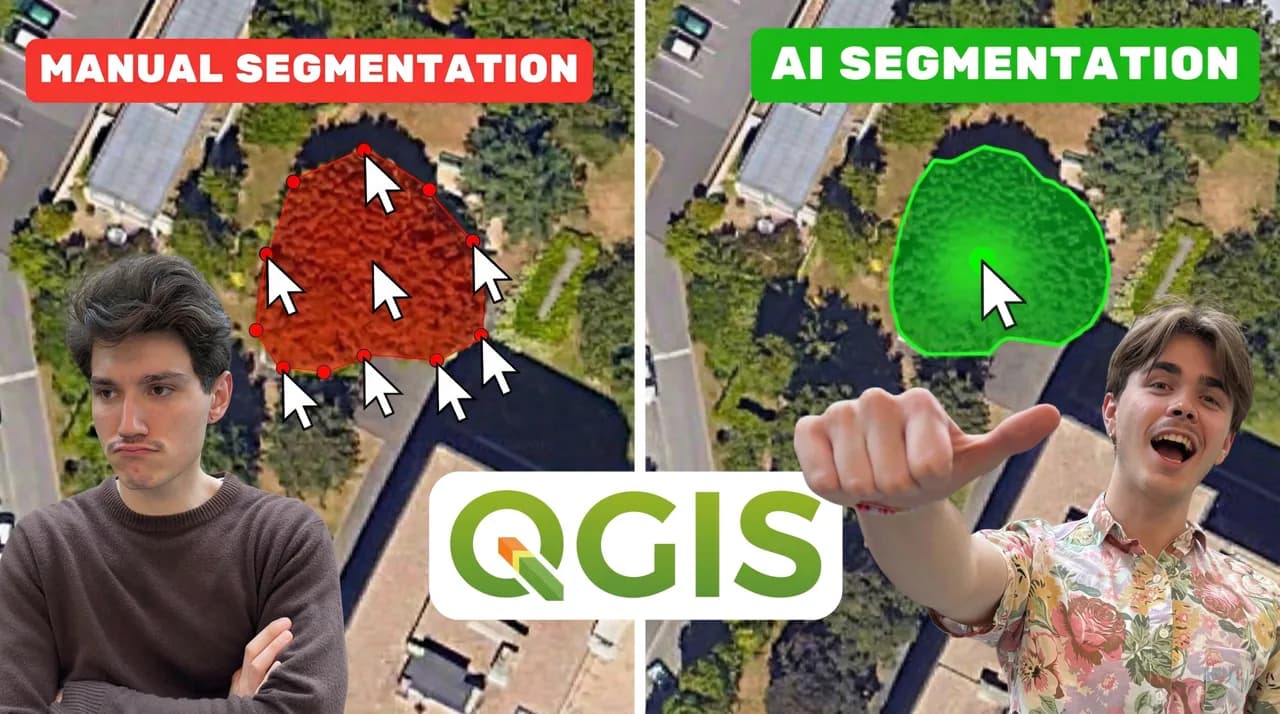
Click one object and it is traced.
Draw an area and every match inside comes back, ready to export.
Before you install
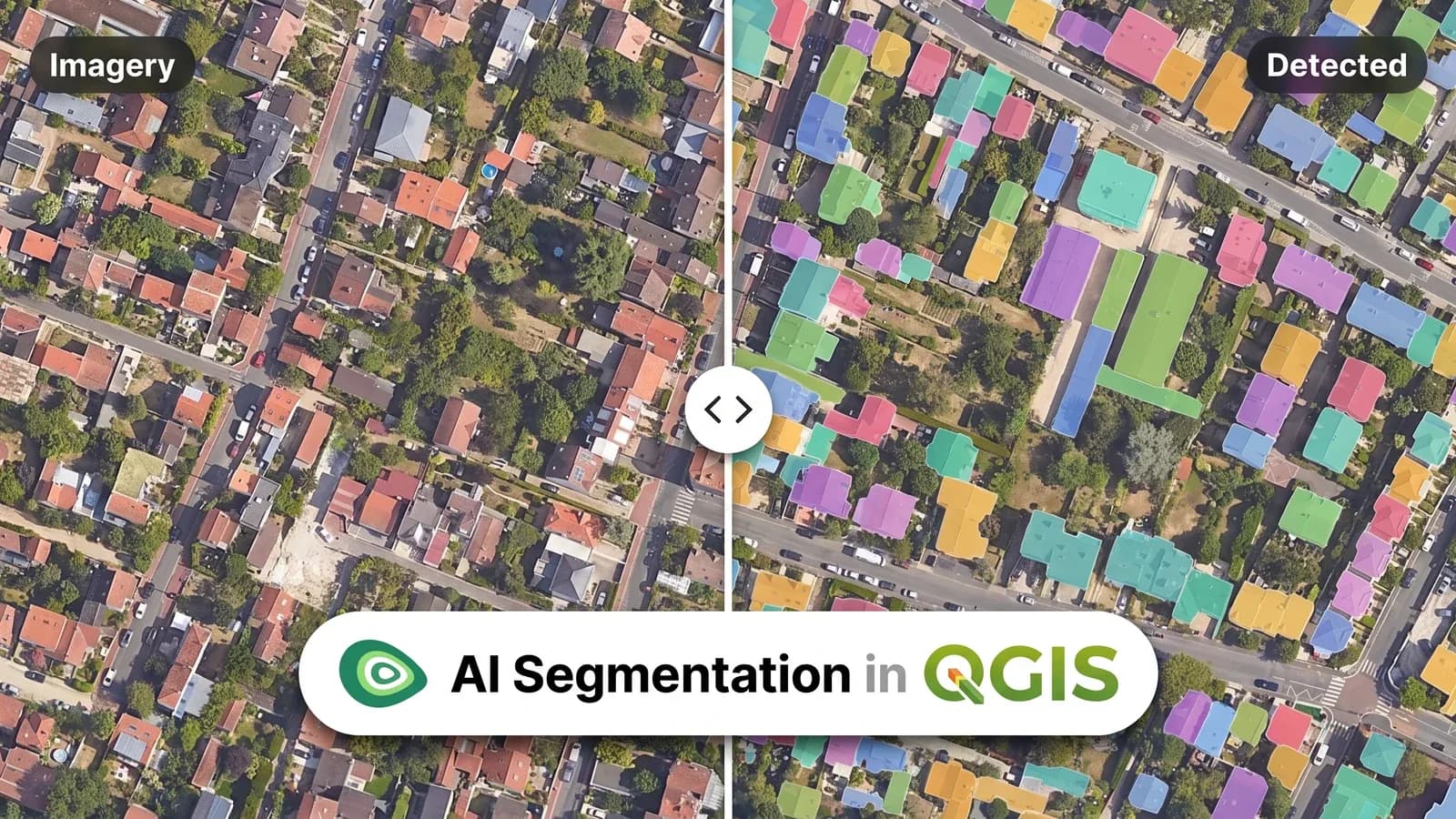
AI Segmentation, the QGIS plugin by TerraLab, turns aerial or satellite imagery into vector polygons.
Name what you want and it finds every one: buildings, trees, solar panels, roads, pools, field parcels, anything you can describe. It reads any raster QGIS already displays, from a drone orthomosaic to a WMS, and returns a vector layer in your project CRS with an id, a class, an area and a confidence on every polygon.
Two modes
One covers the area you draw. The other traces the object you click.
Automatic
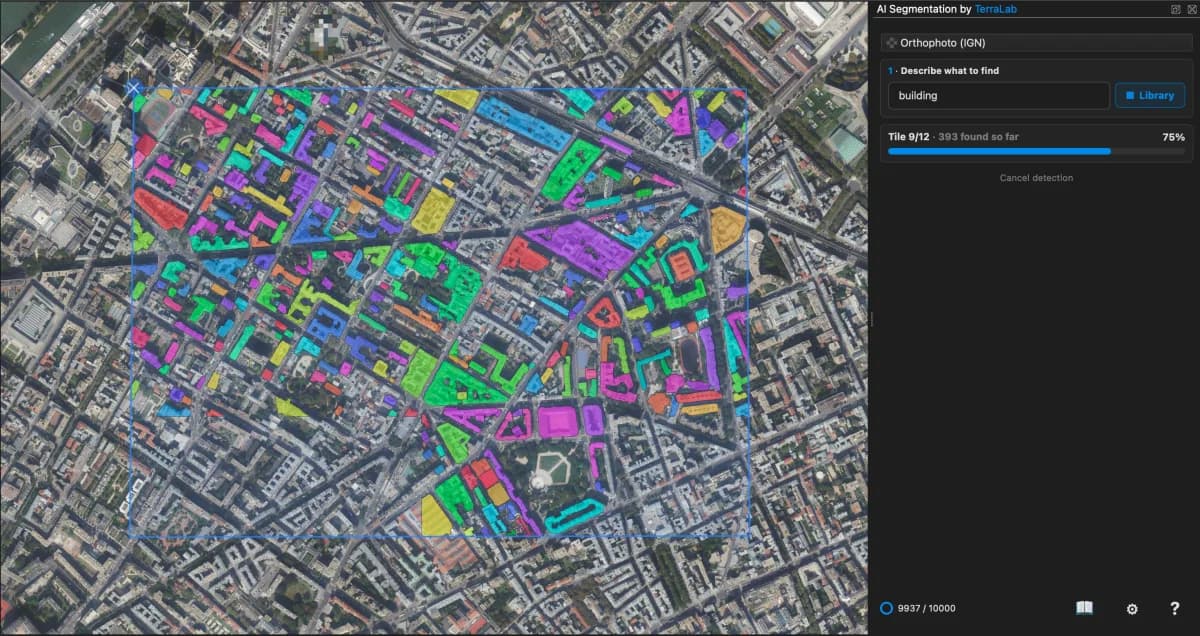
Draw a rectangle, name the object, and every match inside comes back in two or three seconds. Use it when the objects repeat: roofs, panels, parcels, tree crowns.

What it buys you
One drawing covers a whole district.
Runs on our servers in Europe. Counted in km² of ground.
Pick this when you would otherwise trace the same shape over and over.
Semi-Auto
Click the thing you want, it is traced in under a second, you save it and move on. Use it on the awkward ones: a wall, an odd yard, a patch with no clean edge.

What it buys you
You choose every object that lands in the layer.
Our servers in Europe, or your own machine offline. Counted per object saved.
Pick this when the objects are few, or too irregular for one description to cover.
Automatic mode
Plain words: building, tree, road, solar panel. Any object you can name.
Draw one of the objects on the image and the model follows it. Every extra example sharpens the run.
Precision splits the area into tiles. Small tiles catch small objects. Big tiles give the model the wider view that farm parcels need.
Semi-Auto mode
One object at a time, on purpose. Selecting two at once gives a worse shape, so the panel saves them one by one and the layer stays clean.
A small open source model, installed once. It runs offline on your own machine, with no counter, slower and less sharp.
One download, then nothing leaves your computer
Nothing to install, the stronger model, under a second a click. Our servers are in Europe.
Nothing to install. Clicking is free, one object from your monthly allowance per save
Why automate
Reported on a 2 GB drone orthomosaic.
Real runs
Each tile is a real automatic run in QGIS. Every polygon carries its area and a confidence score, so you can filter before you export.
 After
After Before
Every roof on the block, from your own imagery.
 After
After Before
A whole solar farm, block by block.
 After
After Before
925 crowns over parkland, each its own polygon.
 After
After Before
Road extraction across a dense city district.
 After
After Before
Every backyard pool in a residential block.
 After
After Before
Farm parcels for land cover mapping.
Both modes
The AI gets the bulk of it right. These eight controls, in Automatic and in Semi-Auto, close the last ten percent it can miss, so the layer you hand over holds up to professional scrutiny. None of them touches your counters.
Raise it to keep only the shapes the model is sure of. Lower it to bring the doubtful ones back.
Set a smallest and a largest area. Everything outside the range drops out.
Walls come back straight instead of wobbly. On by default for buildings.
The opposite setting, for tree crowns and anything with no straight edge.
Simplify the outline down to the points you need, so the layer stays light to edit.
Push every polygon out for a buffer, or pull it in when the outline runs wide.
Cut one polygon in two, or redraw a single edge while the rest stays put.
Colour the batch by confidence, or drop to outlines, to check the fit against the image.
What you walk away with
Export drops a normal vector layer into your panel, with an id, the class you asked for, the area, the perimeter and the confidence on every polygon, in your project CRS.
What you export stays yours, on every plan, including the free one.
Attribute table
| id | class | area_m2 | perim_m | confidence |
|---|---|---|---|---|
| 1 | building | 184.2 | 58.6 | 0.97 |
| 2 | building | 96.5 | 41.0 | 0.94 |
| 3 | building | 212.8 | 63.4 | 0.91 |
| 4 | building | 77.1 | 35.2 | 0.88 |
Free is there to try it. Pro is there to finish the job.
To try it out
no card
For you, on your own
€390 billed yearly · Save €78
For your organization
Invoice, purchase order, bank transfer
Prices excl. VAT. Tax is calculated at checkout.
Every QGIS plugin, one subscription.
 AI Segmentation Pro, 200 km² and 500 objects a month
 AI Edit Pro, 3,000 credits a month
 AI Agent Pro, 300 runs a month
Line by line, Free against Pro.
Automatic counts the ground your area covers, in km² on the map. Semi-Auto in the cloud counts one object detection per save. Clicks and corrections are free, and Semi-Auto on your own computer has no counter.
| What you get | Free | Pro |
|---|---|---|
| Automatic detection a month | 1.5 km² | 200 km² |
| Biggest area you can draw in one run | 1.5 km² | No limit |
| Objects saved in Semi-Auto a month | 20 | 500 |
| Drawn examples per run | 1 | Up to 5 |
| Semi-Auto on your own machine | No counter | No counter |
| Runs kept with their imagery, to reopen later | Not included | Included |
| Commercial use | Not included | Included |
Install the plugin, sign in, and get polygons out of your own image in under five minutes.
No card. 1.5 km² of automatic detection and 20 objects every month.