ArcGIS Pro Cost for a Team: Per Seat vs QGIS + AI Agent
Published
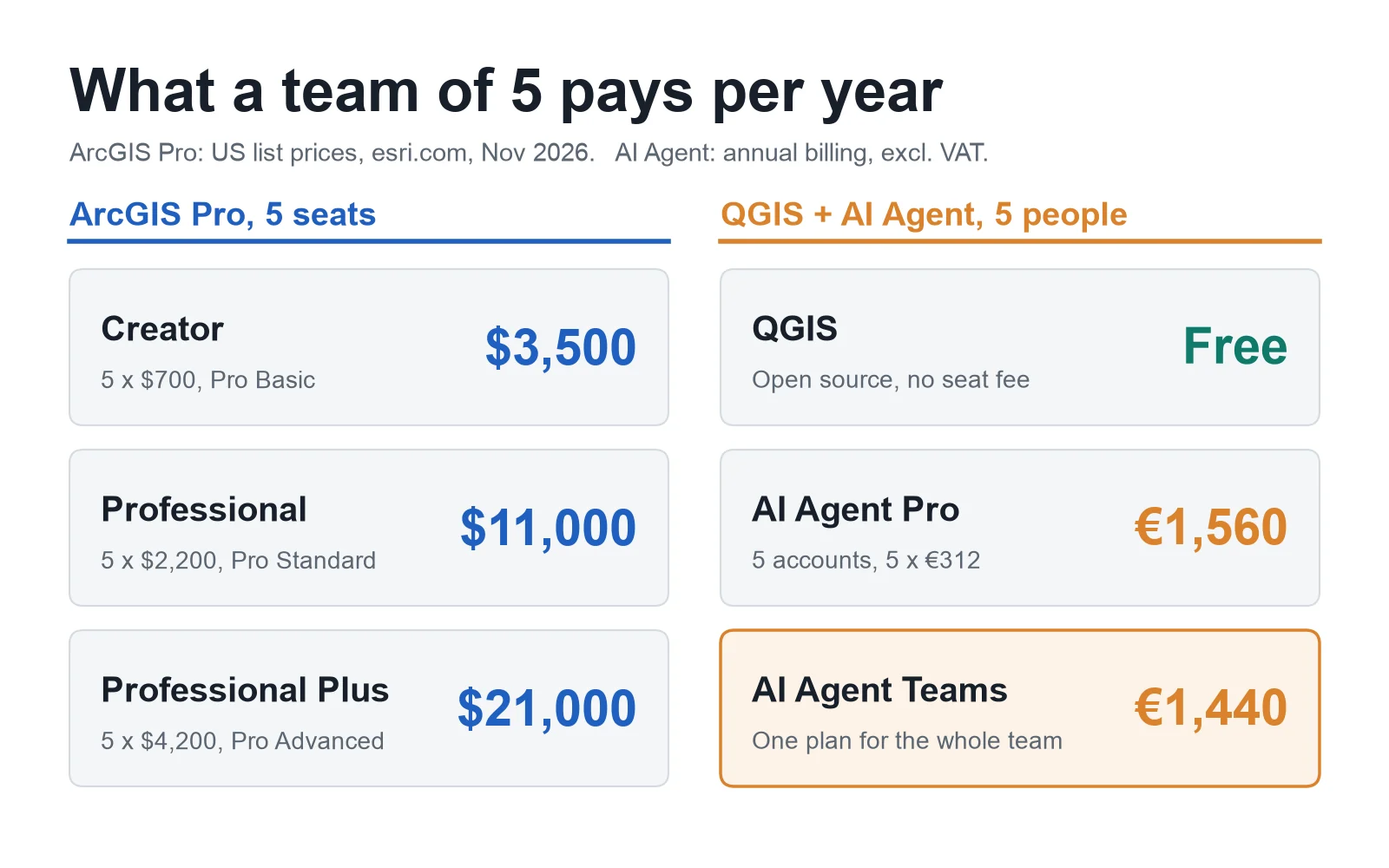
ArcGIS Pro costs $700, $2,200 or $4,200 per person per year in the US, depending on the license level, and every team member who opens the software needs their own license. A team of five pays $3,500, $11,000 or $21,000 a year for ArcGIS Pro. The same team pays nothing for QGIS, and €1,560 a year for AI Agent Pro for each person or €1,440 a year for AI Agent Teams, on annual billing and excluding VAT.
 , and €1,560 a year for AI Agent Pro for each person or €1,440 a year for AI Agent Teams, on annual billing and excluding VAT.
We build the AI Agent plugin for QGIS at TerraLab, so we have a clear interest in this comparison. Every Esri price and licensing rule below links to Esri's own pages. Esri prices are US list prices in US dollars, and our prices are in euros excluding VAT; we do not convert one currency into the other.
How much does ArcGIS Pro cost per person?
Esri sells ArcGIS Pro inside annual named-user licenses, called user types, on Esri's ArcGIS Online buy page. Three user types include ArcGIS Pro, each paired with a license level, 500 ArcGIS Online credits and Esri's web apps.
| Esri license (user type) | ArcGIS Pro level | US list price per year | Credits included | What it includes |
|---|---|---|---|---|
| Creator | Basic | $700 | 500 | ArcGIS Pro Basic and Esri web apps |
| Professional | Standard | $2,200 | 500 | ArcGIS Pro Standard, advanced editing, data management, automated data accuracy checks, Esri web apps |
| Professional Plus | Advanced | $4,200 | 500 | ArcGIS Pro Advanced, seven extensions, Esri web apps; marketed for advanced spatial analysis and end-to-end AI workflows |
According to Esri's extensions page, Professional Plus includes seven extensions: 3D Analyst, Data Reviewer, Geostatistical Analyst, Image Analyst, Network Analyst, Publisher and Spatial Analyst. Each other extension costs $650 a year on a Creator or Professional seat. Adding one to Creator brings that seat to $1,350 a year ($700 + $650). Adding one extension to Professional brings it to $2,850 a year ($2,200 + $650).
Colleagues who only view maps or make simple web edits can take lighter user types that do not include ArcGIS Pro: Viewer at $125 a year or Contributor at $250 a year. For the full breakdown of Esri user types, credits and extension math, see our ArcGIS Pro pricing page.
Every person who needs ArcGIS Pro counts as a full seat. The FAQ on the same buy page says: "per the terms of Esri's Master Agreement, each user type license must be used by a single person. Each team member must be assigned their own user type and user type licenses may not be shared."
Can a team share one ArcGIS Pro license?
No. A team cannot buy two ArcGIS Pro seats and pass the logins around five colleagues. Under Esri's Master Agreement, each user type belongs to one named person.
Your yearly bill follows headcount, whatever the hours each person spends in the software. A project manager or analyst who opens ArcGIS Pro once a week to update a layer or export a map needs their own Creator, Professional or Professional Plus seat. Viewer ($125 a year) and Contributor ($250 a year) do not grant access to ArcGIS Pro.
That wording rules out companies, consultancies, public agencies, universities and nonprofits. Paid client work benefits a third party too, so by the same wording a freelancer cannot use Personal Use for it.
What a GIS team pays per year
Esri licenses scale one to one with the people on the team. QGIS has no per-seat fee. With QGIS and AI Agent, you pay per person with Pro or once for the whole team with Teams.
The table below shows yearly costs by team size. Esri figures are US list prices in US dollars, the seat price times the team size (5 x $700 = $3,500). Our figures are in euros excluding VAT on annual billing. QGIS is free in every row.
| People | Creator | Professional | Professional Plus | QGIS + AI Agent Pro each | QGIS + AI Agent Teams |
|---|---|---|---|---|---|
| 1 | $700 | $2,200 | $4,200 | €312 | not needed for one person |
| 3 | $2,100 | $6,600 | $12,600 | €936 | €1,440 |
| 5 | $3,500 | $11,000 | $21,000 | €1,560 | €1,440 |
| 10 | $7,000 | $22,000 | $42,000 | €3,120 | €1,440 |
| 20 | $14,000 | $44,000 | $84,000 | €6,240 | €1,440 |
With AI Agent Teams on annual billing, the cost per person drops as the team grows: €480 per person per year for 3 people, €288 for 5, €144 for 10 and €72 for 20.
If you prefer monthly billing with no annual commitment, AI Agent Pro comes to €468 per person per year (€39 a month), and AI Agent Teams to €2,160 per team per year (€180 a month), excluding VAT. Annual billing gives four months free on both plans: €26 a month per person for Pro, €120 a month for Teams.
Extensions raise the ArcGIS Pro totals when Creator or Professional is not enough. One $650 extension on five Creator seats adds $3,250 a year (5 x $650), taking that team from $3,500 to $6,750 a year.
What each option gives your team
A team lead also needs to know which operating systems each tool runs on, how it handles Esri files, which web apps come with it and what AI help it has today.
| Capability | ArcGIS Pro (Creator / Professional / Professional Plus) | QGIS | QGIS + AI Agent |
|---|---|---|---|
| Price | $700, $2,200 or $4,200 per person/year (plus $650 per extension on Creator or Professional) | Free (GNU GPL) | QGIS free, plus €312/person/year (Pro) or €1,440/team/year (Teams) excl. VAT |
| Platforms | Microsoft Windows only (Windows 11, Windows Server 2019, 2022, 2025) | Windows, macOS, Linux | Windows, macOS, Linux (QGIS 3.28+, including QGIS 4) |
| AI help | ArcGIS Pro assistant, in beta since June 2026; Professional Plus marketed for end-to-end AI workflows | Through plugins | Chat panel inside QGIS that finds open data, runs tools, styles layers and builds print layouts |
| Esri files | Native | Opens and saves shapefiles and file geodatabases (QGIS 3.28+); connects to ArcGIS online map services | Same as QGIS |
| Web apps | Includes ArcGIS Field Maps, Survey123, Dashboards, StoryMaps, Experience Builder | None included | None included (works inside QGIS) |
| Support | Vendor support from Esri | QGIS community | QGIS community; onboarding and a dedicated contact on AI Agent Enterprise |
Two details come from Esri's own pages. According to Esri's ArcGIS Pro 3.8 system requirements, ArcGIS Pro runs only on Windows 11 and Windows Server 2019, 2022 and 2025. Esri's June 2026 blog post on AI assistants lists the ArcGIS Pro assistant as a beta that runs actions, answers questions about ArcGIS and writes ArcPy scripts. Our comparison of ArcGIS AI assistants and QGIS AI agents covers the assistant side in detail.
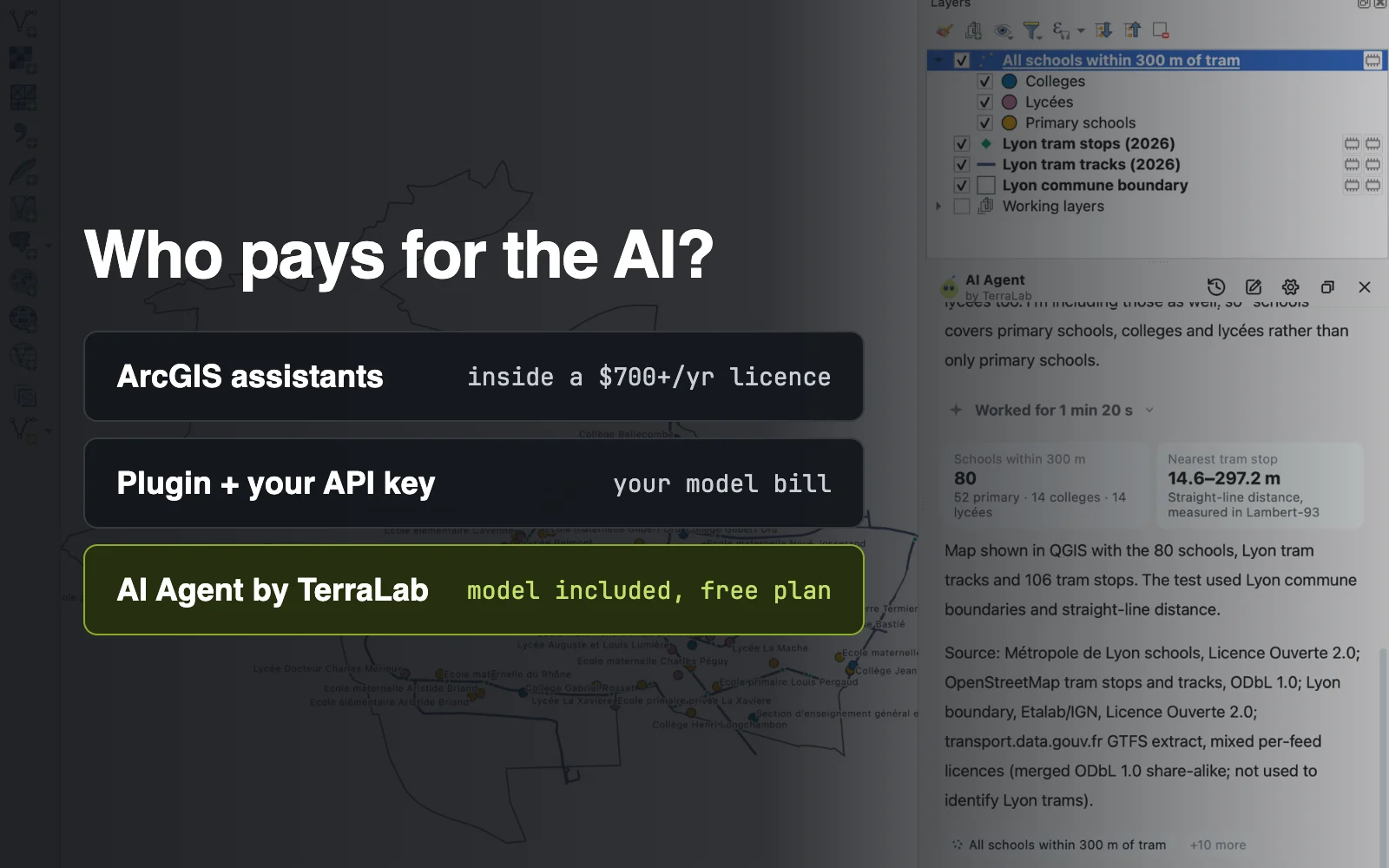
In QGIS, AI Agent by TerraLab is a QGIS plugin that docks a chat panel next to your map canvas. You write what you need inside the QGIS project you already have open. It finds open data, runs QGIS tools, styles and labels layers, builds print layouts and checks the map before it answers. It runs on QGIS 3.28 and later, including QGIS 4, on Windows, macOS and Linux. It needs no graphics card and includes the AI model, so your team has no API key to set up. It asks before deleting anything, and one click undoes everything a message did. For a walkthrough of its steps, read the AI Agent complete guide.
When to keep ArcGIS Pro
Some GIS work runs on Esri's data models and apps. There, keeping ArcGIS Pro is the right call, and the seat price is the cost of that work. Based on our QGIS vs ArcGIS Pro comparison, ArcGIS Pro is ahead in five areas:
- Utility network models. If your team manages water, gas, electric or telecom networks built on Esri's utility network model, stay on ArcGIS Pro.
- Land parcel records (parcel fabric). Teams maintaining cadastral records in Esri's parcel fabric rely on workflows built specifically for ArcGIS Pro.
- Editing enterprise geodatabases at the Standard level. Organizations that edit enterprise geodatabases, manage schemas or run automated data accuracy checks need Professional ($2,200 a year) or higher.
- Esri's web apps for the whole organization. Creator, Professional and Professional Plus include ArcGIS Field Maps, ArcGIS Survey123, ArcGIS Dashboards, ArcGIS StoryMaps and ArcGIS Experience Builder. If field crews and managers run their daily work on those apps, the desktop seat sits inside a larger platform.
- Vendor support from Esri. If your client contracts or IT procurement rules require direct vendor support from Esri, an Esri license covers that requirement.
AI Agent works inside QGIS, so it does not edit Esri utility networks or parcel fabrics, and it does not replace Esri's web apps.
When QGIS with AI Agent is enough
On many GIS teams, most seats never touch a utility network or a parcel fabric. They make maps, clean attributes, run buffers and overlays, style layers and export PDFs for reports. QGIS handles that daily work without a license fee, and downloading and installing QGIS takes a few minutes.
Moving seats to QGIS with AI Agent fits four common cases:
- Everyday mapping, editing, analysis and print layouts. Analysts describe the map or processing chain in plain language, and AI Agent runs the QGIS tools, styles the output and builds the layout inside the open project.
- Mac or Linux computers. Teams with mixed hardware do not need to buy Windows laptops to run GIS software. QGIS and the AI Agent plugin for QGIS run directly on macOS, Linux and Windows, with no graphics card required.
- Occasional GIS users on a wider team. Planners, engineers and environmental consultants who open GIS a few times a month join the Teams pool instead of adding a $700 or $2,200 seat.
- Freelancers and small consultancies delivering to clients. Personal Use excludes work for the benefit of third parties, so paid client work needs either a commercial ArcGIS Pro license or QGIS with a paid AI Agent plan.
| Team situation | Keep ArcGIS Pro or move to QGIS + AI Agent | Reason |
|---|---|---|
| Everyday mapping, editing, analysis and print layouts | Move to QGIS + AI Agent | QGIS is free; AI Agent automates tools, styling and layouts inside QGIS |
| Utility networks or parcel fabric editing | Keep ArcGIS Pro | Built into ArcGIS Pro; QGIS and AI Agent do not edit these models |
| Enterprise geodatabase editing and Esri web apps | Keep ArcGIS Pro | Standard-level editing and Field Maps, Survey123 and Dashboards come with the user type |
| Mac or Linux desks | Move to QGIS + AI Agent | ArcGIS Pro 3.8 supports Windows only; QGIS and AI Agent run on Windows, macOS and Linux |
| Occasional GIS users alongside full-time analysts | Move occasional users to QGIS + AI Agent | Avoids paying a full ArcGIS Pro seat for light desktop use |
| Freelancers or small firms doing paid client work | Move to QGIS + AI Agent Pro (or buy commercial ArcGIS Pro) | ArcGIS for Personal Use excludes commercial and third-party work |
| Staff who only view maps or make simple edits in ArcGIS Online | Keep Esri Viewer ($125/yr) or Contributor ($250/yr) | Lighter Esri user types cover web viewing without buying ArcGIS Pro |
Keep a few ArcGIS seats, move the rest
You can keep ArcGIS Pro on the few desks that need Esri-specific editing and move the rest of the team to QGIS with AI Agent.
Take a team of 8 where two specialists edit a utility network and six colleagues spend their time mapping, analyzing data and preparing print layouts:
- All 8 on ArcGIS Pro Professional: 8 x $2,200 = $17,600 a year.
- Mixed setup: Keep 2 Professional seats for the two specialists (2 x $2,200 = $4,400 a year) and give all 8 people QGIS with AI Agent Teams (€1,440 a year on annual billing, excluding VAT).
That setup removes 6 Professional seats ($13,200 a year in Esri licensing) and keeps Esri software on the two desks that need it. All 8 people can still use QGIS and AI Agent for map production and open data.
Files move between the two groups. QGIS opens and saves shapefiles, opens and saves file geodatabases (since QGIS 3.28) and connects to ArcGIS online map services from its Browser panel. Our QGIS vs ArcGIS Pro comparison covers file compatibility in more detail.
Pro or Teams for your team?
AI Agent has a free plan with 5 tasks a month and no card, for evaluation and personal use. Paid work needs Pro or Teams.
- Pro (one named person): €39 a month excluding VAT, or €312 a year on annual billing (four months free, equal to €26 a month). Includes 200 tasks a month and commercial use, and your data never trains AI. Each Pro account belongs to one person and cannot be shared.
- Teams (whole team): €180 a month excluding VAT, or €120 a month on annual billing (four months free, €1,440 a year). Includes 600 tasks a month shared by the whole team. There is no per-seat price: every team member gets their own access and draws from the same pool. Teams includes everything in Pro and is paid by invoice.
Five people is the crossover point. From five seats upward, AI Agent Teams costs less than buying Pro for each person on both billing cycles: 5 x €312 = €1,560 a year against €1,440 a year on annual billing, and 5 x €39 = €195 a month against €180 a month on monthly billing.
Task volume is the one reason a five-person team might still pick five Pro accounts. Five Pro accounts give 1,000 tasks a month in total, and Teams gives 600 shared tasks a month. A team of five that runs AI Agent on every desk all day can keep five Pro accounts for the larger total.
For larger organizations with more volume or a formal purchasing process, Enterprise sets the task volume with you and adds onboarding, a dedicated contact, a data processing agreement and written answers to your security review. Enterprise is priced on request.
Questions people ask
In the US, Esri lists three annual user types that include ArcGIS Pro: Creator at $700 a year (Basic), Professional at $2,200 a year (Standard) and Professional Plus at $4,200 a year (Advanced, including seven extensions). Adding an extension to Creator or Professional costs $650 a year per extension. Each user type also includes 500 ArcGIS Online credits and Esri web apps.
We found no team discount on Esri's store pages, so the list price multiplies by the number of seats. Colleagues who only view maps or make simple web edits can use lighter user types, Viewer at $125 a year or Contributor at $250 a year. Those lighter user types do not include ArcGIS Pro.
No. Esri limits ArcGIS for Personal Use to personal, noncommercial use by an individual customer and excludes any use for the benefit of a third party, including commercial, educational, governmental or nonprofit entities. Companies, public agencies and nonprofits cannot use it, and by that wording neither can a freelancer for paid client work.
Not natively. Esri supports ArcGIS Pro 3.8 on Microsoft Windows only: Windows 11 and Windows Server 2019, 2022 and 2025, and documents the workarounds on its Run ArcGIS Pro on a Mac page. QGIS and the AI Agent plugin run natively on macOS, Linux and Windows.
QGIS is free and open-source software with no per-seat license. For paid work, AI Agent Pro costs €312 per person per year on annual billing (€39 a month on monthly billing), and AI Agent Teams costs €1,440 a year for the whole team (€180 a month on monthly billing), excluding VAT. Divided across the team on annual billing, Teams comes to €288 per person per year for 5 people or €144 for 10 people.
Yes. QGIS opens and saves shapefiles, opens and saves file geodatabases (since QGIS 3.28) and connects to ArcGIS online map services from its Browser panel. A mixed team can then keep a few ArcGIS Pro seats where needed while the rest works in QGIS.
Do it in QGIS by asking for it
AI Agent carries out the task you describe, in your own QGIS project. Free, no card.