Download and Install QGIS in 2026: Which Version?
Published
To install QGIS, go to qgis.org/download, click "Skip it and go to download" if you do not want to donate today, and take the Long Term Release, QGIS 3.44.15, unless you have a reason to want QGIS 4. On 12 November 2026 the page offers two versions: 3.44.15 "Solothurn" (the LTR) and 4.2.3 "Belém do Pará" (the latest release, published on 25 September 2026). Both are free.
 , go to
I read the size of each installer from the download server the same day, so you know what you are about to fetch:
| System | QGIS 3.44.15 LTR | QGIS 4.2.3 |
|---|---|---|
Windows, standalone .msi | 580 MB | 610 MB |
macOS, .dmg | 1.55 GB | 1.59 GB |
| Linux, Flatpak | not offered | 607 MB |
| Windows, OSGeo4W network installer | 1 MB setup, then downloads what you pick | same |
The rest of this guide covers which version to pick, the steps on each system, and what to do in the first ten minutes after the install: a background map, then AI Agent, the plugin that runs QGIS tasks from a sentence. The Mac part was run on my own machine. The Windows and Linux steps come from the official installation guide, and I say so where it matters.
The download page hides the buttons behind a donation screen
This stops more beginners than any installer problem. When you open the download page, you first see a yellow panel titled "Before download starts" with donation amounts. The download buttons are not on screen yet.
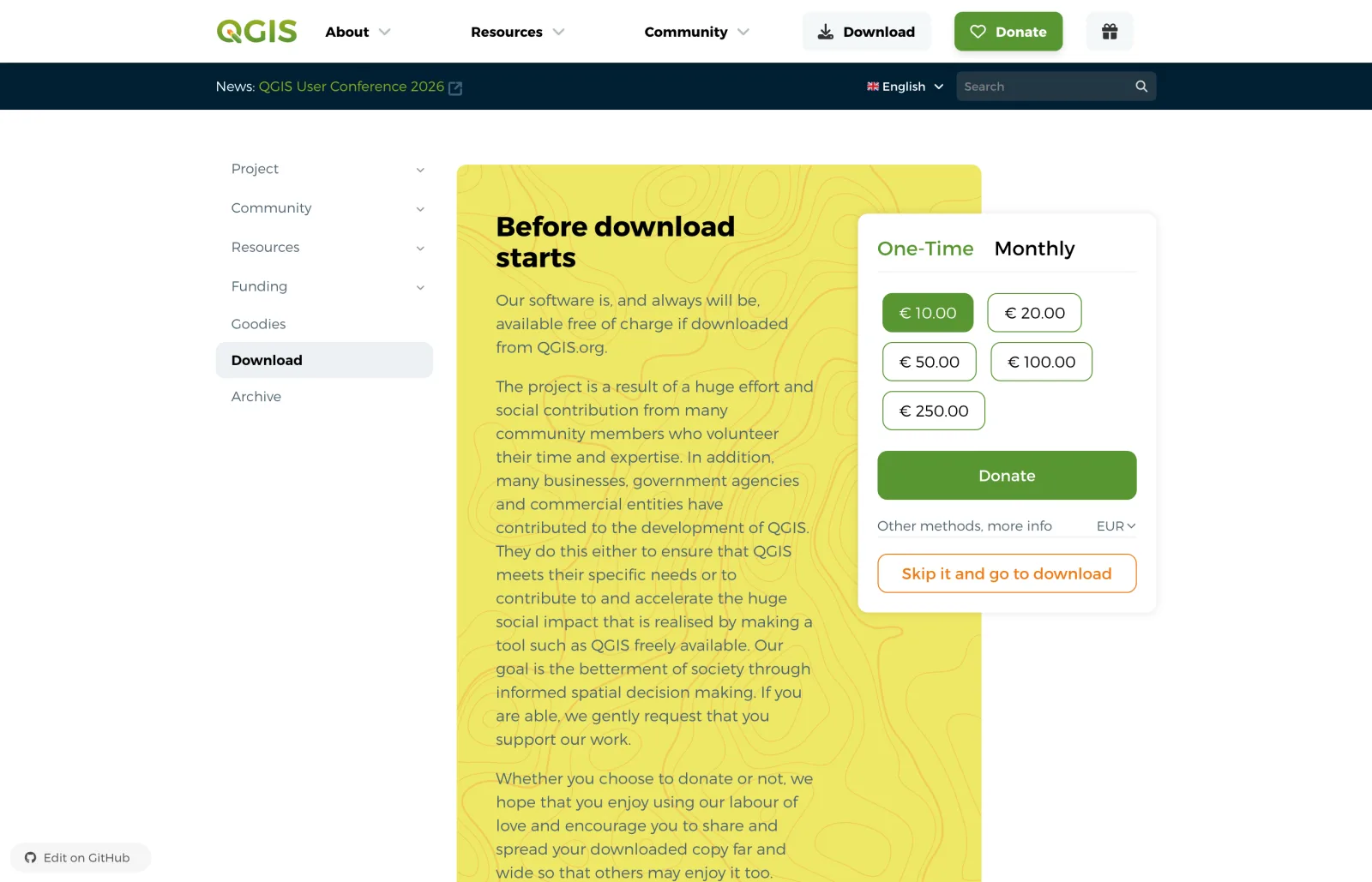
QGIS is free software and the project lives on donations, so give if you can. If not, click Skip it and go to download. The page then detects your system and shows two green buttons.
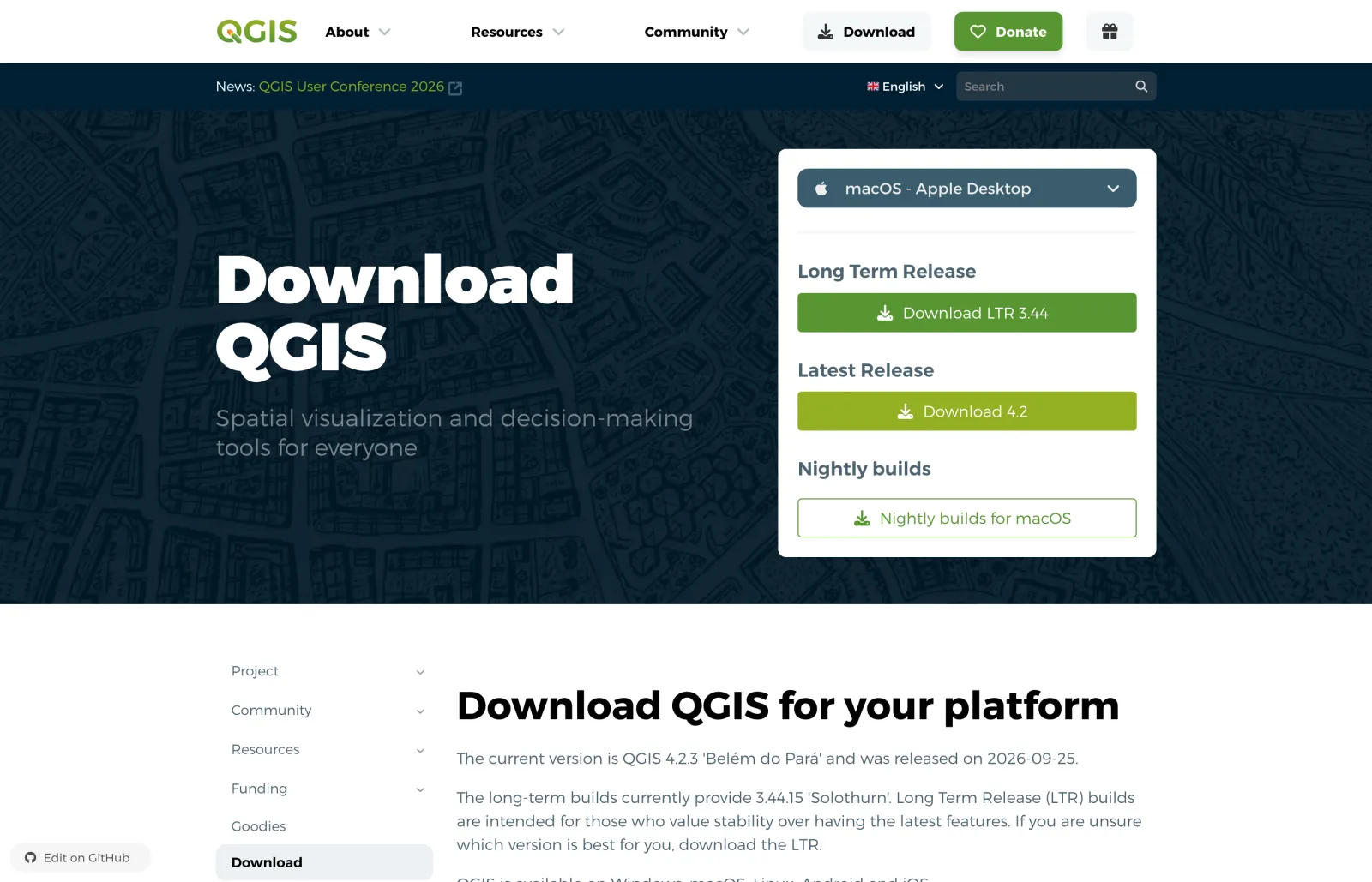
Download QGIS only from qgis.org. The project states that the software is free of charge "if downloaded from QGIS.org", and the search results for "QGIS download" are full of mirror sites that repackage old versions such as 3.16 or 3.28.
Which QGIS version should you download?
Take the LTR if you are unsure. That is the project's own advice on the download page, and its installation guide gives the reason: LTR versions go through more testing before release and get bug fixes for at least a year.
| You are... | Take | Why |
|---|---|---|
| New to QGIS, or following a course | 3.44.15 LTR | Tutorials and screenshots match it, every plugin supports it |
| Working on projects with deadlines | 3.44.15 LTR | Fewest surprises |
| Curious about QGIS 4 | 4.2.3 | The current feature release, built on Qt 6 |
| Depending on one specific plugin | Check the plugin first | Not every plugin declares QGIS 4 support yet |
Three facts help with the choice.
QGIS 4 is real and stable, but it is not the LTR yet. QGIS 4.0 came out in March 2026 and moved the whole application to Qt 6. The project's road map planned QGIS 4.4 as the first long-term release of the 4 series for 30 October 2026. On 12 November the download page still shows 4.2.3 and says the project is in the feature freeze that precedes 4.4. When 4.4 lands, the schedule keeps 3.44 in the LTR slot for about four more months, so 3.44 stays a safe choice through early 2027.
Plugins are the real constraint. Each plugin author declares which QGIS versions the plugin supports. I counted the AI plugins one by one in QGIS 4 AI plugins: 18 of 28 listed as compatible. If your work depends on one plugin, check its page on plugins.qgis.org before you choose 4.x. Ours, AI Agent, declares QGIS 3.28 to 4, so it follows you either way.
You can install both. On my Mac, 3.44.15 and 4.2.3 sit side by side in the Applications folder and each keeps its own settings folder (QGIS3 and QGIS4). On Windows, the installation guide says OSGeo4W can install several versions in parallel.
Install QGIS on Windows
Steps from the official installation guide. I did not run them for this post.
Windows has two installers. Beginners should take the first.
Standalone installer (recommended). One .msi file holds everything, and no internet is needed once it is downloaded. Since QGIS 3.20, only 64-bit Windows is supported.
Download the .msi
On the download page, pick Windows and click Download LTR 3.44. The file is QGIS-OSGeo4W-3.44.15-2.msi, 580 MB.
Run the installer
Double-click the file, accept the licence, keep the default folder and click Install.
Open QGIS Desktop
Open QGIS Desktop from the Start menu. The install also includes an OSGeo4W Setup tool for later additions.
To update, you download the next .msi and install it. There is no automatic update.
OSGeo4W network installer (advanced). A 1 MB setup program that downloads packages on demand. The guide recommends it for experienced users because updates fetch only what changed, and several QGIS versions can live together. Run osgeo4w-setup.exe, choose Express Install, then tick QGIS LTR or QGIS.
One detail for people who work with national coordinate systems: the standard installer leaves out the optional projection grids to save space. QGIS asks to download a grid when a reprojection needs one. If your machine is offline, the guide lists a larger installer with all grids, about 1.2 GiB.
If QGIS starts and a plugin then fails with a DLL message, two posts cover the usual causes: DLL load failed while importing _gdal and DLL load failed while importing _c.
Install QGIS on a Mac
Run on my Mac: macOS 27, Apple silicon.
The Mac installers are signed and notarized by the project, and they are universal: the same file runs on Intel and on Apple silicon.
Download the .dmg
Pick macOS and click Download LTR 3.44. The file is 1.55 GB (1.59 GB for 4.2.3).
Drag QGIS to Applications
Open the .dmg and drag the QGIS icon onto the Applications folder. Once installed, QGIS 3.44.15 takes 3.4 GB on disk and 4.2.3 takes 3.6 GB.
Open it
Launch QGIS from Applications or Spotlight.
Apple silicon, older macOS versions, Homebrew and MacPorts, and what to do when macOS refuses to open the app are covered in the dedicated guide: QGIS on Mac.
Install QGIS on Linux
Steps from the official installation guide. I did not run them for this post.
The version in your distribution's own repository is often old. There are two reliable routes.
Debian and Ubuntu, from the QGIS repository. Add the signing key, add the repository, install:
sudo apt install gnupg software-properties-common
sudo mkdir -m755 -p /etc/apt/keyrings
sudo wget -O /etc/apt/keyrings/qgis-archive-keyring.gpg https://download.qgis.org/downloads/qgis-archive-keyring.gpg
Then create /etc/apt/sources.list.d/qgis.sources with this content, replacing noble with your codename (lsb_release -cs prints it):
Types: deb deb-src
URIs: https://qgis.org/ubuntu-ltr
Suites: noble
Architectures: amd64
Components: main
Signed-By: /etc/apt/keyrings/qgis-archive-keyring.gpg
sudo apt update
sudo apt install qgis qgis-plugin-grass
https://qgis.org/ubuntu-ltr gives the LTR and https://qgis.org/ubuntu gives the latest release (debian-ltr and debian on Debian). There is a catch the guide spells out in a table: on Ubuntu 24.04, Ubuntu 22.04 and Debian 12, the QGIS repository only provides the LTR, because those systems ship libraries too old for QGIS 4. QGIS 4 packages exist for Ubuntu 25.04 and later and for Debian 13.
Any distribution, with Flatpak. One command, and it is also the way to get QGIS 4 on an older Ubuntu:
flatpak install flathub org.qgis.qgis
flatpak run org.qgis.qgis
Flathub carries the latest release only (4.2.3 on 12 November 2026, a 607 MB download, 1.6 GB installed, for x86_64 and ARM). The Flatpak is isolated from the system, which is good for stability and awkward for plugins that need extra Python packages. If a plugin complains about pip, see QGIS Flatpak: No module named pip.
Fedora, openSUSE, Arch, NixOS and others each have a short section in the official guide.
First launch: get a map on screen
A fresh QGIS opens on an empty window with a Recent Projects list and a News panel. Nothing is on the map yet, which surprises people who expect a globe.
The fastest first map: in the Browser panel, open XYZ Tiles and double-click OpenStreetMap. A world map loads. Zoom to your city with the mouse wheel.
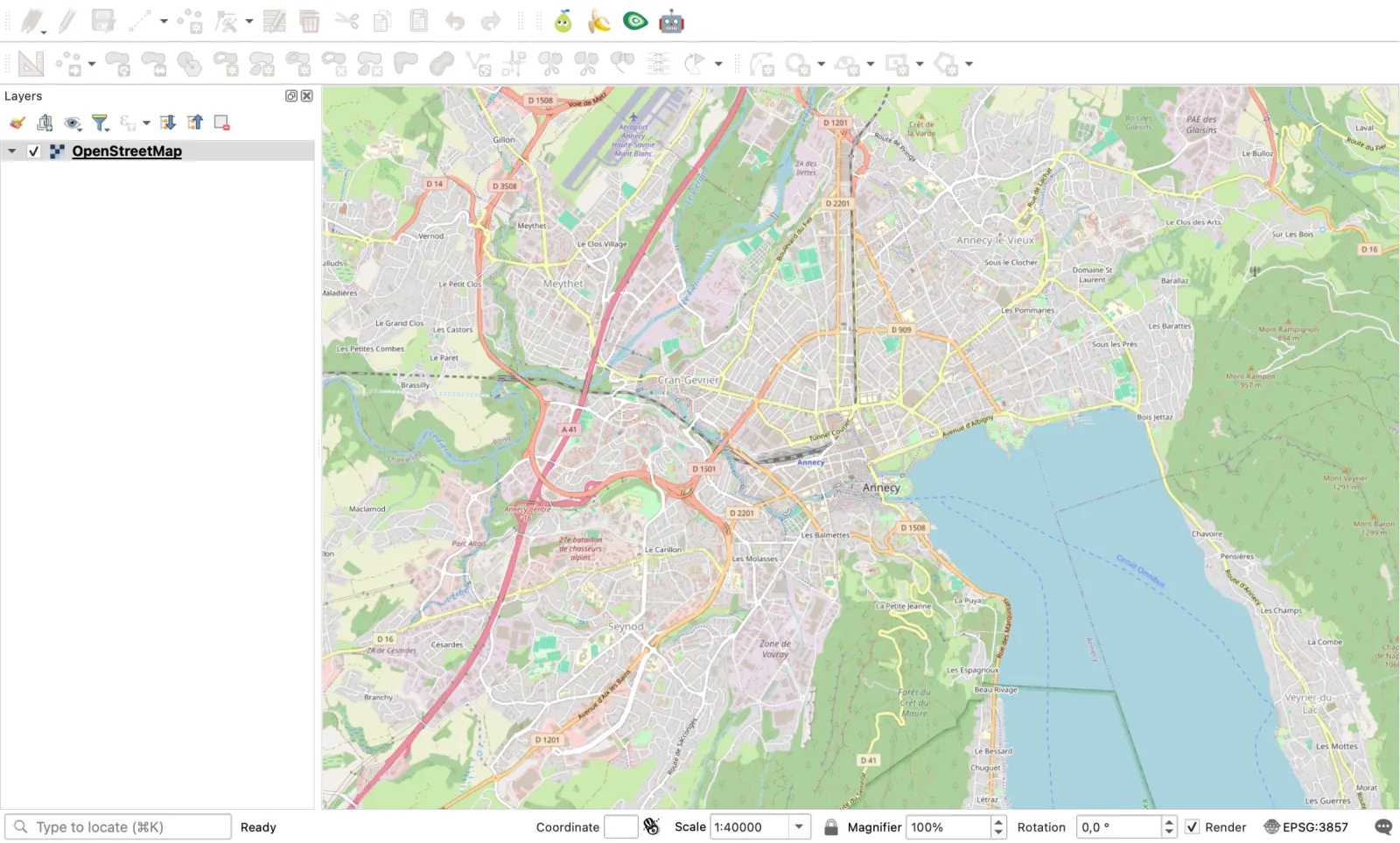
If the interface is not in your language, go to Settings > Options > General, tick Override system locale, choose the language and restart QGIS. From here, How to add a basemap in QGIS lists the other free backgrounds, and the QGIS tutorial for beginners walks through a first project from data to exported map.
What to install first: two plugins
QGIS on its own is complete. Plugins add shortcuts, and the Plugin Manager offered 3,932 of them to my QGIS 3.44.15 on 12 November 2026. Two are worth installing on day one.
1. A basemap catalogue: QuickMapServices
It adds a menu of ready-made background maps, so you do not paste tile URLs by hand. Stick to sources whose terms allow use in a GIS, such as OpenStreetMap and your national mapping agency.
2. An assistant that knows the menus: AI Agent
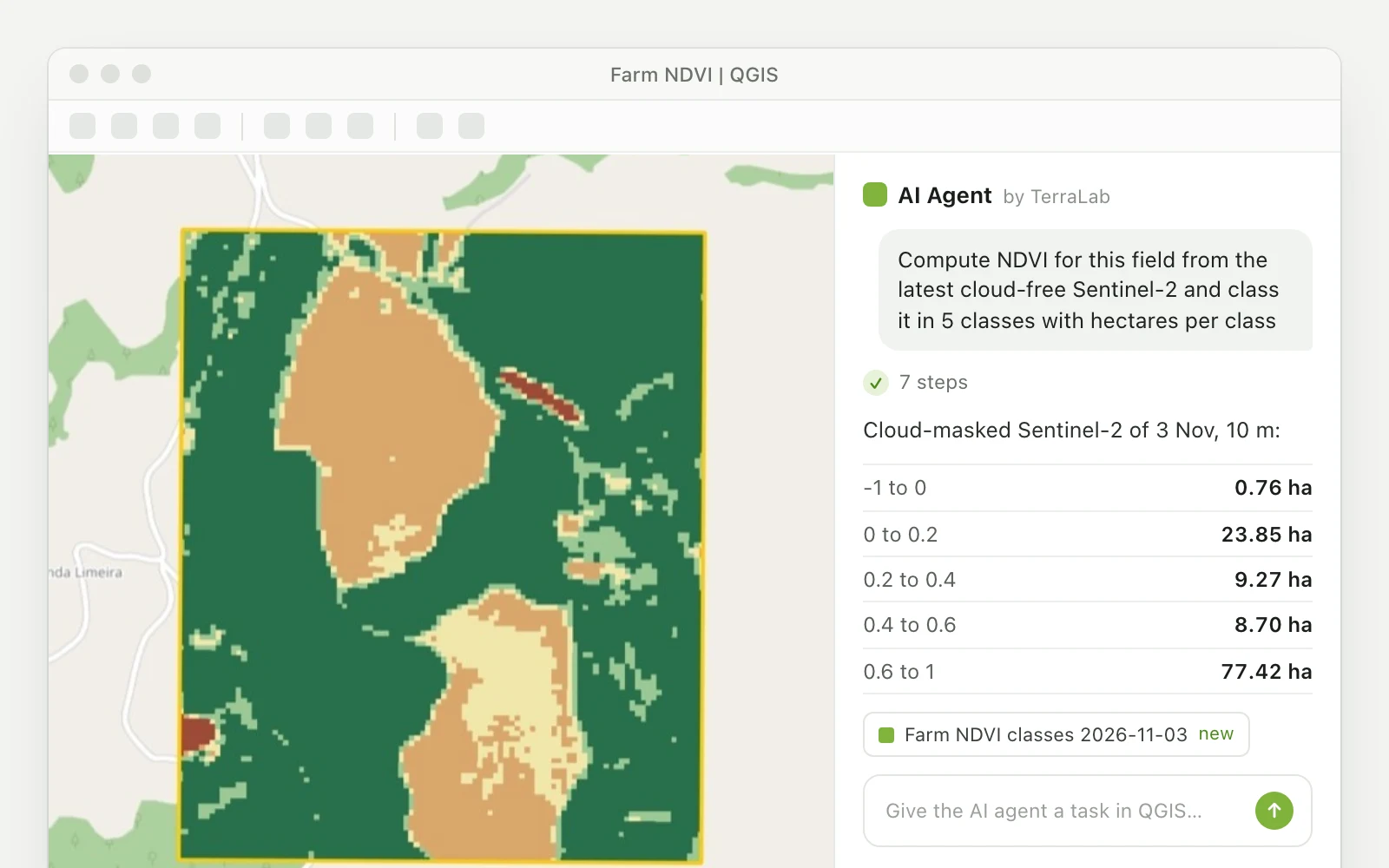
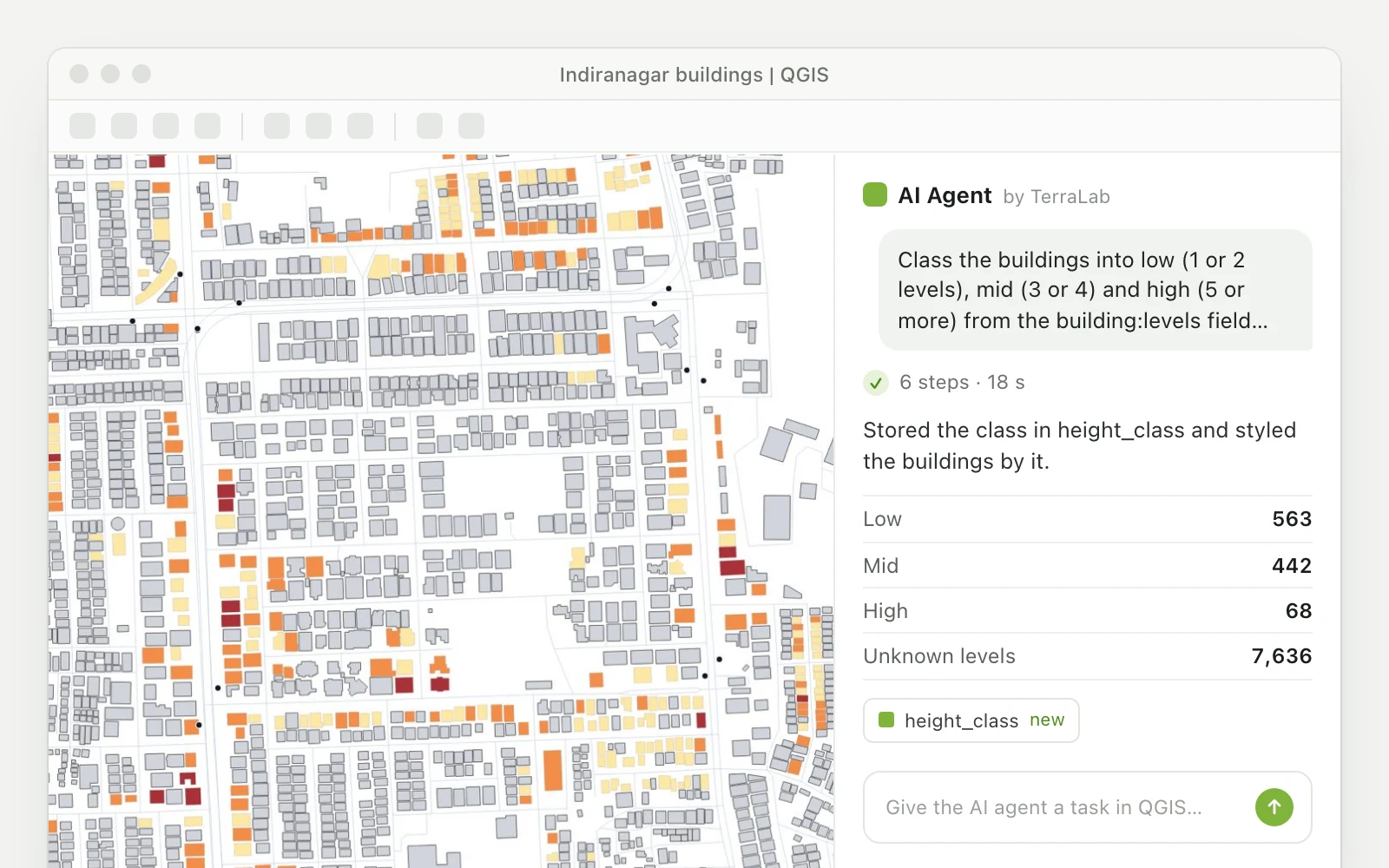
The hard part of a first week in QGIS is finding which of the hundreds of tools does what you want. AI Agent is the plugin we build for that: you write the task in plain words ("add the buildings of Annecy from OpenStreetMap and colour them by height") and it finds the data, runs the tools and styles the result in your open project, showing each step. It has a free plan with no card, and it supports QGIS 3.28 to 4, so it works with both versions on the download page.
Open the Plugin Manager
Menu Plugins > Manage and Install Plugins. The list of plugins loads from plugins.qgis.org.
Search and install
Type the plugin's name in the search bar, select it and click Install Plugin.
Open its panel
The plugin adds an icon to the toolbar. For AI Agent, the panel docks on the right and asks you to sign in or create a free account.
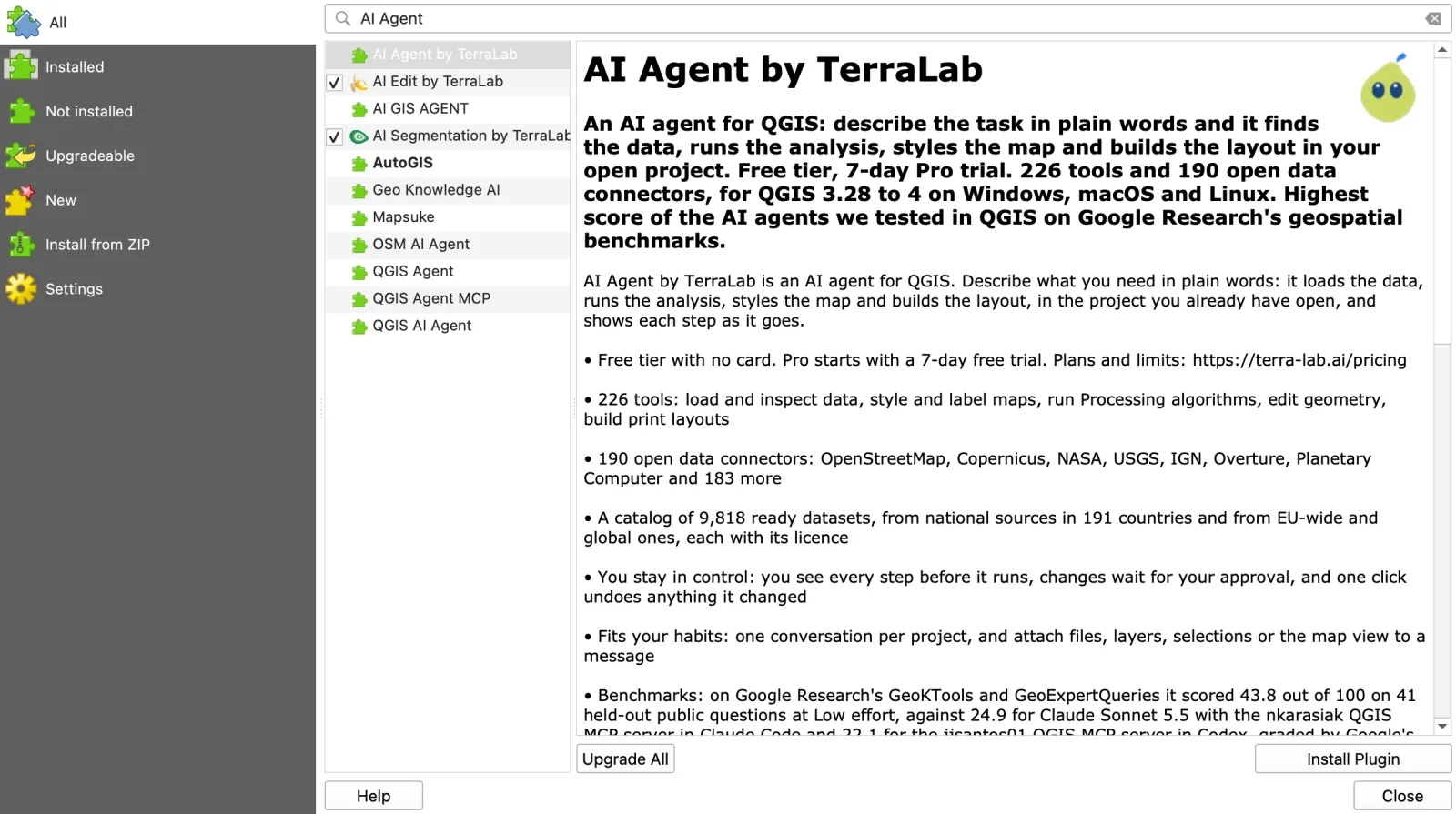
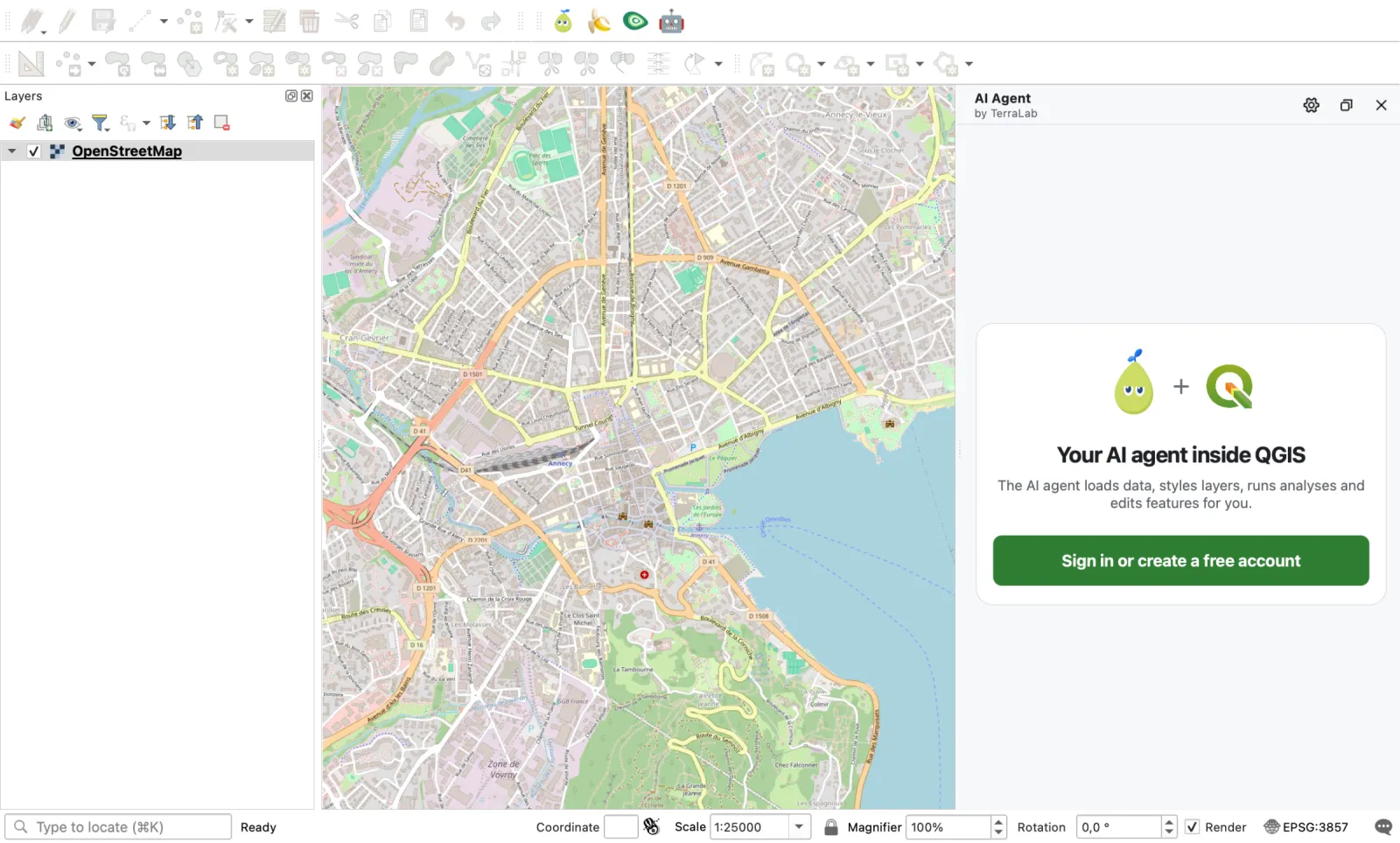
For a wider selection, the best QGIS plugins lists the ones worth keeping, by task. If you want to see what an assistant can and cannot do before installing one, read What is an AI agent in QGIS?.
Common download and install problems
"I can't find the download button." It is behind the donation panel described above. Click "Skip it and go to download".
The download is slow or breaks. Under each system, the page lists Alternative downloads: Torrent, Magnet and Metalink links for the same files. A torrent client resumes a broken download where it stopped.
The installer refuses to run on an old Windows PC. QGIS has shipped only 64-bit Windows builds since version 3.20. A 32-bit Windows needs an old release from the archive, which no longer gets fixes.
The Linux package manager installs an old QGIS. That is your distribution's own package. Add the QGIS repository or use Flatpak, as shown above.
QGIS 4 will not install on Ubuntu 24.04. Expected: the QGIS repository only builds the LTR for 24.04 and 22.04. Use Flatpak for QGIS 4.
A plugin is missing after moving to QGIS 4. The Plugin Manager only lists plugins that declare support for your version. Check the plugin's page, or keep 3.44 installed next to 4.x for that plugin.
A site asks you to pay or to fill a form for QGIS. Close it. The official installers are free and need no account.
Questions people ask
Is QGIS free to download?
Yes. QGIS is open source under the GNU General Public License, and the official installers on qgis.org are free for any use, including commercial work. The donation screen before the download is optional.
Which version of QGIS should I download?
The Long Term Release, 3.44.15 on 12 November 2026, unless you want a QGIS 4 feature. The QGIS project gives the same advice on its download page. QGIS 4.2.3 is the latest release, and QGIS 4.4 is planned as the first long-term release of the 4 series.
How do I install QGIS on Windows 10 or 11?
Download the standalone .msi from qgis.org/download (580 MB for 3.44.15), double-click it and follow the installer with the default options. QGIS needs 64-bit Windows. Then open QGIS Desktop from the Start menu.
Can QGIS run on a Mac?
Yes. The official .dmg is signed and notarized, and runs on both Intel and Apple silicon Macs. It is a 1.55 GB download and takes 3.4 GB once installed. Details are in QGIS on Mac.
How do I update QGIS?
QGIS does not update itself. On Windows with the standalone installer and on macOS, download the new installer and install it. With OSGeo4W, run the setup program again. On Linux, sudo apt upgrade or flatpak update does it. Point releases with bug fixes come out about once a month.
Is there a QGIS app or APK for Android?
Not QGIS itself. The QGIS download page points to third-party field apps that open QGIS projects on phones and tablets: QField and Mergin Maps, both on Google Play and the App Store. An APK named "QGIS" from another site is not from the project.
What should I do right after installing QGIS?
Add a background map from Browser > XYZ Tiles > OpenStreetMap, set the language if needed, then install one or two plugins. AI Agent is a good second step for beginners because you can ask for a task in plain words while you learn where the tools are.
What to remember
- Download from qgis.org only, and click "Skip it and go to download" to reach the installers.
- Unsure? Take 3.44.15 LTR. Want QGIS 4? Take 4.2.3, after checking your plugins.
- Windows: the 580 MB standalone
.msi. Mac: the 1.55 GB.dmg. Linux: the QGIS repository for the LTR, Flatpak for QGIS 4. - First map: Browser > XYZ Tiles > OpenStreetMap.
- Then install AI Agent from the Plugin Manager and ask it for your first real map.
Read nextWhat Is QGIS? Free GIS Software, QGIS 4, and the 10 Top Plugins
Do it in QGIS by asking for it
AI Agent carries out the task you describe, in your own QGIS project. Free, no card.