QGIS MCP Alternatives: 6 Ways to Use AI With QGIS
Published
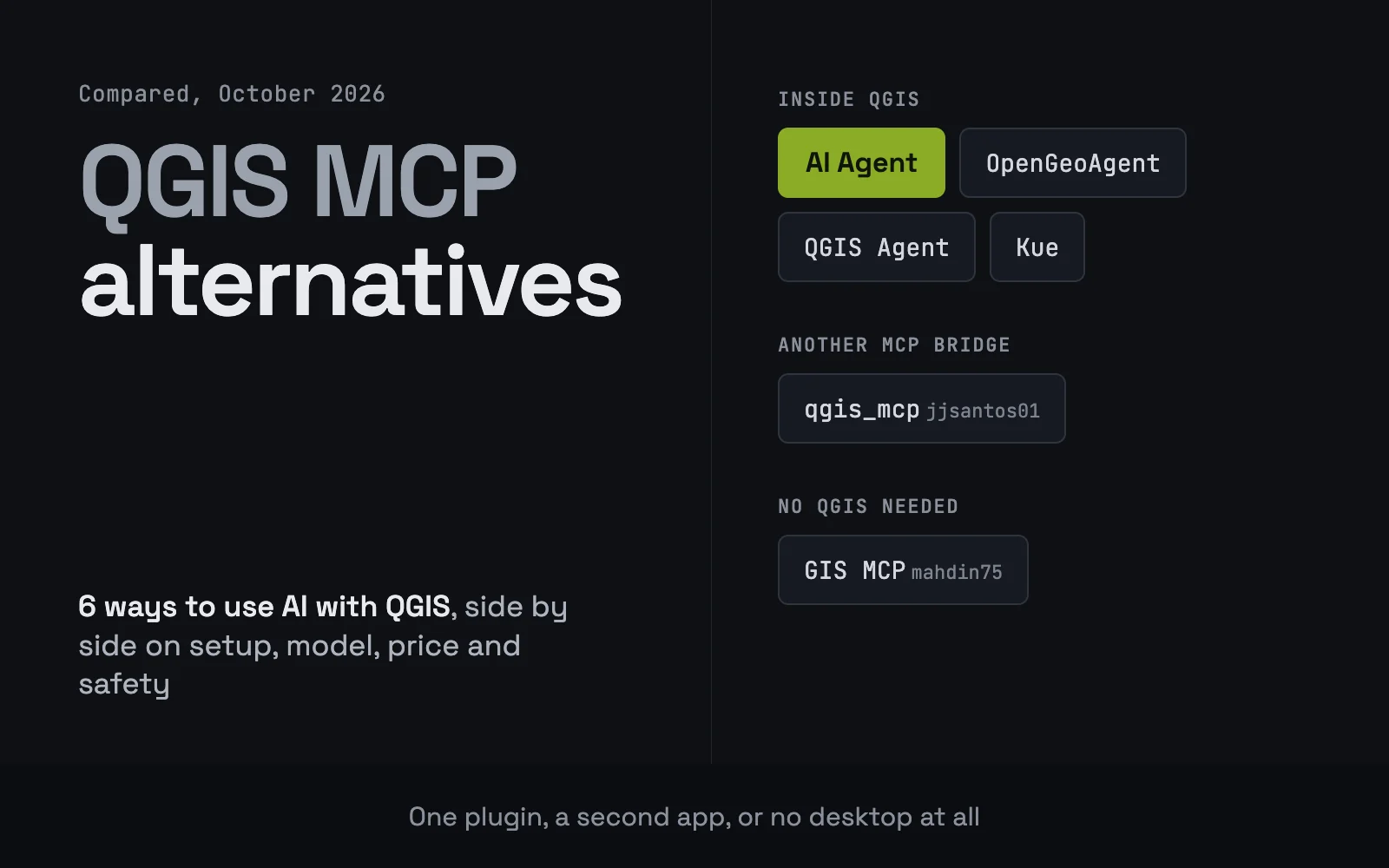
QGIS MCP alternatives come in three kinds: an AI agent plugin that runs inside QGIS, another MCP bridge that lets an outside AI app drive QGIS, or a GIS MCP server that does the analysis with no QGIS open at all. My pick is AI Agent, which we build: one plugin from the QGIS plugin manager, with the model included, so there is no uv, no config file and no second app. If you want to choose your own model, a local one included, OpenGeoAgent is the free open source route.
What QGIS MCP does, and why people look elsewhere
QGIS MCP is the plugin by Nicolas Karasiak in the official QGIS repository, with 68,777 downloads on 22 October 2026. It opens a local connection inside QGIS so that an AI app such as Claude Code, Claude Desktop, Cursor or Codex can call 125 QGIS tools, from loading layers to running Processing and Python. It is free, well maintained, and the baseline everything on this page gets compared against.
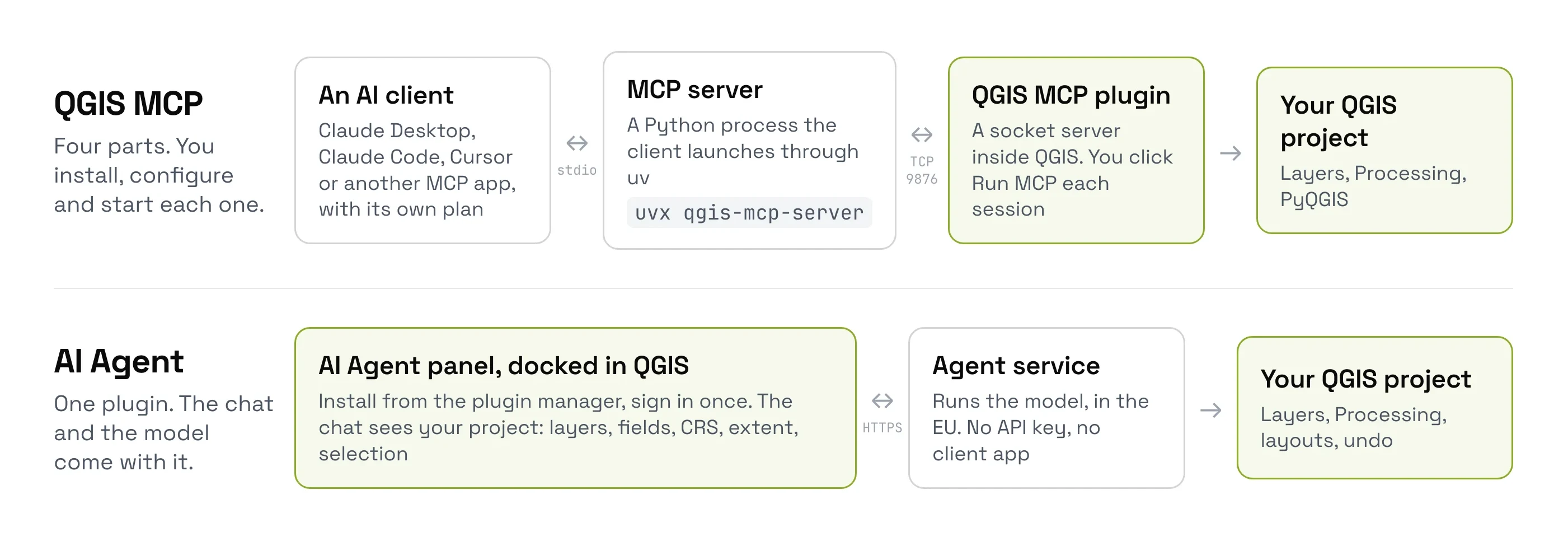
People look for something else for four practical reasons:
- Four parts to set up. The plugin,
uv, an MCP client app, and a config entry or terminal command. After a QGIS restart you click Run MCP again unless auto-start is ticked. - The chat lives outside QGIS. You switch between two windows, and the model sees the map only when it asks QGIS for a picture.
- Open by default. The README says the socket has no authentication by default, and its
execute_codetool runs any PyQGIS the model writes. You can set a shared token, but it is off until you do. - Your own AI plan. The model and its bill come from the client app you connect.
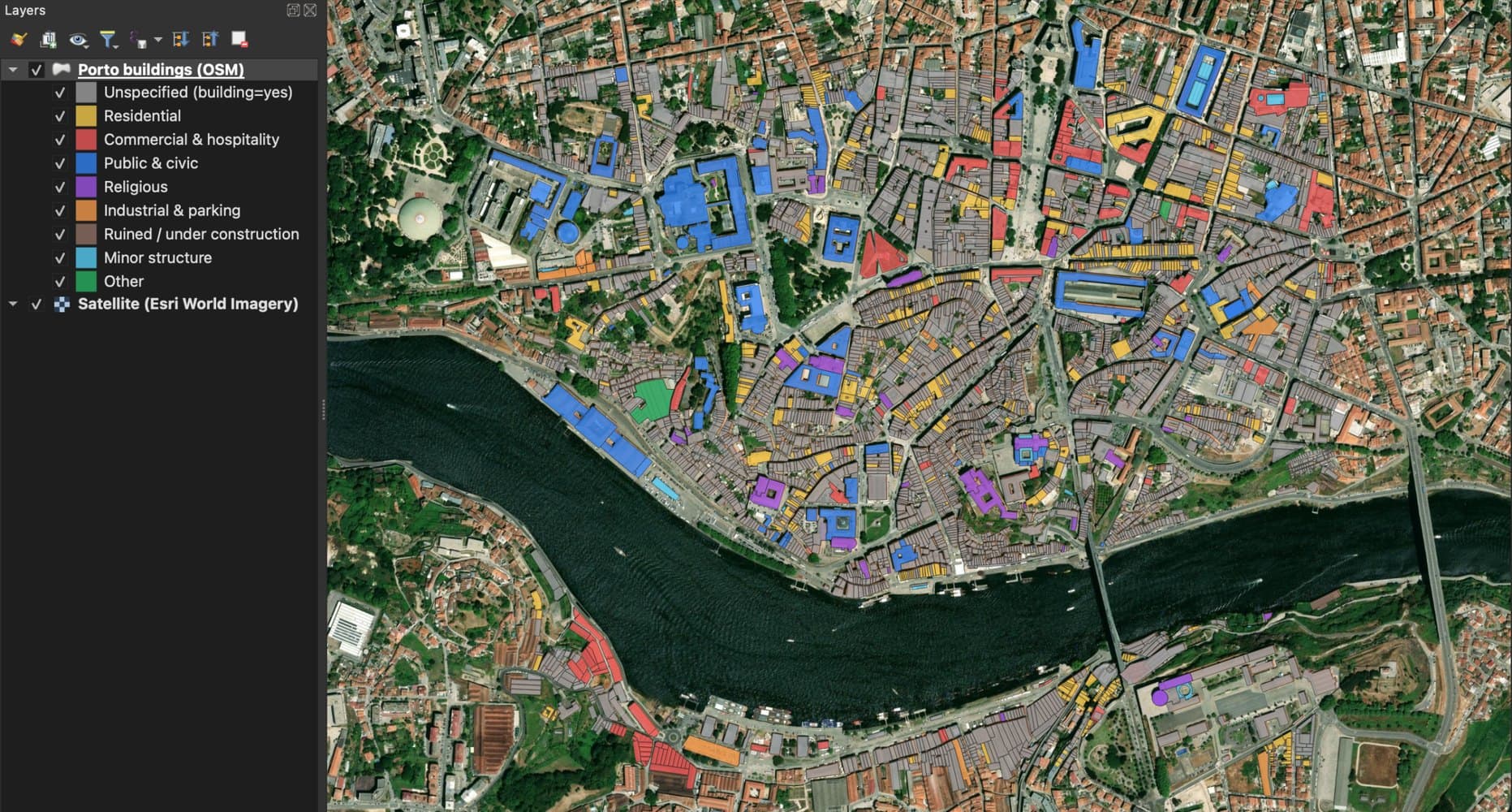
The setup cost shows up in the work too. On 26 September 2026 I gave QGIS MCP, driven by Claude Code, one request: load the buildings of Porto's historic centre from OpenStreetMap, colour them by type, add a satellite basemap and count them. It took 8 min 29 s and 28 actions, 17 of them Python it wrote to fetch the data, because QGIS MCP has no data tool of its own.
Quick picks
- For the result in your project with no setup: AI Agent, one plugin with the model, open data and one-click undo included.
- For choosing your own model, local or cloud: OpenGeoAgent, free and open source, by Qiusheng Wu.
- For a chat panel and a guarded MCP server in one plugin: QGIS Agent, with your own key.
- For GIS analysis with no QGIS open: GIS MCP, a Python server for geometry, projections and rasters.
- If you already live in Claude Code or Cursor: keep QGIS MCP itself. It is the right tool for that job.
Compared at a glance
| Tool | Made for | Price | Where you chat | Model |
|---|---|---|---|---|
| AI Agent (ours) | A GIS task done in your open project | Free plan, Pro €49 a month | Panel in QGIS | Included |
| OpenGeoAgent | Picking your own model, local included | Free, MIT | Panel in QGIS | Your key, a ChatGPT sign-in, or local |
| QGIS Agent | Your own key, plus an MCP server when you want one | Free, MIT | Panel in QGIS, or an MCP client | Your key or a local endpoint |
| Kue | A paid assistant from the AI Vectorizer team | $29 a seat a month | Panel in QGIS | Included |
| qgis_mcp (jjsantos01) | Reading the original, small bridge | Free | Claude Desktop | Your AI plan |
| GIS MCP | Analysis with no QGIS open | Free, MIT | Any MCP client | Your AI plan |
1. AI Agent by TerraLab
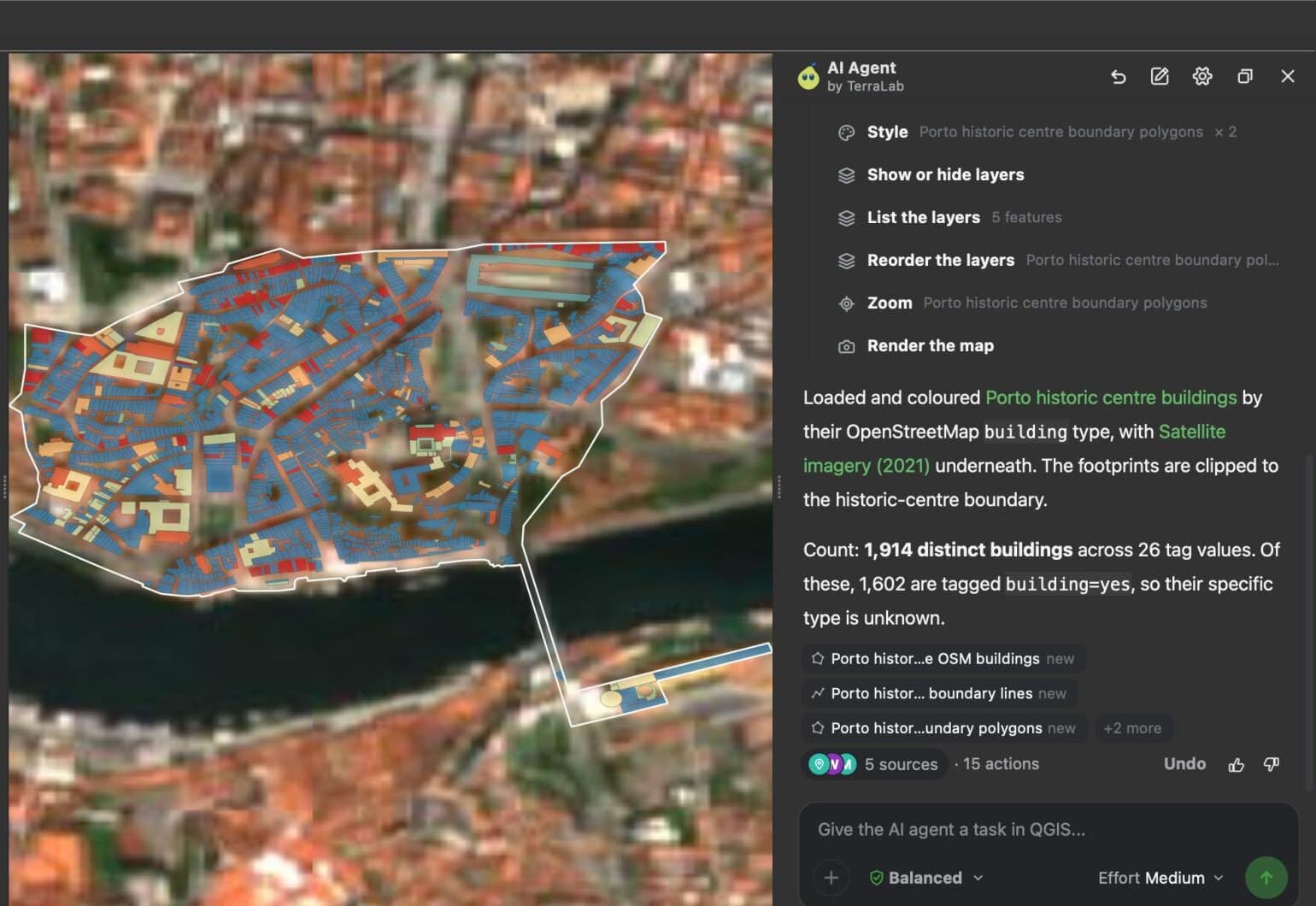
We build this one, AI Agent, so weigh this entry knowing that. It is a chat panel docked in QGIS: you write a task in plain words, and it finds the data, runs the QGIS tools, styles the layers and checks the map before it answers.
- Made for: a GIS user who wants the result in the project, without a terminal or a second app.
- Not for: a machine with no internet, since the model runs on our service.
- Price: free plan with 5 tasks a month at Low effort and no card. Pro is €49 a month for 300 tasks. Try Pro free for 7 days: add a card, cancel before the end and nothing is charged.
- Model: included. You pick an effort level, not a provider, and you need no API key.
- Install: plugin manager, search AI Agent by TerraLab, sign in. QGIS 3.28 to 4, on Windows, macOS and Linux.
- Status: 10,058 downloads, version 1.9.0 released on 20 October 2026.
Where it wins
- On the same Porto task, it answered in 1 min 11 s with 15 actions and no Python. QGIS MCP with Claude Code took 8 min 29 s and wrote Python for 17 of its 28 actions. Both building counts were correct for the area each tool chose.
- On 41 public questions from GeoKTools and GeoExpertQueries, benchmarks published by Google Research, AI Agent at Low effort scored 43.8 out of 100. Claude Sonnet 5.5 with the nkarasiak QGIS MCP server scored 24.9, and GPT-6 Luna with the jjsantos01 QGIS MCP server 22.1. These are our own runs, 16 to 20 October 2026, graded with Google's scoring code; Google's test set is private (the benchmark results).
- A catalogue of 72 open data sources is built in, so the model does not write download code. It asks before deleting or overwriting, and one click undoes a whole message.
Where it falls short
- It sends your request and a description of the open project to our service in the EU. Your layers and files stay on your machine, but it needs a connection and an account.
Try AI Agent free in QGIS, no card needed
2. OpenGeoAgent
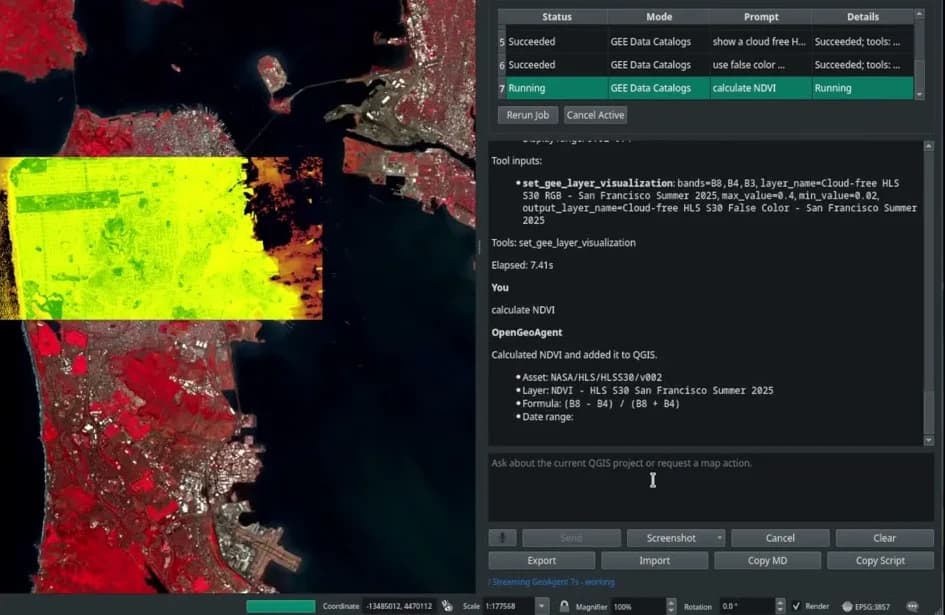
A dockable chat panel for QGIS by Qiusheng Wu, whose free GeoAI plugin is the reference for image models in QGIS. He is a friend of ours, so add that to the disclosure. OpenGeoAgent is built on his GeoAgent library, the same agent layer he uses across leafmap, geemap and GeoAI, and it is the most open plugin here about which model you run.
- Made for: someone who wants to choose the model, including a local one, and to read the code that runs.
- Not for: a QGIS build whose Python is older than 3.11, which the plugin page lists as a requirement.
- Price: free, MIT. You pay your model provider, or nothing with a local model.
- Model: OpenAI, Anthropic, Google Gemini, LiteLLM, a ChatGPT or Codex sign-in, or a local model through Ollama.
- Install: plugin manager, then its one-click dependency installer in Settings > Dependencies, which uses
uvin an isolated environment. Voice prompts also need an OpenAI key. - Status: 11,179 downloads, version 1.9.0 released on 9 August 2026, QGIS 3.28 to 4.
Where it wins
- It is multimodal: attach a screenshot of the map canvas, a region of it or the whole QGIS window, paste an image, or dictate the prompt.
- Python is a fallback behind a confirmation step, and GeoAgent pauses before destructive or irreversible steps. A STAC mode searches catalogues and loads rasters into the project.
Where it falls short
- You assemble the stack yourself: a provider, its key or a local model, and the dependencies. The installer makes that one click, but the choice and the bill stay with you.
3. QGIS Agent
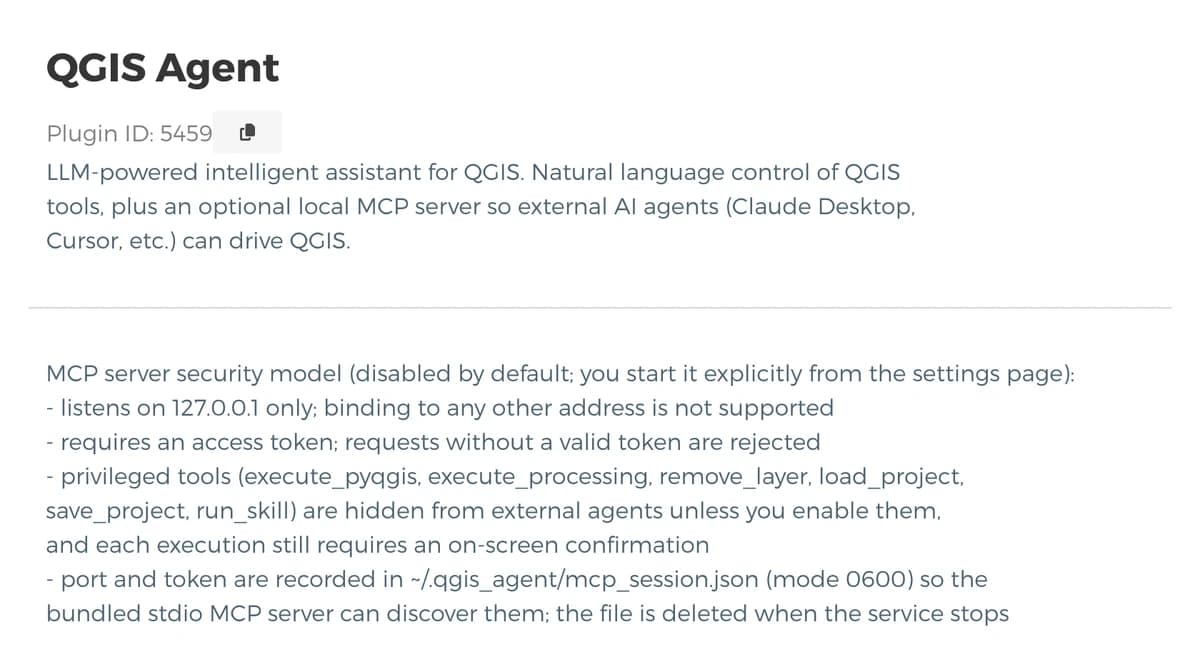
A chat panel inside QGIS by the developer bunkmr that also runs, on request, an MCP server for Claude Desktop or Cursor. It is the closest thing here to QGIS MCP and an in-QGIS agent in one plugin.
- Made for: someone with a DeepSeek, OpenAI, Gemini or GLM key who wants a panel now and an MCP route later.
- Not for: a reader who needs every page of documentation in English. The README is mostly in Chinese; the plugin page and the interface are in English and Chinese.
- Price: free, MIT. You pay your model provider. A local or self-hosted endpoint needs no key.
- Model: any OpenAI-compatible API.
- Install: plugin manager, then
pip installoflangchain_core,langchain_openai,langchain_deepseekandhttpxinto QGIS's Python. - Status: 3,045 downloads, version 2.4.15 released on 9 October 2026, QGIS 3.22 to 4.
Where it wins
- Its MCP server is guarded the way QGIS MCP's is not by default: off until you start it, bound to 127.0.0.1, token required, and the tools that run Python or delete layers hidden from outside agents unless you enable them. Each of those still asks on screen.
- 23 built-in tools, a reference of 679 Processing algorithms it reads before calling one, and a recorder that replays a sequence of QGIS operations.
Where it falls short
- The Python dependencies are a manual step before the first message.
4. Kue
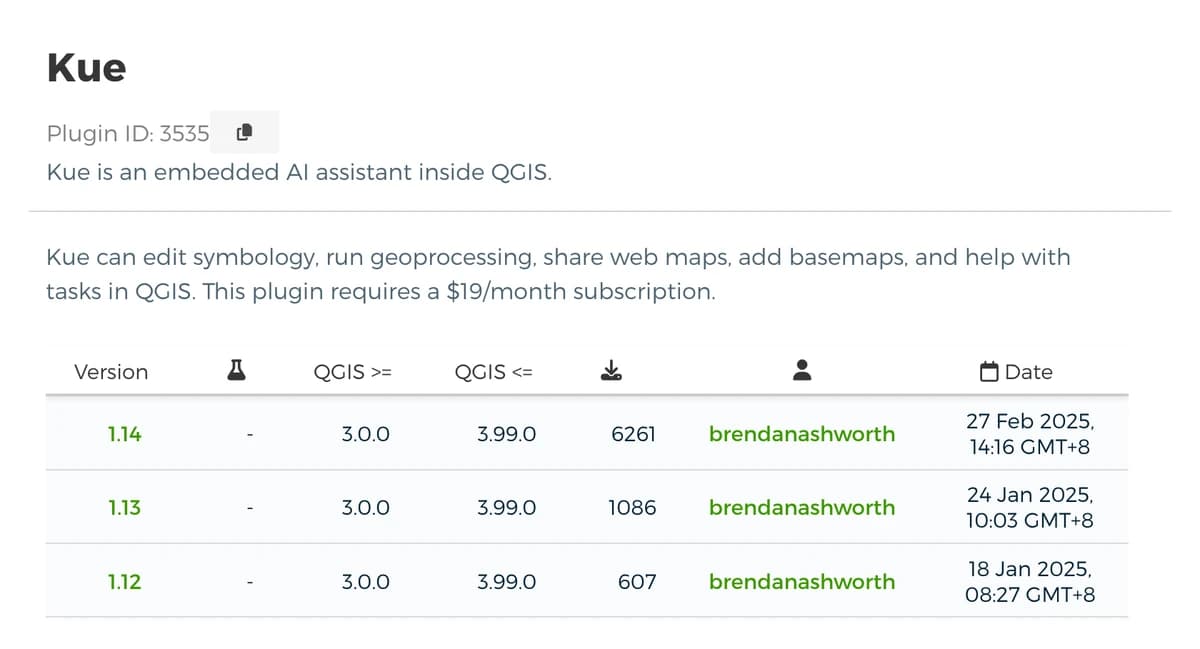
An AI assistant inside QGIS from Bunting Labs, the team behind the AI Vectorizer. It edits symbology, runs geoprocessing, adds basemaps, and picks the OpenStreetMap tag for a request before it downloads the data into your project.
- Made for: a team already paying Bunting Labs for the AI Vectorizer, since Kue comes in the same plan.
- Not for: QGIS 4. The latest version is marked for QGIS 3.0 to 3.99.
- Price: the Personal plan is $29 a seat a month on Bunting Labs' pricing page, with the first day at $1. The plugin page still says $19 a month.
- Model: included with the subscription.
- Install: plugin manager, then sign in with your email and subscribe.
- Status: 16,337 downloads, version 1.14 released on 27 February 2025.
Where it wins
- One subscription covers the assistant and the AI Vectorizer, which traces lines on scanned maps.
- Nothing to install beyond the plugin, and no key to manage.
Where it falls short
- No release since February 2025, so it is not listed for QGIS 4 in the plugin manager.
Kue · Pricing · Plugin listing
5. qgis_mcp by jjsantos01
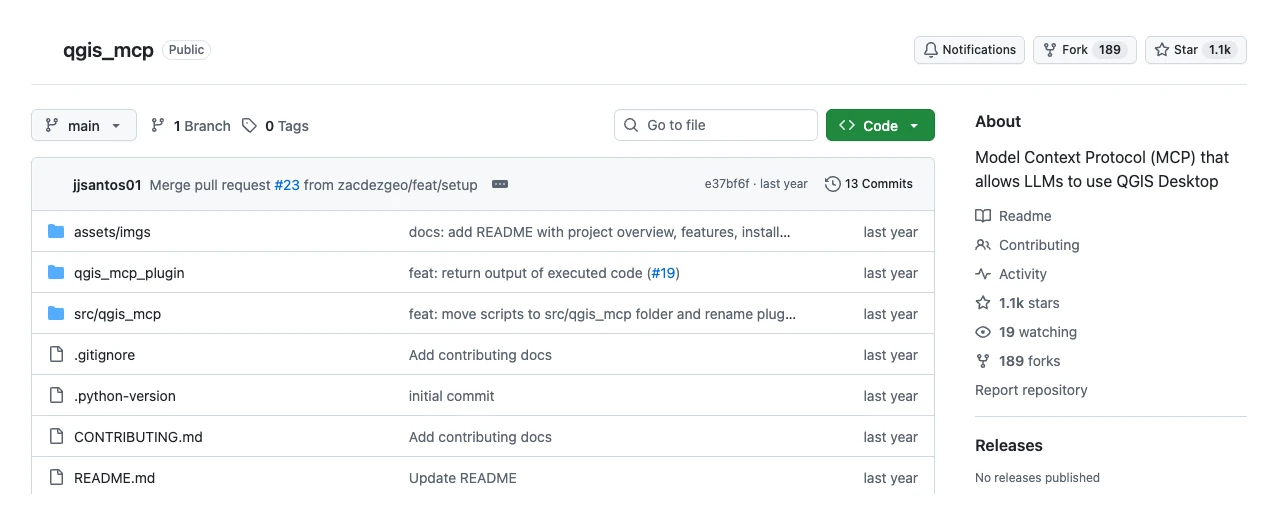
The original QGIS MCP on GitHub, and the one most tutorials still describe. It is a smaller bridge than the version in the plugin repository: about fifteen tools for projects, layers, Processing, rendering and Python. I ran it from OpenAI's Codex CLI for our benchmark, so it works with clients other than the Claude Desktop its README documents.
- Made for: reading a small, complete MCP bridge before you write your own.
- Not for: daily work on a current QGIS. The README says it was "only tested on 3.22".
- Price: free. GitHub detects no licence file in the repository.
- Model: your MCP client's. The README sets it up for Claude Desktop.
- Install: clone the repository, copy the plugin folder into your QGIS profile, install
uv, and add a block toclaude_desktop_config.json. - Status: 1,132 stars, the most of any QGIS MCP; last code change on 1 October 2025, no release.
Where it wins
- The code is short enough to read in an evening, and it is where the QGIS MCP idea started.
Where it falls short
- It is not maintained. On 26 September 2026 its tracker had an open issue titled "Broken plugin for QGIS version 4.01". The maintained descendant is the nkarasiak plugin above.
6. GIS MCP
A Python MCP server by Mahdi Nazari that gives an AI app GIS libraries instead of a QGIS session: Shapely, GeoPandas, PyProj, Rasterio and PySAL, plus tools that gather climate, land cover, boundary and satellite data.
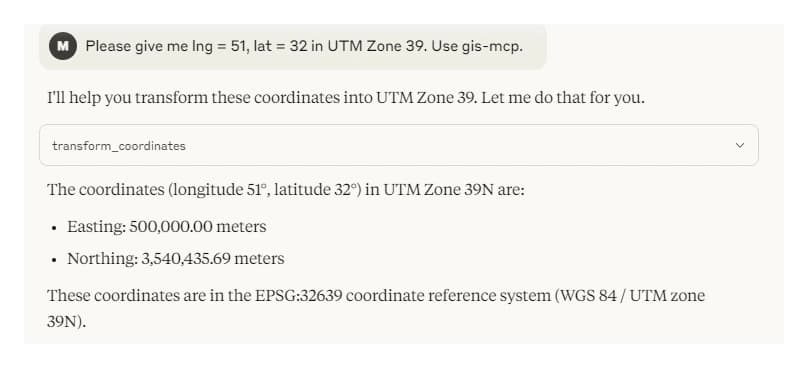
- Made for: geometry, projections, raster and spatial statistics from a chat or a script, with no QGIS running.
- Not for: editing your QGIS project or styling a map. It writes files; you open them in QGIS yourself.
- Price: free, MIT.
- Model: any MCP client. The README shows Claude Desktop and Cursor, and examples for LangChain and the OpenAI agents library.
- Install:
uv pip install gis-mcpand a client config entry, or a Docker image serving HTTP on port 9010. - Status: 198 stars, version 0.15.0 released on 31 July 2026, last commit on 21 August 2026.
Where it wins
- 92 tools across five mature libraries, over stdio for one machine or HTTP for a server.
- No desktop to keep open, so it fits a pipeline or a remote machine.
Where it falls short
- There is no map and no project: a result you want to see goes through QGIS by hand.
Side by side
| Tool | Where you chat | What you install | Model and bill | Before a risky step | QGIS 4 |
|---|---|---|---|---|---|
| QGIS MCP (baseline) | An outside MCP client | Plugin, uv, a client, a config entry | Your AI plan | Your client's confirmation; socket open by default | Yes |
| AI Agent (ours) | Panel in QGIS | One plugin | Included; free plan, then Pro | Asks before deleting or overwriting; undo per message | Yes |
| OpenGeoAgent | Panel in QGIS | Plugin, then its one-click installer | Your provider, or local | Python behind a confirmation | Yes |
| QGIS Agent | Panel, or an MCP client | Plugin, then pip packages | Your provider, or local | Confirms dangerous operations; MCP token required | Yes |
| Kue | Panel in QGIS | Plugin and an account | $29 a seat a month | Not stated | No |
| qgis_mcp (jjsantos01) | Claude Desktop | Cloned folder, uv, a config entry | Your AI plan | None; the README warns about code execution | Tested on 3.22 |
| GIS MCP | Any MCP client | pip package or Docker | Your AI plan | Not applicable, no QGIS | Not needed |
How to switch from QGIS MCP
Nothing in your QGIS project depends on QGIS MCP, so switching costs no data. Stop the server with Run MCP, untick or uninstall the plugin, and delete the qgis entry from your client's MCP config. Your layers, styles and project file stay as they are, and every tool above works on the same project.
Two things change. Your prompts carry over as plain language, but the chat history stays in the client app you leave. And with AI Agent or Kue, the model comes with the plugin, so you stop choosing it; with OpenGeoAgent or QGIS Agent, you keep that choice and move the key into the plugin's settings.
What to remember
QGIS MCP needs four parts running together: the plugin with its server started, uv, an MCP client app, and a config entry.
An agent plugin inside QGIS replaces all four with one install, and the chat sits next to the map.
OpenGeoAgent and QGIS Agent are free and open source, and you bring the model: a paid key, a ChatGPT sign-in for OpenGeoAgent, or a local model.
GIS MCP and MapSmith do GIS analysis without QGIS, on files, and leave the map to you.
On the same Porto task, AI Agent answered in 1 min 11 s with 15 actions; QGIS MCP with Claude Code took 8 min 29 s and 28 actions, 17 of them Python.
How I compared them
I judged five things: where you chat, what you install, where the model comes from and who bills it, what stops a destructive step, and whether the project is maintained for QGIS 4. Downloads, versions, prices and stars were read on 22 October 2026 from the plugin pages, the READMEs and GitHub, and they move, so check the date before you quote one.
I timed QGIS MCP and AI Agent myself on the same task on 26 September 2026, and ran the nkarasiak and jjsantos01 servers in our benchmark from 16 to 20 October 2026. TerraLab is not affiliated with or endorsed by Google. I did not run OpenGeoAgent, QGIS Agent, Kue or GIS MCP for this page; their lines come from their own pages.
Disclosure: I co-founded TerraLab, so the first entry is ours. It gets the same six lines as the others and one plain limit. Two jobs I send elsewhere: if you already work in Claude Code or Cursor and want QGIS as one more tool, keep QGIS MCP. If no request may leave the machine, run OpenGeoAgent with a local model.
Questions people ask
Is there a better alternative to QGIS MCP?
It depends on where you want to work. If you want the result in QGIS without a terminal or a second app, an agent plugin such as AI Agent does the job from one install. On 41 public questions from GeoKTools and GeoExpertQueries, benchmarks published by Google Research, AI Agent scored 43.8 out of 100; Claude Sonnet 5.5 with the nkarasiak QGIS MCP server scored 24.9 and GPT-6 Luna with the jjsantos01 QGIS MCP server 22.1 (our own runs, 16 to 20 October 2026, graded with Google's scoring code; Google's test set is private). If you already work in Claude Code or Cursor, QGIS MCP remains a good fit.
Is there a free alternative to QGIS MCP?
Yes. OpenGeoAgent and QGIS Agent are free under MIT and cost nothing with a local model; with a cloud model you pay that provider. GIS MCP is free and needs no QGIS. AI Agent has a free plan of 5 tasks a month with no card.
Which QGIS MCP is the maintained one?
The plugin by Nicolas Karasiak in the official QGIS repository, which you install from the plugin manager and which released version 0.15.2 on 17 October 2026. The jjsantos01 repository on GitHub has more stars, but its last code change was on 1 October 2025.
Can I use QGIS with ChatGPT instead of Claude?
Not through QGIS MCP in the ChatGPT app: OpenAI's help centre says ChatGPT connects only to MCP servers on the internet, not one on your computer. OpenAI's Codex CLI can run a local server, and OpenGeoAgent accepts a ChatGPT or Codex sign-in inside QGIS. For map data in ChatGPT with no QGIS at all, our GIS MCP server adds open map data, elevation and file conversion.
Can an AI agent in QGIS run on a local model?
Yes. OpenGeoAgent supports Ollama, and QGIS Agent accepts any OpenAI-compatible endpoint, with no key needed for a local one. A local model keeps every request on your machine, at the cost of the speed and answer quality of whatever your hardware runs.
What about MapSmith and QgisStreamMCP?
Both were in ChatGPT's answer. MapSmith is an AGPL-3.0 MCP server with 78 GIS operations that writes a provenance record next to every output; it works on files, has no styling or layouts, and lists QGIS Processing on its roadmap. QgisStreamMCP, now named QgisRemoteMCP on GitHub, runs a full QGIS Desktop in Docker that you watch in a browser. Both are young, with 2 and 11 stars on 22 October 2026.
How many AI agent plugins are there for QGIS?
We counted 38 agent and assistant plugins in the official repository on 26 September 2026, and 21% of them were MCP bridges to an outside app. What an AI agent in QGIS is lists them with their downloads and how each one gets its model.
QGIS MCP set up and timed covers the baseline step by step, and the benchmark post has the full method and every score. The QGIS AI hub links every guide we have written.