Tree Inventory in QGIS From Aerial Imagery
Published
A tree inventory in QGIS is a point layer with one point per tree and a row of attributes: an ID, the species, the trunk size, the condition and the date of the last inspection. Aerial imagery or LiDAR gives you the points, the crown size and the height from your desk. Species, trunk and condition come from a field visit.
 is a point layer with one point per tree and a row of attributes: an ID, the species, the trunk size, the condition and the date of the last inspection. Aerial imagery or LiDAR gives you the points, the crown size and the height from your desk. Species, trunk and condition come from a field visit.
That split is the thing most guides skip. No model reads a species or a rotten trunk off a 20 cm orthophoto, so the fastest inventory is the one where the desk does the counting and the field does the judging.
The short answer
| Your starting point | Method | What you get from the desk |
|---|---|---|
| Your city or client already publishes a register | Method 1: open tree data | Points with species, often trunk size |
| An orthophoto and a few hundred trees | Method 2: digitise points by hand | Points you placed yourself |
| A LiDAR surface and terrain model | Method 3: tree tops from a canopy height model | Points with a height each |
| An orthophoto and thousands of trees | Method 4: a segmentation model | One crown polygon per tree, then a point with a crown size |
All four end the same way: the layer goes to the field on a tablet, where someone adds what imagery cannot show.
What a tree inventory records
Write the attribute table before you place a single point. Changing it after the field visit means a second visit.
| Attribute | From the desk | From the field |
|---|---|---|
| Tree ID | Yes, generated | Tag number, if the trees carry one |
| Position | Yes | Corrected where the crown hides the trunk |
| Crown diameter or area | Yes, from imagery | Checked |
| Height | Yes, with LiDAR | Measured if there is no LiDAR |
| Species | No | Yes |
| Trunk diameter or girth | No | Yes, at the height your standard sets |
| Condition, defects, next inspection | No | Yes |
In Germany a Baumkataster records the inspections that the duty of care requires, and most owners follow the FLL tree inspection guidelines (2020 edition) and the GALK guide to tree registers. Those documents fix the field list, so start from them rather than from this table.
Where the web gets this wrong
"AI can build the whole inventory from imagery." It counts and measures crowns. It cannot see a trunk under a crown, name most species from an RGB photo, or judge whether a branch will fall. Any page that promises a finished register from a flight is selling the first half of the job.
"A canopy map is a tree inventory." A canopy map is a surface that answers "what share of this district is shaded". An inventory answers "which tree, where, in what state". If you need cover instead, mapping tree canopy in QGIS is the right guide.
Before you start
- QGIS 3.22 or later.
- Imagery recent enough to show this year's trees. Leaf-on imagery shows crowns best; leaf-off imagery shows trunks and branching better.
- A projected CRS in metres, so that areas and diameters come out in metres.
Free imagery is better than most people expect:
- Poland: the national orthophoto on Geoportal has been free for any use since 24 June 2020, mostly at 25 cm and at 10 cm or less in cities. The free "Pobieracz danych GUGiK" plugin downloads it from inside QGIS.
- Germany: several Länder publish DOP20, their 20 cm orthophoto, as open data, Baden-Württemberg and Lower Saxony among them. The Germany-wide service from the federal agency is paid.
- England: the Environment Agency publishes 1 m LiDAR surface and terrain models for almost the whole country under the Open Government Licence.
- United States: NAIP aerial imagery is free from the USDA.
Method 1: Open tree data
Many cities already run a register and publish it. Berlin shares its street and park trees, Dortmund publishes a register built from its own data and aerial imagery, Cologne put its register online in July 2025, and Paris serves 219,432 trees as points. Load the file or service in QGIS and you start with species already filled in.
OpenStreetMap maps single trees too, as natural=tree points. Downloading OSM data in QGIS shows how to pull them with QuickOSM.
Use it when: the trees belong to the city and the register is recent.
Skip it when: the job covers private land, a campus or a new development. Open registers stop at public trees.
Method 2: Digitise points by hand
Create the layer with Layer > Create Layer > New GeoPackage Layer…, geometry type Point, and add the fields from the table above. Turn on editing, then click once on the centre of each crown over the orthophoto.
It is the most accurate desk method and the slowest. You decide every point, so a hedge never becomes twelve trees and two touching crowns never become one.
Use it when: a few hundred trees, or a site where every tree matters, such as a planning application.
Skip it when: the count runs into thousands.
Method 3: Tree tops from a canopy height model
With LiDAR, the top of each tree is the highest pixel in its neighbourhood, so you can find tops without any training. Build the canopy height model first, the surface minus the terrain, as described in the tree canopy guide; the DSM and DTM explainer covers the two inputs.
Find the local maximum
Run r.neighbors (GRASS) on the canopy height model with the method set to maximum and a neighbourhood of 5 pixels. At 1 m pixels that is a 5 m window.
Keep the tree tops
In Raster > Raster Calculator…, keep the pixels that equal the local maximum and stand above 3 m: ("chm@1" = "chm_max@1") AND ("chm@1" > 3).
Turn pixels into points
Convert the result with Raster pixels to points, then keep the points whose value is 1 with Extract by attribute.
Add the height
Add the height to each point with Sample raster values on the canopy height model.
The window size is the setting that matters. Too small and one broad oak gives three tops; too large and two small trees merge into one. Match it to the typical crown width on your site and check a sample by eye.
Use it when: you have LiDAR and need heights.
Skip it when: you only have imagery, or the LiDAR is older than the trees you are counting.
Method 4: A segmentation model
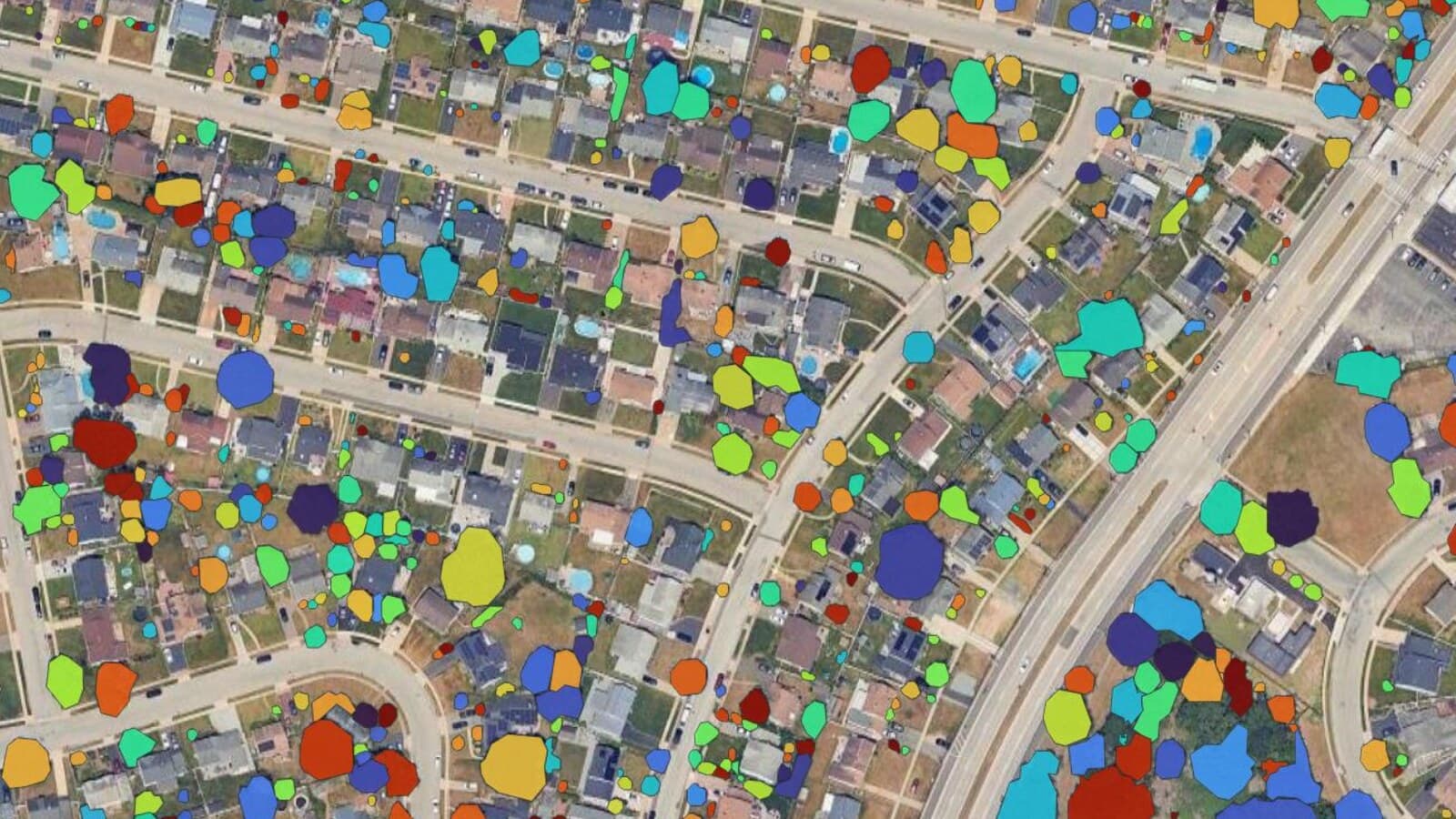
A segmentation model has learned what a crown looks like and returns one polygon per tree from an ordinary RGB orthophoto. We build one, AI Segmentation, and this section is about our own tool.
Draw a zone over the orthophoto open in QGIS and type tree. The model runs on our servers, so no graphics card is needed, and each crown comes back as a polygon in your project CRS with area_m2 and a confidence score.
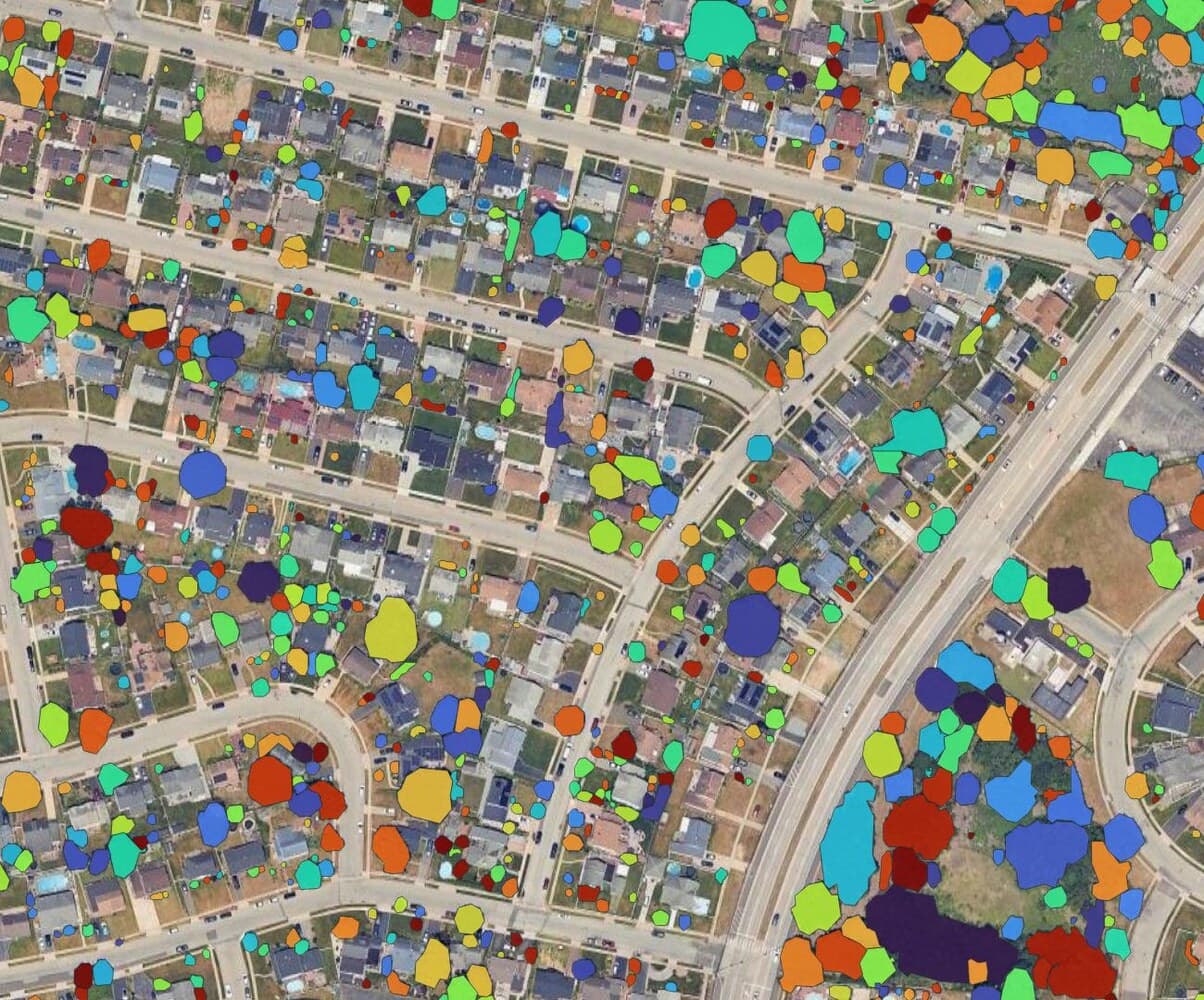
To turn crowns into inventory points:
Make one point per crown
Run Centroids on the crown layer. Each point keeps the attributes of its crown.
Add the crown diameter
Add the crown diameter with the Field Calculator, as a decimal field: 2 * sqrt("area_m2" / pi()).
Number the trees
Add a tree_id field filled with @row_number, then the empty field columns from your attribute table.
Use it when: thousands of trees over streets, parks or gardens, from imagery you already have.
Skip it when: the stand is closed. With no gap between crowns, a tree run returns one large shape rather than a polygon per stem, so use Method 3 there. The imagery tiles are sent to our servers; if they cannot leave your machine, use Method 2 or 3.
Finish in the field
Take the point layer to the trees with QField, the free mobile app for QGIS projects from OPENGIS.ch. It works offline, opens the forms you set up in QGIS, and lets you add photos per tree. Set a drop-down for species and condition in QGIS before you go, so that every surveyor writes the same words.
For recurring inspections with legal records, dedicated register software exists, and some of it, such as Baumsicht in Germany, runs on QGIS. The point layer you built here imports into it.
What to remember
- A tree inventory is one point per tree with attributes, not a canopy surface.
- The desk gives position, crown size and, with LiDAR, height. The field gives species, trunk and condition.
- Use an open register first, hand digitising for a few hundred trees, LiDAR tops when you need heights, and a segmentation model for thousands of trees on imagery.
- Check every automatic method on a sample you counted by hand before you trust the total.
Questions people ask
Is a tree inventory mandatory?
Usually no law requires the register itself. Owners of trees next to roads and paths must inspect them for safety, and a register is how they prove the inspections took place. In Germany that duty of care is why most towns keep a Baumkataster.
Can AI identify the tree species from aerial imagery?
Not reliably from the RGB orthophotos most people have. Species mapping needs multispectral or hyperspectral imagery and local training data, and even then it is checked in the field. Our plugin returns crowns, not species.
How accurate is automatic tree detection?
It depends on the canopy more than on the tool. Isolated street and garden trees come out well, touching crowns merge. Count 50 trees by hand on your own imagery, compare with the layer, and you have the error rate for your site.
Can I make a tree inventory in QGIS for free?
Yes. Open registers, hand digitising and LiDAR tree tops cost nothing but time, and QField is free. A segmentation model saves the time on large counts and starts free.
For the neighbouring jobs, what an orthophoto is explains the imagery behind every method here, and the QGIS AI plugins page shows what each plugin needs to run.