Segment Anything (SAM) in QGIS: 7 Plugins Compared
Published Updated
Segment Anything, or SAM, is a family of image models from Meta that outlines an object from a click, a box, or a word, and hands you back a mask you can keep as a polygon. Seven QGIS plugins run some version of it. Which one you install comes down to one question, whether you own an NVIDIA card, because SAM 3 has no CPU path and SAM 3 is the version that finds every match from a typed word. Own that card, install GeoAI and stay local. Without it, the model has to run somewhere else.
 plugins run some version of it. Which one you install comes down to one question, whether you own an NVIDIA card, because SAM 3 has no CPU path and SAM 3 is the version that finds every match from a typed word. Own that card, install GeoAI and stay local. Without it, the model has to run somewhere else.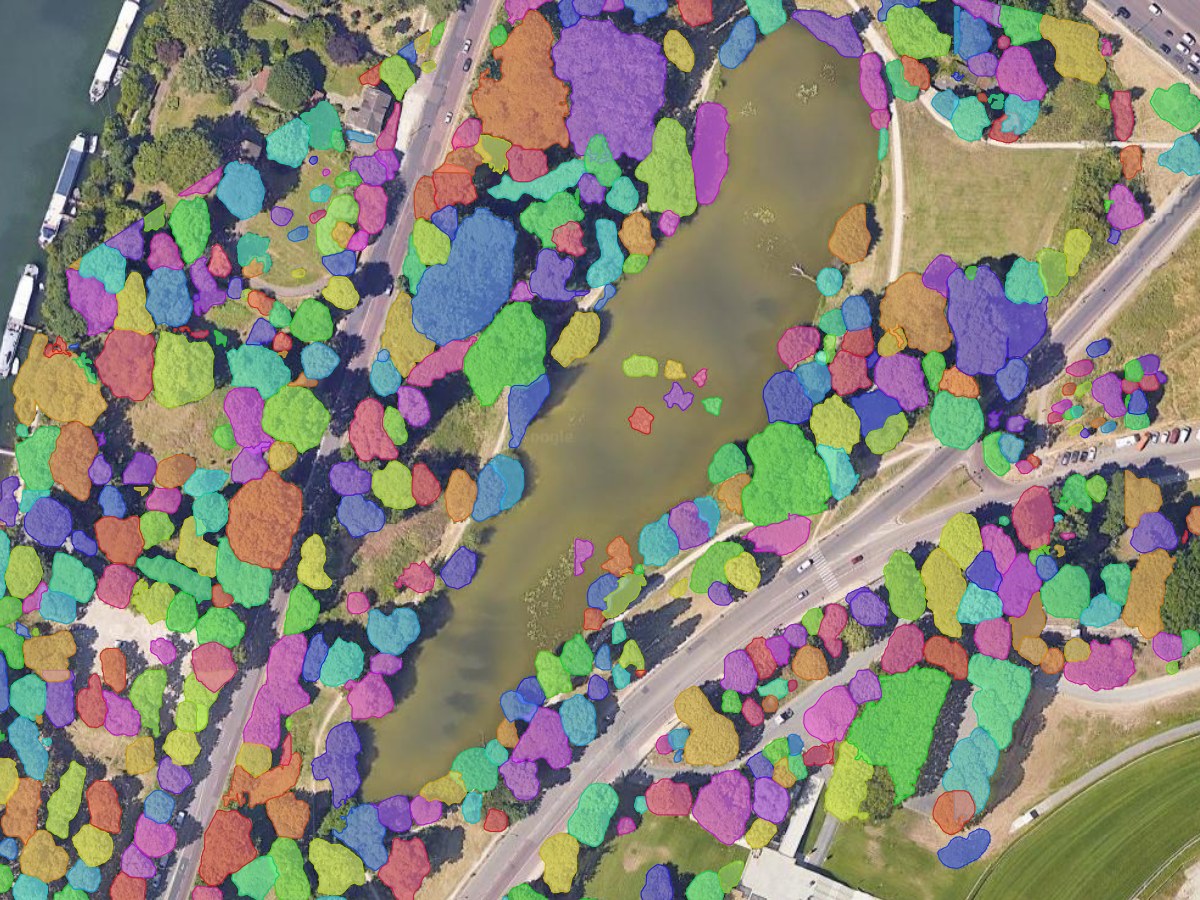
The table sorts the seven plugins by your situation.
| Your situation | Install | Why |
|---|---|---|
| NVIDIA card, everything stays local | GeoAI | SAM through samgeo, plus models beyond SAM, one installer |
| No NVIDIA card, you want every match from a word | AI Segmentation (ours) | The model runs on our servers, so no card and no packages |
| You want text prompts free, on what is on screen | GeoOSAM | The free tier does SAM 3 text on the visible extent |
| One object at a time, click by click | Geo SAM | Encode once, then prompt fast, MIT, no account |
| Nothing may leave the machine | SamGIS | SAM 2.1 on ONNX Runtime, on-device, no CUDA, no account |
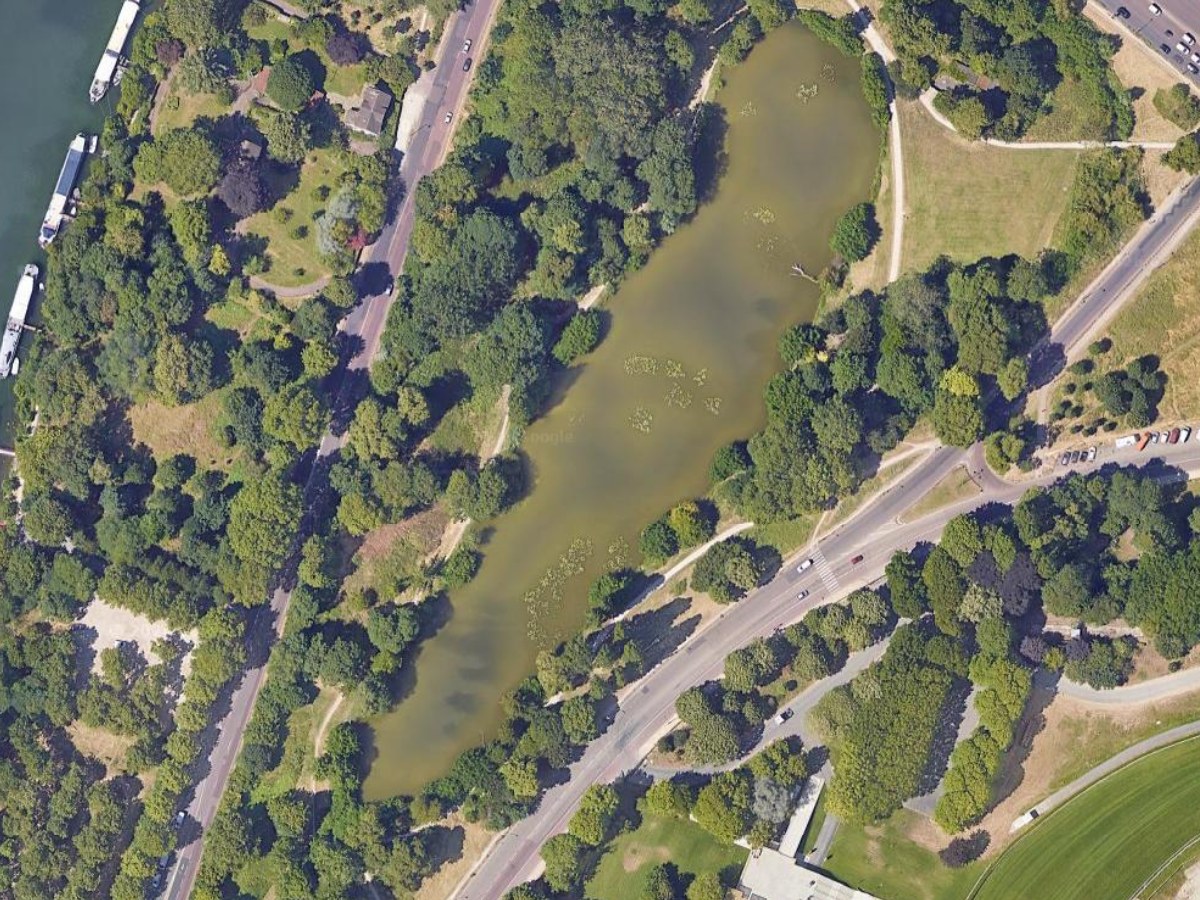
Whichever you pick, one rule predicts the result. SAM works on anything you could trace by hand without hesitating, and struggles on everything else.
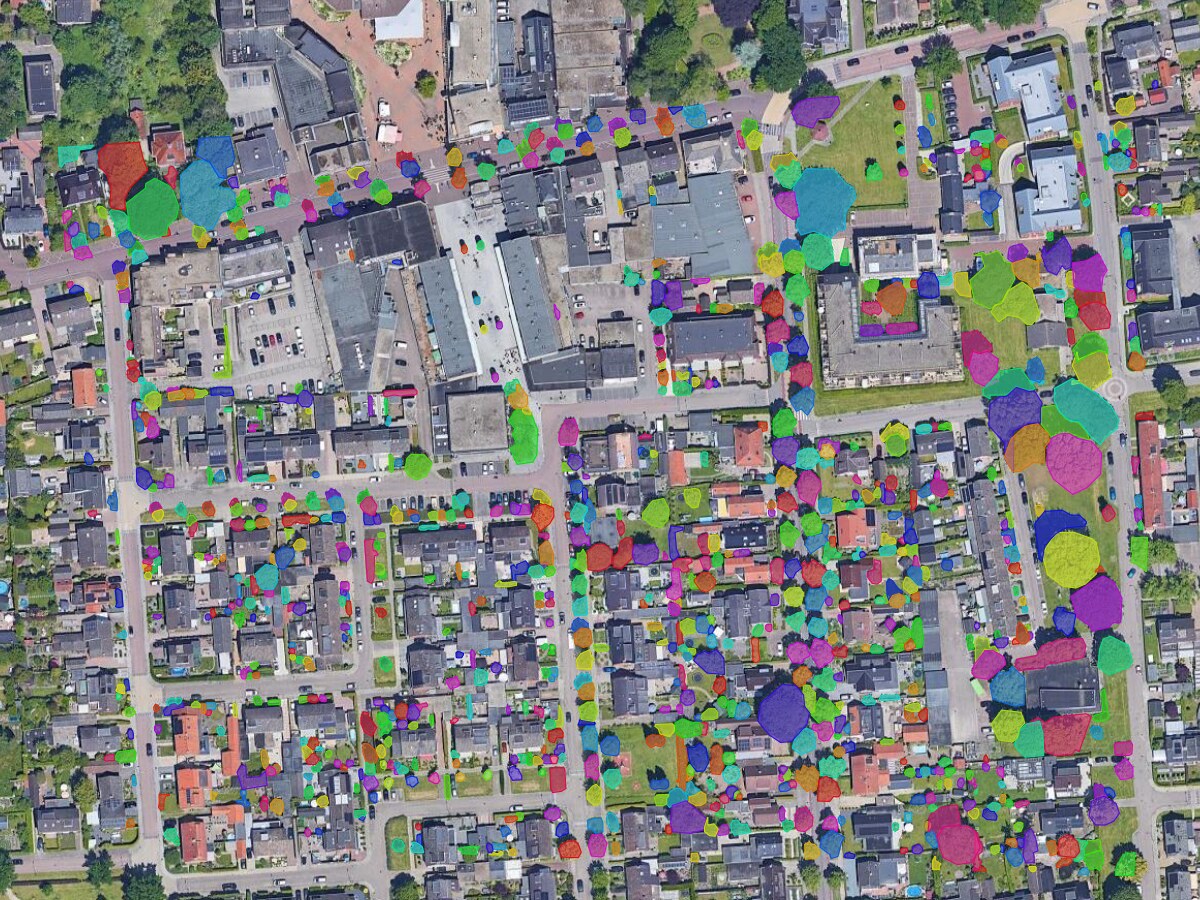
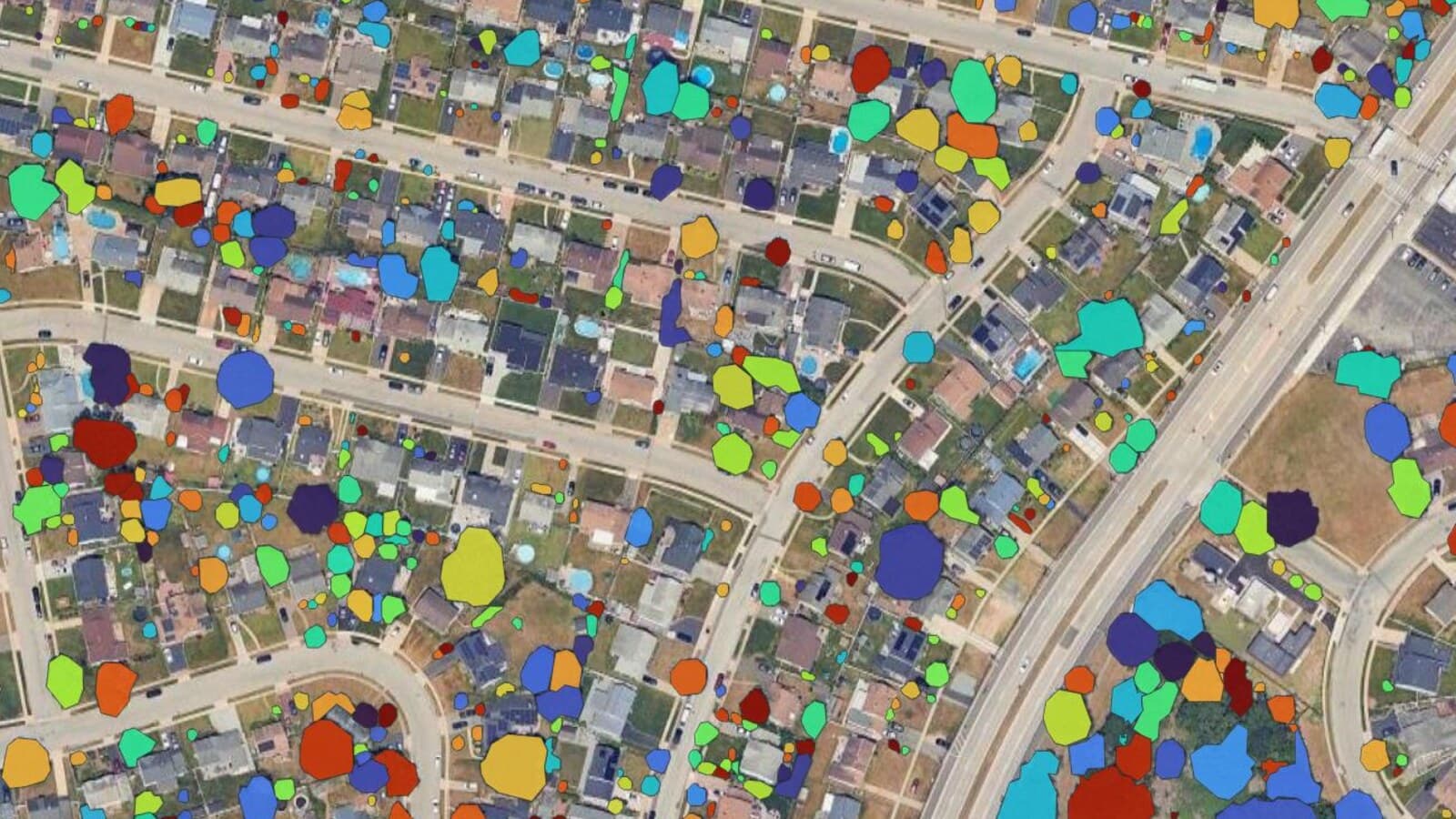
Four real runs on Google Satellite imagery, nothing tidied up afterwards. Clear edges give clean polygons: crowns, roofs, cars, water, panel arrays. A field edge fading into scrub is a judgement call, and there the model hesitates exactly where you would.
Compared at a glance
| Plugin | Best for | Price | Runs on | GPU |
|---|---|---|---|---|
| AI Segmentation (ours) | Every match from a word, on any machine | Free 1.5 km² a month, Pro €39 | Our servers, in Europe | None |
| GeoAI | Local work, SAM plus other model families | Free, MIT | Your machine | NVIDIA for SAM 3 |
| GeoOSAM | Free text prompts on the visible extent | Free, Pro $15 once | Your machine | NVIDIA for SAM 3 |
| Geo SAM | Careful click-by-click delineation | Free, MIT | Your machine | NVIDIA for SAM 3 |
| SamGIS | Offline and locked-down networks | Free | Your machine | None, SAM 2.1 only |
| SamGeo | Nothing today, its author points to GeoAI | Free, MIT | Your machine | NVIDIA for SAM 3 |
| Monitask | SAM 1 clicks, in a portable bundle | Free, GPL v2 | Your machine | None, SAM 1 only |
I compared them on five things: what you can prompt with, whether the model runs on your machine or ours, what a card and an install cost you before the first polygon, what the licence lets a consultant do, and how the output arrives in a QGIS layer. Versions, licences and download counts come from the official QGIS plugin index, read on 14 August 2026, the same cumulative field for all seven.
Two jobs I send elsewhere and mean it. On an air-gapped or restricted network, SamGIS, which runs fully offline, is the one to look at. For a scripted run over hundreds of tiles, Qiusheng Wu's samgeo library in a notebook beats every interface here, ours included.
The SAM version matters, because the three do not run on the same hardware.
| SAM 1 | SAM 2 | SAM 3 | |
|---|---|---|---|
| Released | April 2023 | July 2024 | November 2025 |
| Prompt with | Click, box | Click, box, video | Click, box, text |
| Finds every instance | No | No | Yes |
| Licence | Apache 2.0 | Apache 2.0 | Custom "SAM License" |
| Runs on CPU | Yes | Yes | No |
There is no CPU path, in samgeo's words: you won't be able to use them if you have a CPU only system. That rules out every Mac, every AMD card and every laptop on integrated graphics. SAM 1 and SAM 2 still run on a CPU, slowly, and you lose the find-every-instance behaviour.
Set your constraints, see what is left
- AI Segmentationours · GPL v2 · Cloud and local, our own build
- GeoAIQiusheng Wu · MIT · SAM via samgeo
- GeoOSAMOfer Butbega · GPL v2 · SAM 2.1, 3
- SamGeoQiusheng Wu · MIT · SAM 1, 2, 3
Deprecated by its own author, who points people at GeoAI.
- Monitaskzhouxu · GPL v2 · SAM 1
Last released October 2023, so it predates SAM 2 and SAM 3. Click only, and it is distributed as a portable QGIS bundle as well as a plugin.
- Geo SAMZhao & Fan, CUHK · MIT · SAM 1, 2, 2.1, 3
Download count restarted with the v2.0 rewrite in June 2026, so it is more established than the figure suggests.
- SamGIStrincadev · see repo · SAM 2.1 only
Official QGIS plugin index (plugins.xml), cumulative download field, the same field for all seven, 14 August 2026
1. AI Segmentation
AI Segmentation is ours, so weigh this entry accordingly. Draw a zone, type an object, get every match as polygons in your project CRS. The model runs on our servers, which is what removes the card and the Python environment from the job.
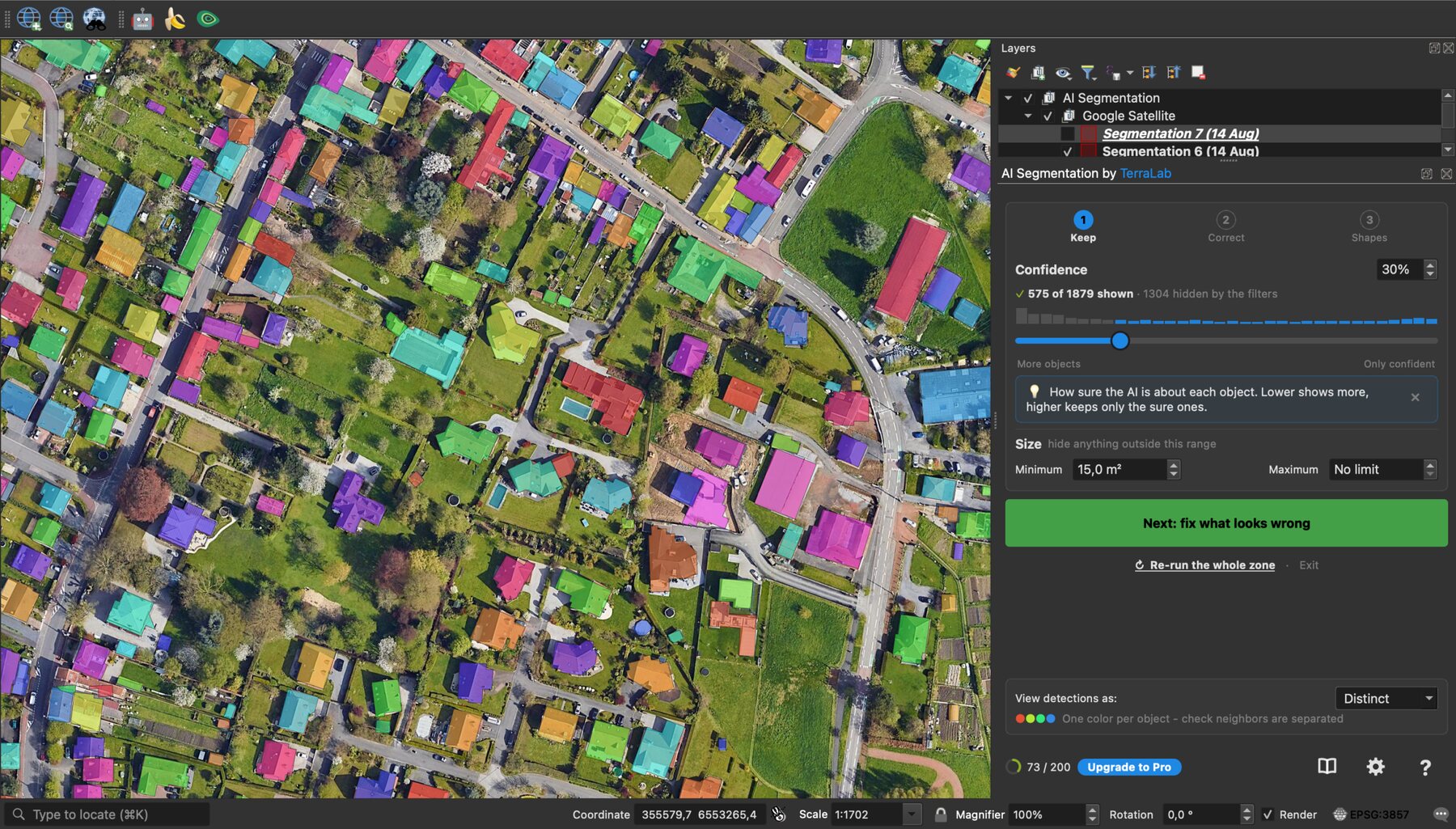
Best for: every match from a typed word, on a Mac or an office laptop. Not for: imagery that may not leave your machine. Price: free for 1.5 km² of automatic detection a month, no card. Pro is €39 a month. Try Pro free for 7 days: add a card, cancel before the end and nothing is charged. Runs on: our servers, in Europe. Install: the QGIS plugin manager, then sign in from the panel with an email.
Where it wins
- It arrives from the plugin manager like any other plugin, with no weights, no CUDA and no virtual environment to build.
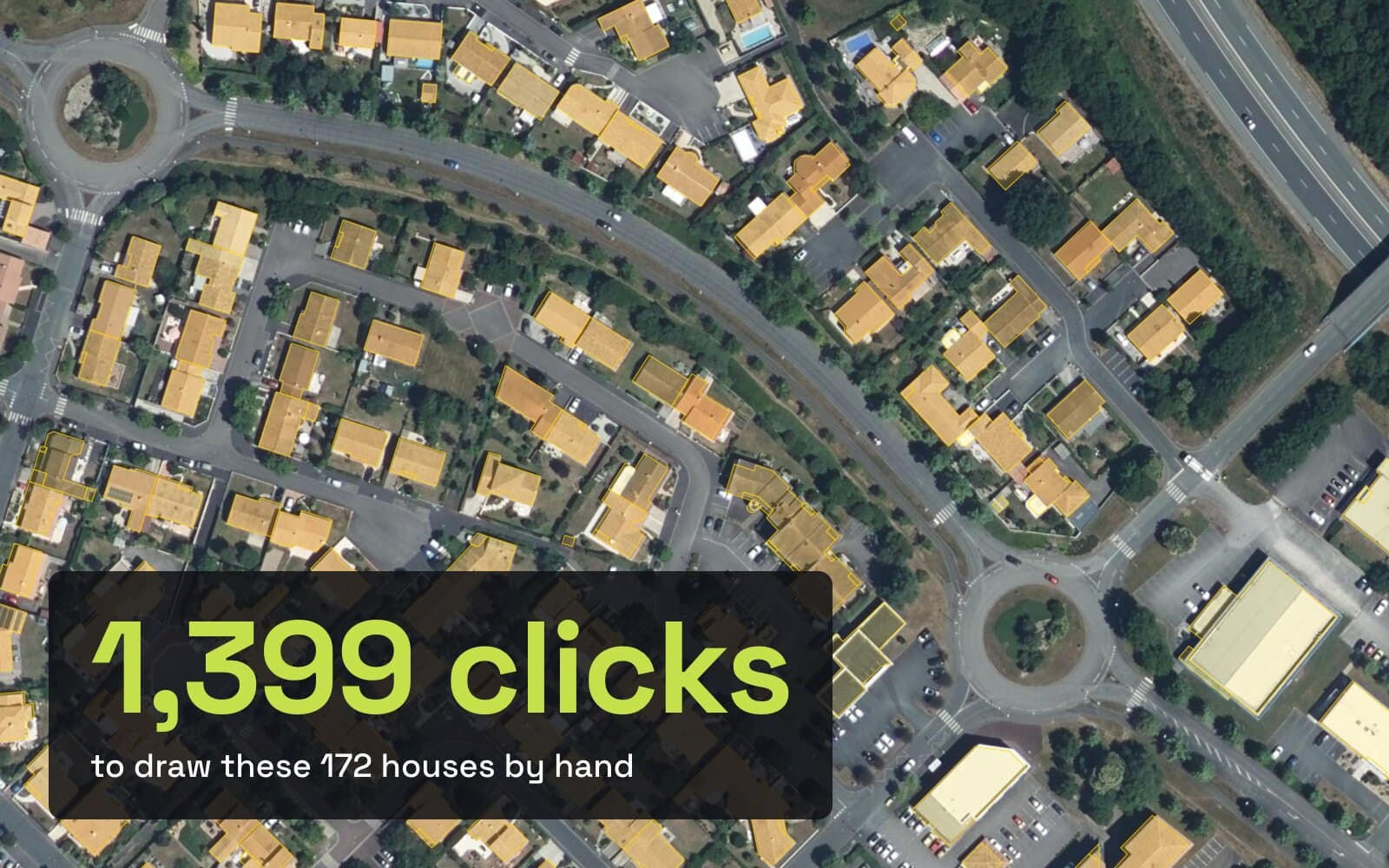
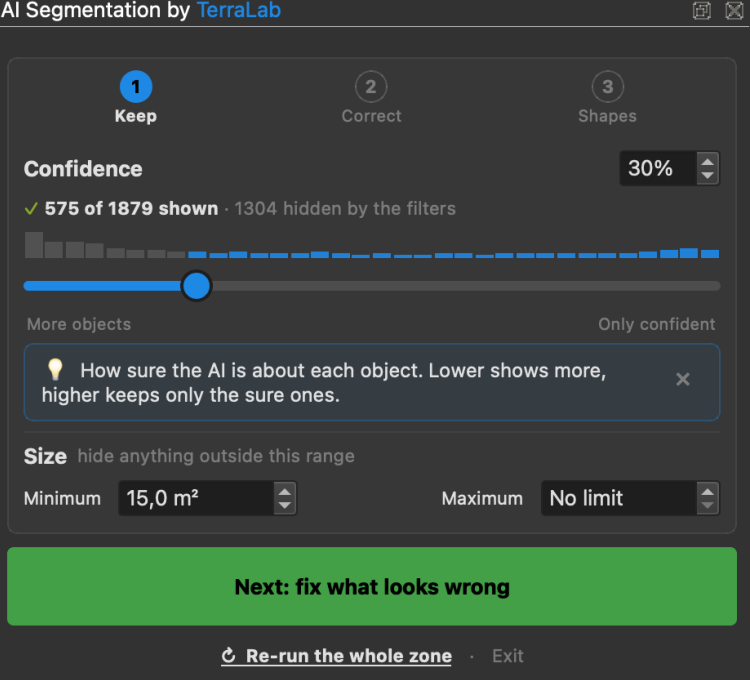
- The sorting happens in the panel. Every SAM tool returns vents, skylights, courtyard sheds and shadows: real objects, correct outlines, not buildings. Here you drag confidence and size and watch the map thin out. One Paris run went from 635 polygons to 82, and those 82 still held 84% of the built area.
- Simplify, orthogonalize and fill holes run over the whole layer, in the right order, before you save.
Where it falls short
- Automatic detection runs in the cloud, so it is the wrong answer whenever nothing may leave the machine.
- Text prompts degrade as the drawn zone grows. That limit follows from how detection at this scale works, and it applies to us like everyone else.
Product page · A real job, step by step · Open footprints for any area, free
Try it free in QGIS, no card needed
2. GeoAI
Qiusheng Wu's plugin, and the deepest of the local tools. It carries SAM through samgeo alongside DeepForest, OmniWaterMask, Mask R-CNN and a semantic segmentation trainer, so it is the one to install if you want to go past SAM later.
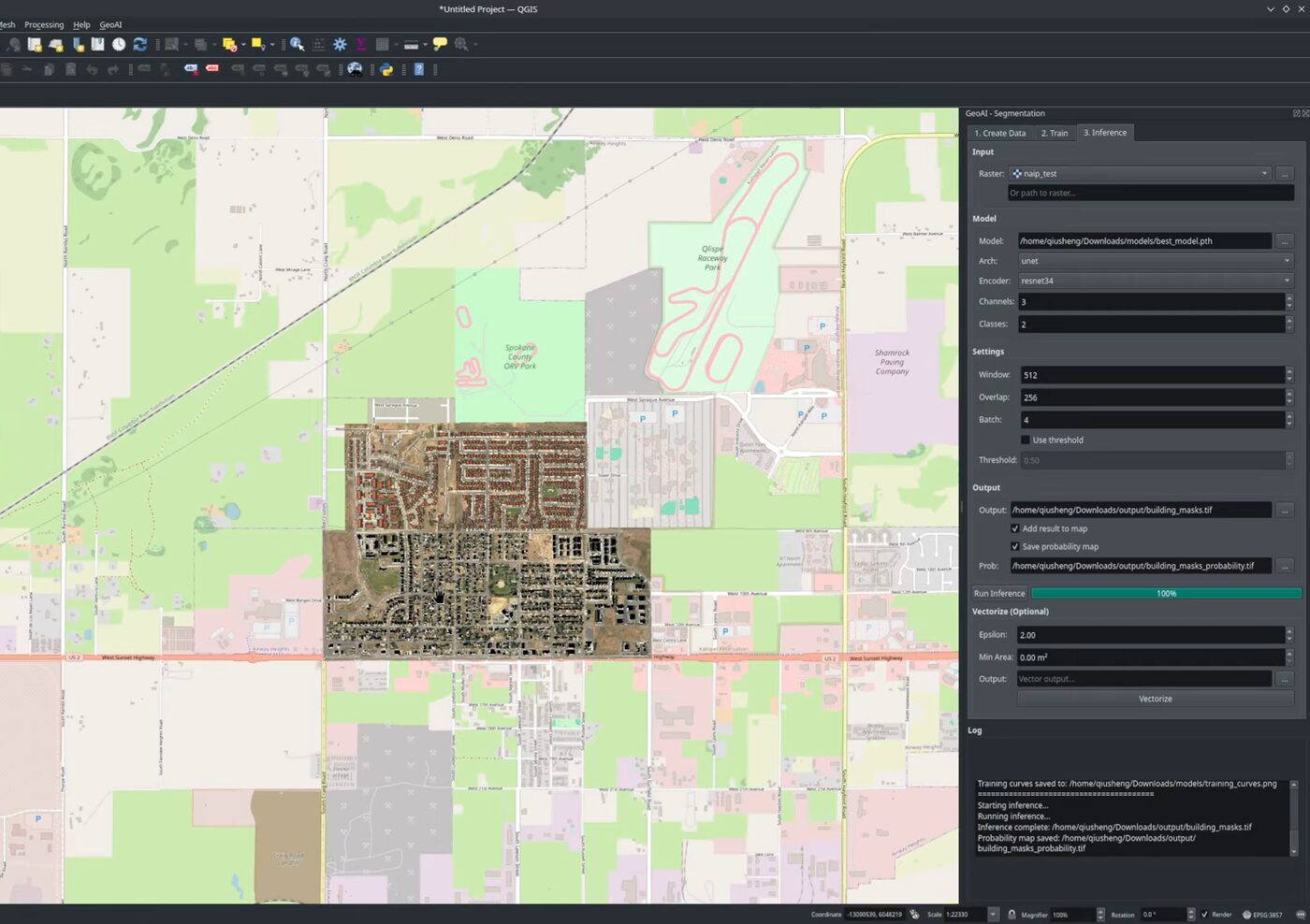
Best for: local work when you own the card and want more than SAM. Not for: a Mac, an AMD card, or integrated graphics, once you reach SAM 3. Price: free, MIT. Runs on: your machine. Install: the plugin manager, then its built-in dependency installer.
Where it wins
- Most of what the QGIS world knows about SAM on imagery it owes to this author, and the plugin is the successor he points people at.
- The installer detects NVIDIA CUDA or Apple MPS and builds an isolated Python environment at
~/.qgis_geoai/, in one click. - 58,283 downloads in the QGIS index, the highest of the seven.
Where it falls short
- SAM 3 still needs the NVIDIA card, which no installer can supply.
3. GeoOSAM
GeoOSAM does text-prompt detection on its free tier, which contradicts every post claiming that no free plugin does. Four tabs: Segment, Detect, Results, Filters.
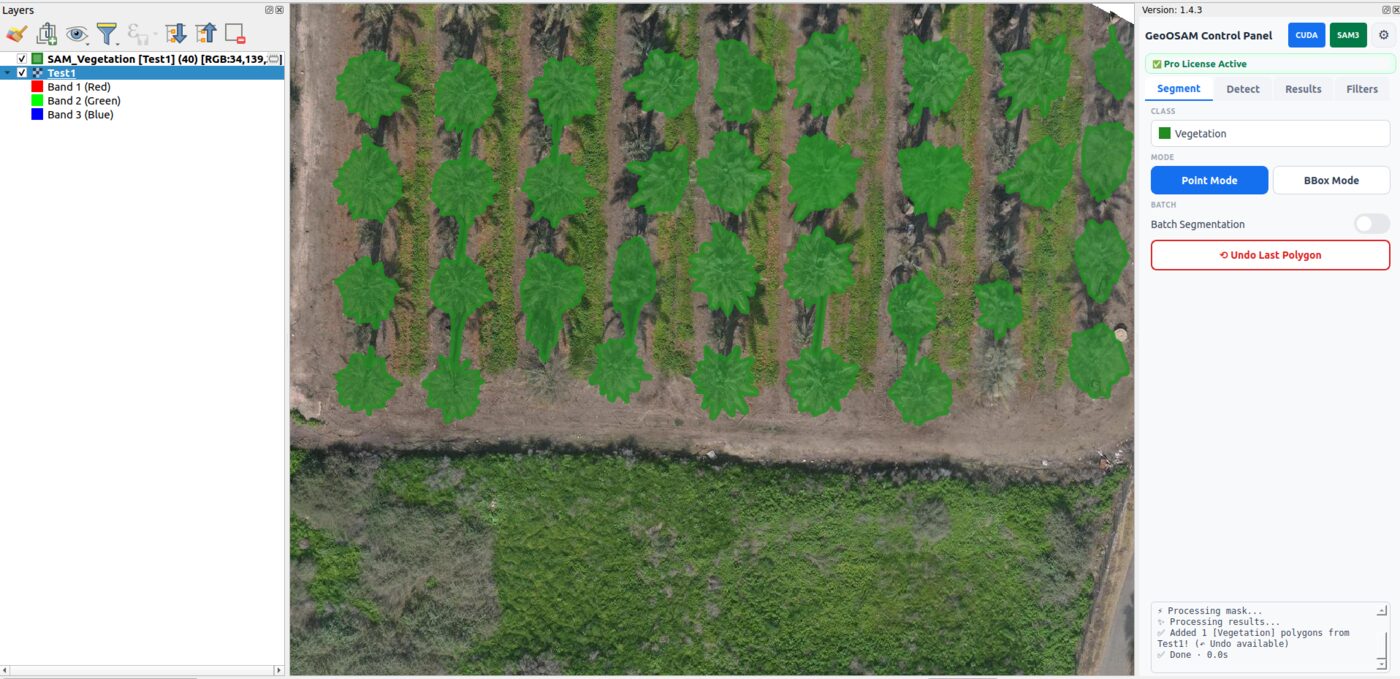
Best for: free text prompts over whatever is on your screen. Not for: a whole raster on the free tier, or a machine with no NVIDIA card. Price: free tier forever. Pro is a one-time $15, one device per licence. Runs on: your machine. Install: the plugin manager.
Where it wins
- SAM 3 point, box, text and similar-object prompts on the visible extent, unlimited, free, GPL v2.
- Twelve predefined classes, and filters that work in real-world size and shape through the ground sample distance.
- You can click one object and ask for the ones that look like it.
Where it falls short
- Whole-raster runs with auto-tiling sit behind the paid tier.
- Its own README warns that SAM 3 support is "under active development - bugs expected!".
GeoOSAM in the QGIS repository.
4. Geo SAM
The one people search for, and the one that changed most this year. Zhao and Fan at CUHK rewrote it from the ground up and shipped v2.0 on 22 June 2026, so every guide describing v1 is now wrong.
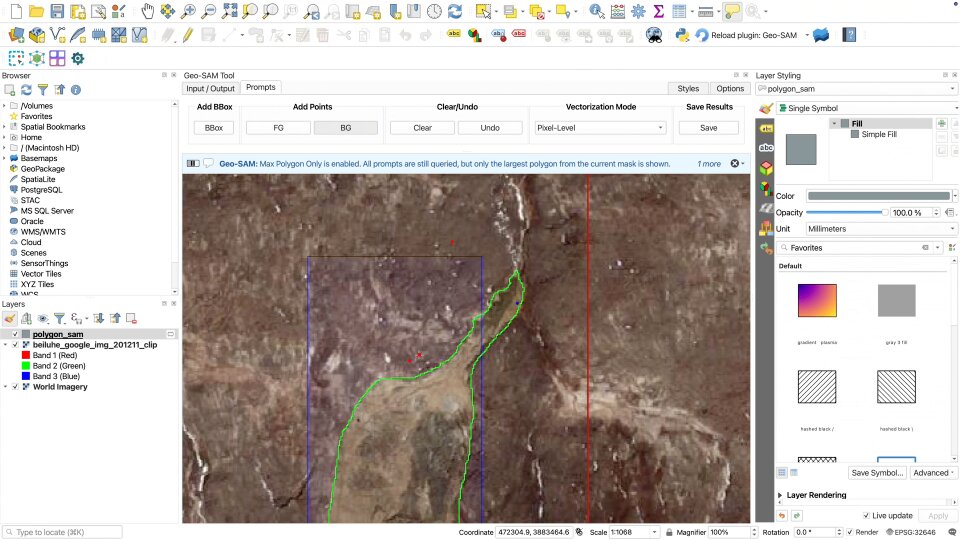
Best for: patient, one-object-at-a-time delineation with a live preview. Not for: finding every building in a scene from a word. Price: free, MIT. Runs on: your machine. Install: the plugin manager, with dependencies the plugin manages itself.
Where it wins
- Live encoding segments straight off a raster layer, with no pre-encoding step, and XYZ, WMS and WMTS layers now work.
- SAM 1, 2, 2.1 and 3 weights, QGIS 3.20 to 4.99, so it runs on QGIS 4. The UI ships in nine languages plus English.
- 2,058 downloads understates it. The counter restarted with the rewrite two months earlier.
Where it falls short
- No text prompt at all. It loads SAM 3 weights and drives them with points and boxes, so "supports SAM 3" does not mean "finds every building from the word building".
- The v2.0 backend depends on Ultralytics, which is AGPL-3.0. On your own desktop that changes nothing. Wrapping it into a service you ship to clients is worth a lawyer's five minutes.
Geo SAM in the QGIS repository.
5. SamGIS
The quiet one, and the one I recommend to a GIS team on a restricted network. It runs SAM 2.1 on device through ONNX Runtime, so there is no PyTorch install and no CUDA anywhere in the chain.
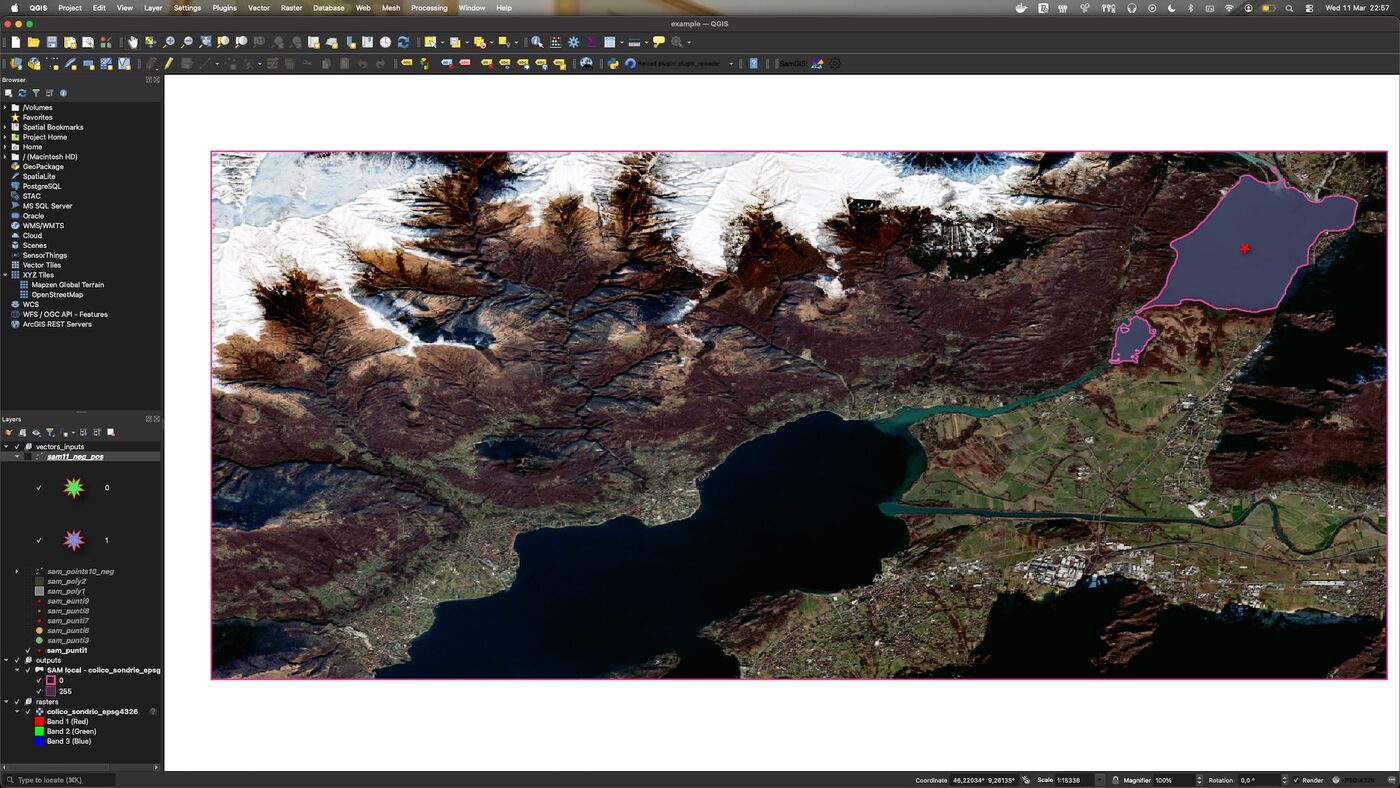
Best for: offline, air-gapped or procurement-constrained work. Not for: text prompts or find-every-instance runs. Price: free. Runs on: your machine, fully offline after the first run. Install: the plugin manager, QGIS 3.40 or newer. Weights come once from Hugging Face.
Where it wins
- No account, no CUDA, no cloud call. Point and box prompts drawn on a vector layer, polygons out in EPSG:4326.
- The highest average rating of the seven, 4.80, though on 20 votes, so read it as a signal and not a statistic.
Where it falls short
- SAM 2.1 only, so no text prompt and no SAM 3 behaviour, by design.
- 1,460 downloads and QGIS 3.40 as the floor, which rules out older installs.
SamGIS in the QGIS repository.
6. SamGeo
The QGIS plugin named SamGeo supports SAM 1, 2 and 3 with text prompts, and its author has stopped recommending it. Replying on his own tracker on 4 June 2026: "This plugin has been deprecated. Please use the GeoAI plugin instead." Neither the README nor the repository listing carries a deprecation flag, so the signal is the author's word, not a label.
Best for: nobody starting today. The maintainer marks it deprecated and points new users to GeoAI. Not for: a workflow you plan to still be running next year. Price: free, MIT. Runs on: your machine. Install: the plugin manager, but see above.
Where it wins
- The samgeo library behind it,
segment-geospatial, is a different matter and it is excellent: MIT, peer reviewed in the Journal of Open Source Software, v1.4.1 released on 4 July 2026, with notebook and REST workflows. - If you write Python and need the same pipeline over hundreds of tiles with the same result, that library beats every plugin on this page.
Where it falls short
- The plugin's own author points new users to GeoAI.
SamGeo in the QGIS repository.
7. Monitask
The oldest entry here, by zhouxu, and it is in the list for completeness. Its last release is October 2023, so it predates SAM 2 and SAM 3 entirely.
Best for: SAM 1 click prompts on a machine you cannot install much on. Not for: text prompts, or anything expecting current SAM behaviour. Price: free, GPL v2. Runs on: your machine. Install: the plugin manager, or the portable QGIS bundle it also ships as.
Where it wins
- The portable bundle is an unusual escape route when a locked-down workstation blocks the plugin path.
- SAM 1 runs on a CPU, so no card is needed.
Where it falls short
- Click prompts only, on SAM 1, with nearly three years since the last release. 3,317 downloads.
Monitask in the QGIS repository.
Install it in four steps
This is the shortest path to a polygon, and it is ours, because it is the one with no weights and no Python in it.
Open the plugin manager
In QGIS: Plugins -> Manage and Install Plugins.
Search AI Segmentation
Install it. Nothing else to download, no Python environment to build.
Sign in from the panel
An email and a click. Every account gets a free allowance each month, no card asked for.
Draw a zone, type an object
building, tree, car, pool. The polygons land in your project CRS.
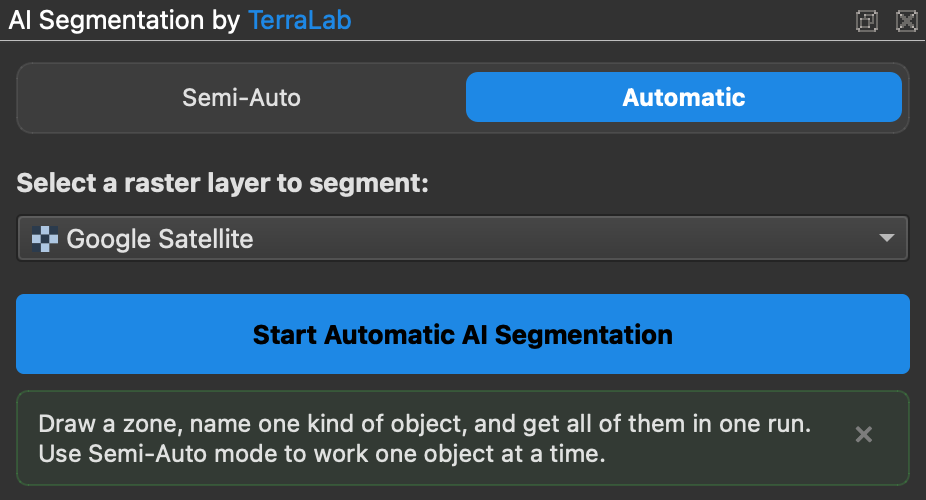
Detection runs on European servers, we do not train on your imagery, and the plugin asks before it sends anything.
The local route has more steps and no bill. GeoAI and Geo SAM both install from the same plugin manager and then manage their own dependencies, which is a real improvement on the pip-by-hand years. Budget extra time for the model itself: the SAM 3 weights are gated, so you need a Hugging Face account, an access request to Meta, and a wait the docs put at a few hours.
Three myths worth clearing up
"It supports SAM 3, so I can type a word and get every match." Loading SAM 3 weights and exposing text prompts are two different things. Geo SAM drives those weights with points and boxes and has no text prompt at all.
"No free plugin does text prompts." GeoOSAM does, on its free tier: point, box, text and similar-object prompts on the visible extent. What it charges for is whole-raster runs with auto-tiling.
"Here is a Geo SAM tutorial." Most of them describe v1. Zhao and Fan rewrote the plugin from the ground up and shipped v2.0 on 22 June 2026, so anything written before that date is describing a different tool.
Questions people ask
Does SAM work on satellite imagery out of the box?
Yes, though it was trained on ordinary photographs. It transfers well wherever the boundary is sharp, and struggles wherever it is a gradient. Crowns, roofs, cars and panel arrays come back clean. A field edge fading into scrub does not.
Do I need an NVIDIA GPU to run SAM in QGIS?
For SAM 3 locally, yes, and there is no workaround today. SAM 1 and SAM 2 still run on a CPU, slowly, without the find-every-instance behaviour. The way around the card is to let the model run somewhere else, which is what our plugin does.
Which SAM plugin for QGIS is free?
Six of the seven. GeoAI, Geo SAM and SamGeo are MIT, GeoOSAM and Monitask are GPL v2, and SamGIS is free too. GeoOSAM charges a one-time $15 only for whole-raster auto-tiling, and ours is free for 1.5 km² of automatic detection a month before the €39 plan.
Why does my urban block come back as one polygon?
From above there is no party wall to see. That is right for built-up area and wrong for a polygon per address. It shows up worst on dense scenes with a text prompt.
Why are my results worse on a big zone?
Text prompts degrade with extent on every tool. Qiusheng Wu on his own project: the larger the image extent, the worse result you will get. Work in smaller zones and run more of them.
What is the output, exactly?
A polygon layer in your project CRS. Ours writes label, class, score, area_m2 and perimeter_m on every feature. A confidence score and an area are the two fields you can count on anywhere.
If you want the wider picture, the QGIS AI hub lists what else the category holds, the best AI plugins for QGIS ranks the field beyond SAM, and what GeoAI means covers the term you will meet on every vendor page.