What Is Remote Sensing? Sensors, Free Data, QGIS
Published
Remote sensing is measuring the Earth's surface from a distance, with sensors on satellites, aircraft and drones, and turning the measurements into maps. The sensor records light or radio waves that bounce off the ground, so nobody has to be there. In QGIS, the result is a raster you open, composite, calculate on and classify like any other layer.
 , the result is a raster you open, composite, calculate on and classify like any other layer.
A satellite image is not a photograph. It is a stack of measurements, one band per kind of light, and the colours on your screen are a choice you make when you decide which band goes in red, green and blue. That choice is most of the skill.
Why it matters
Remote sensing answers questions that are too big, too remote or too slow to survey on foot: is this field greener than last year, how far did the flood reach, how much forest was cleared, where did the city grow. A free satellite revisits the same place every few days, so the answer comes with a date and can be repeated.
What people use it for
| Question | What is measured | A sensor that does it |
|---|---|---|
| Is this crop or forest healthy? | Greenness, through NDVI | Sentinel-2, Landsat 8 and 9 |
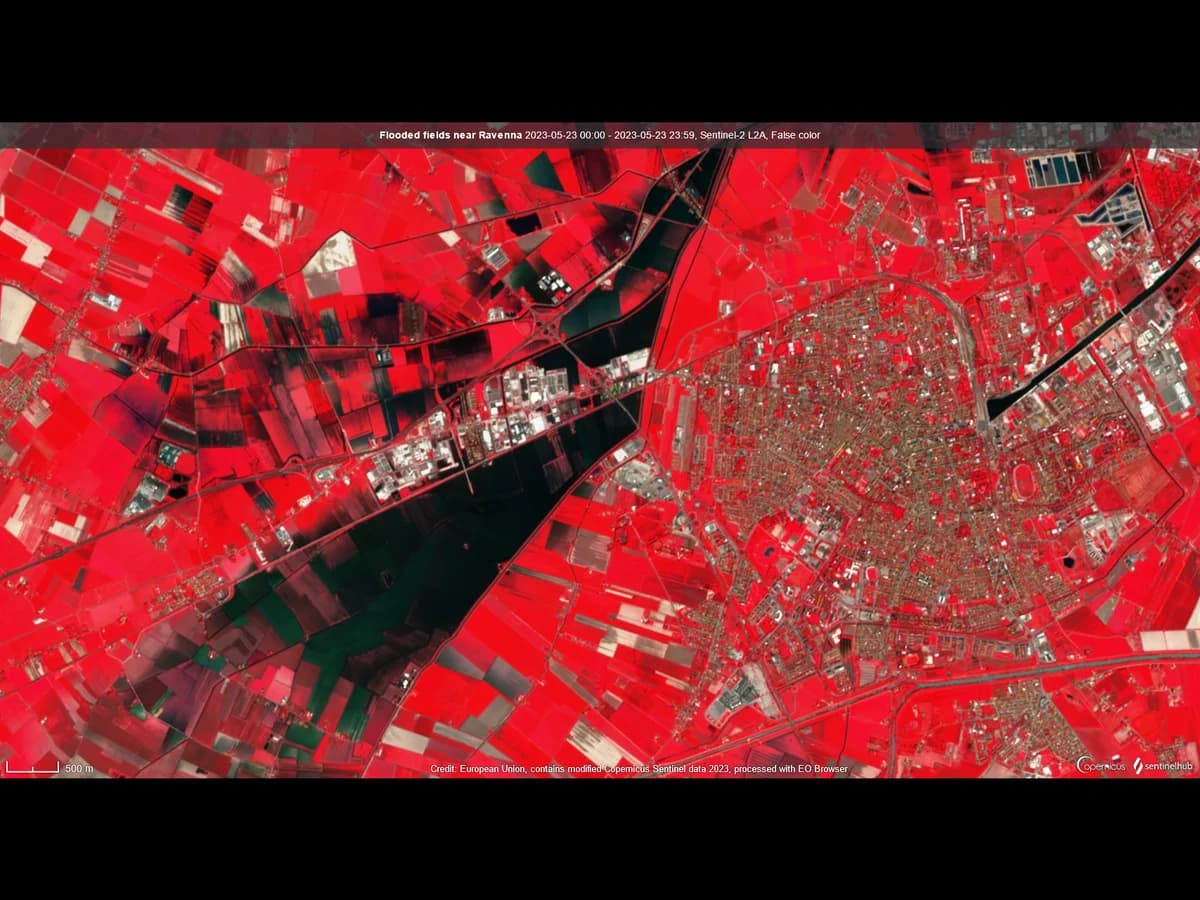
| Where is the water, how far did the flood go? | Water extent, through a water index or radar | Sentinel-2, Sentinel-1 radar |
| How did land cover change in 40 years? | Classes compared across dates | Landsat, whose archive goes back to 1972 |
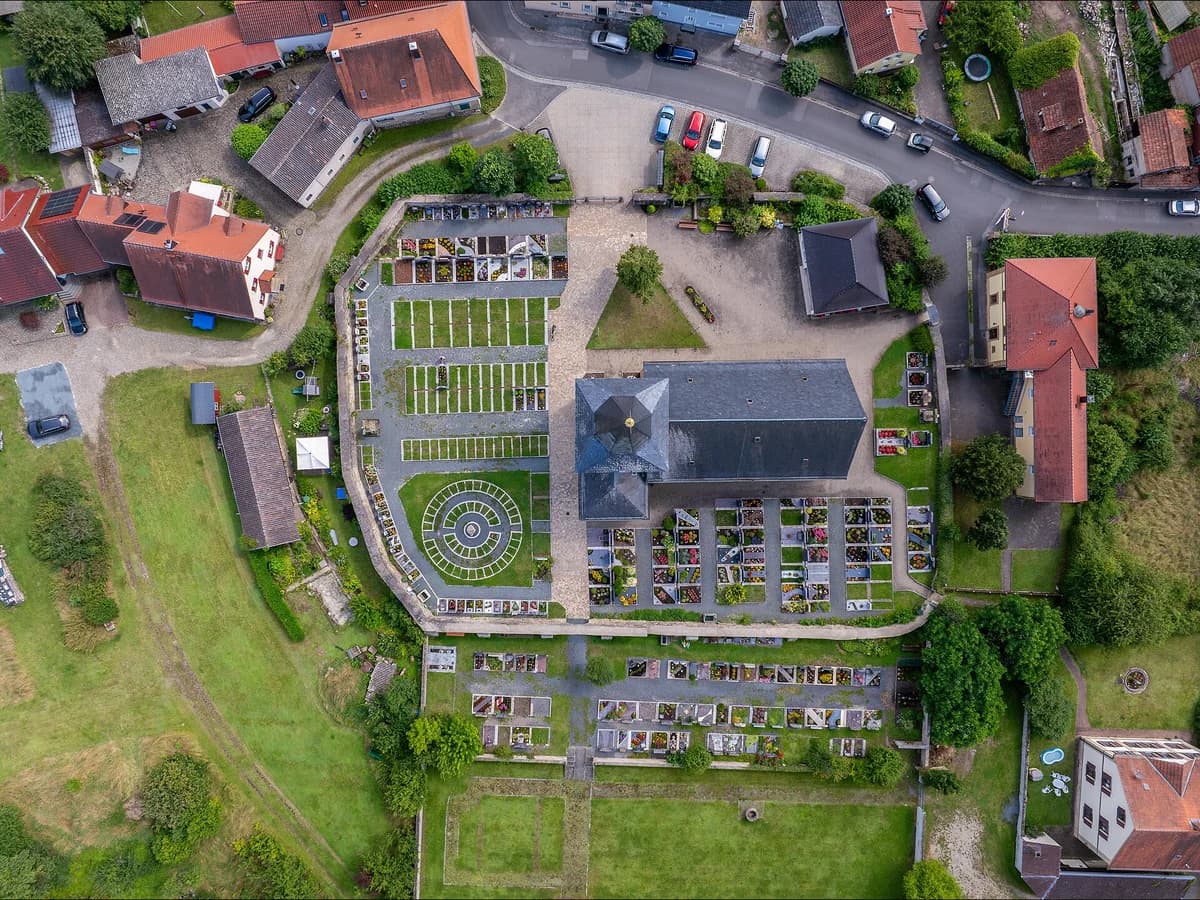
| Where are the buildings, trees, pools? | Individual objects | Aerial photos and drones at 50 cm or finer |
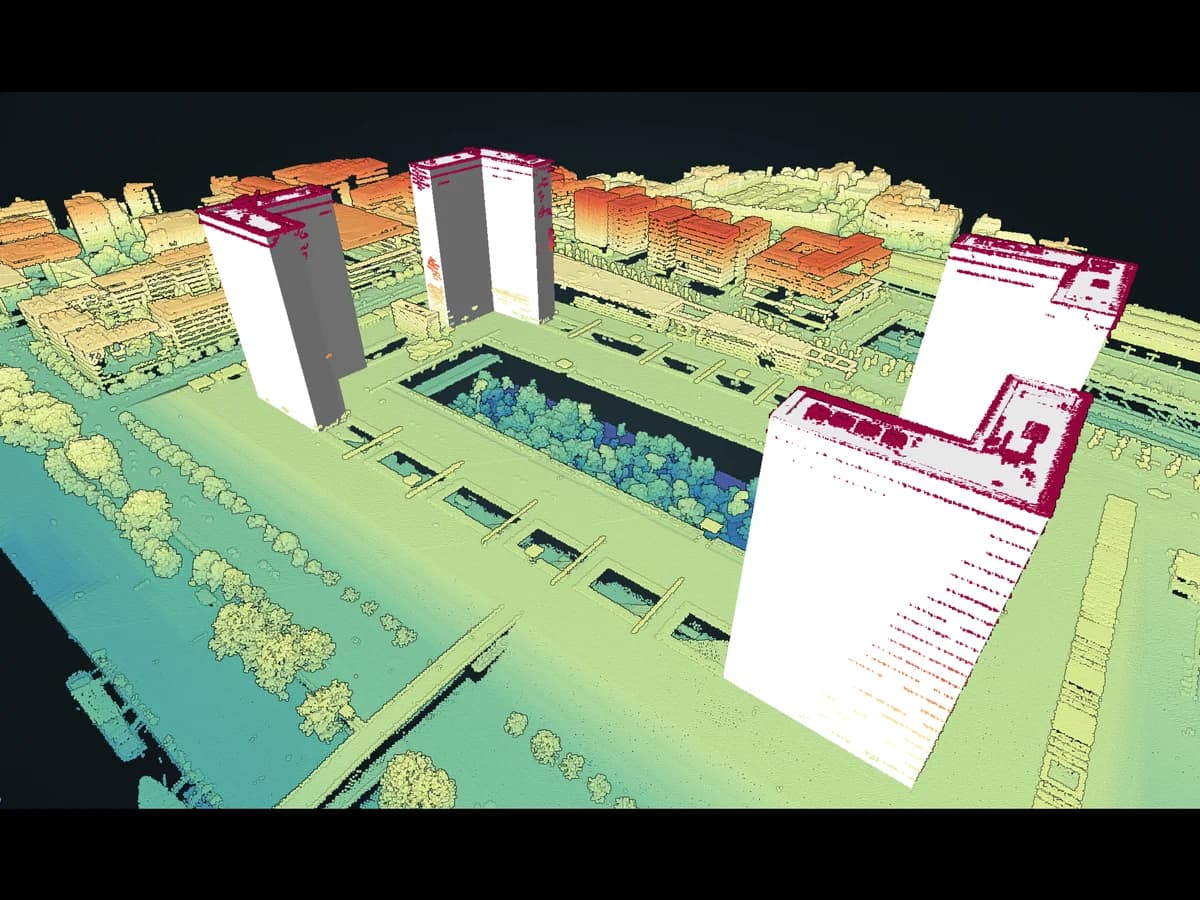
| How tall is the canopy, where is the ground? | Elevation from laser pulses | LiDAR |
How it works
A passive sensor records sunlight reflected by the ground, in several bands at once. An active sensor sends its own pulse and times the echo: radar, such as Sentinel-1, and LiDAR. Radar sees through cloud and works at night, which is why flood maps lean on it.
Materials answer differently in each band. Healthy leaves reflect near-infrared strongly and absorb red. Water absorbs near-infrared and looks nearly black in it. Bare soil climbs slowly from blue to infrared. Every index and every classifier reads those differences.
Four kinds of resolution describe any sensor, and they trade against each other:
- Spatial: the size of one pixel on the ground. Sentinel-2 gives 10 m for four bands, 20 m for six and 60 m for three.
- Spectral: how many bands, and how narrow. Sentinel-2 records 13, from 443 to 2190 nm.
- Temporal: how often it comes back. Sentinel-2 revisits every 5 days at the equator, and every 2 to 3 days at mid-latitudes.
- Radiometric: how finely brightness is recorded, which decides whether you can tell two dark fields apart.
The free sensors worth knowing
| Source | Pixel | Revisit | Cost | Best for |
|---|---|---|---|---|
| Sentinel-2 (ESA) | 10 m, 20 m, 60 m by band | 5 days | Free | Fields, forests, town edges, since 2015 |
| Landsat 8 and 9 (USGS) | 30 m, 15 m panchromatic | 8 days with both | Free | Long records, thermal band |
| Sentinel-1 radar (ESA) | 10 m pixels in the standard product | 12 days per satellite | Free | Floods, cloudy regions, night |
| IGN BD ORTHO, France | 20 cm | New cover every 3 to 4 years | Free, open licence | Buildings, trees, pools |
| IGN LiDAR HD, France | At least 10 points per m² | Flown once, covering France by 2026 | Free, open licence | Terrain and canopy height |
The specs come from ESA's Sentinel-2 page, NASA's Sentinel-1 page, and the IGN datasets on data.gouv.fr (BD ORTHO, LiDAR HD), read on 27 October 2026. The two Sentinel-2 and Landsat families are compared band by band in Sentinel-2 vs Landsat, and satellite image resolution compared shows what each pixel size can and cannot see.
The first question is always the same: how many pixels does my object cover? A 10 m pixel cannot hold a house. It can hold a field.
A remote sensing workflow in QGIS
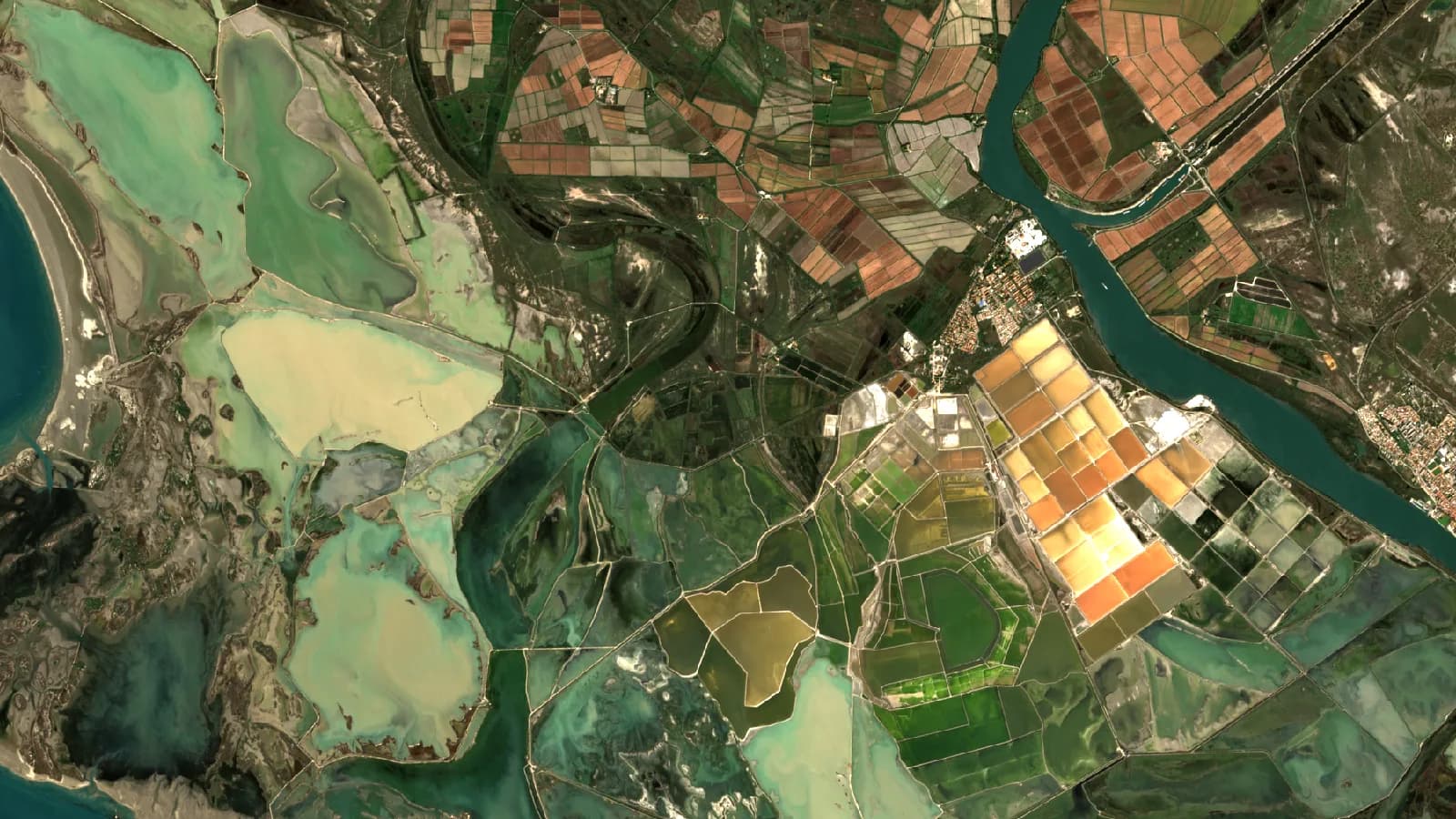
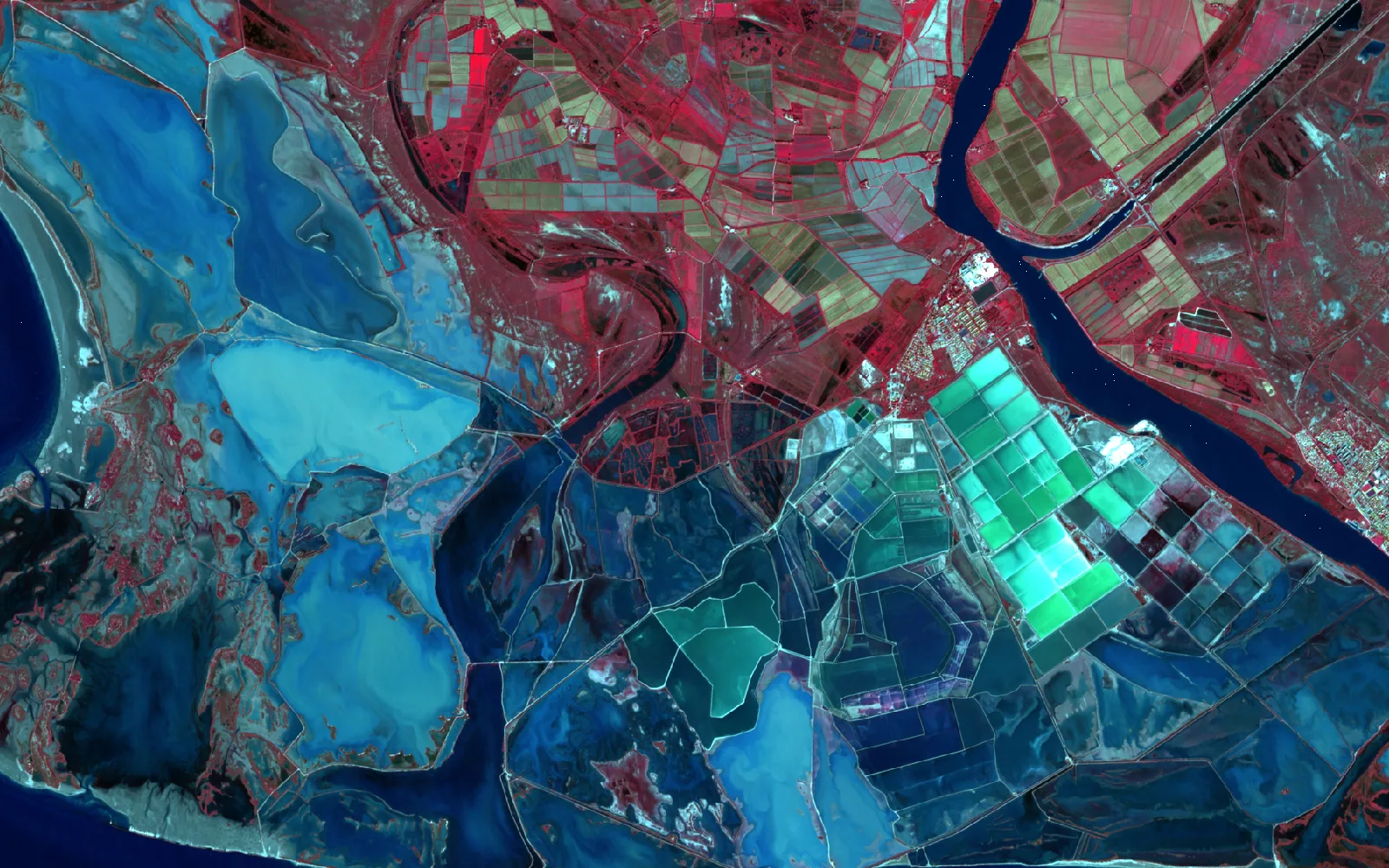
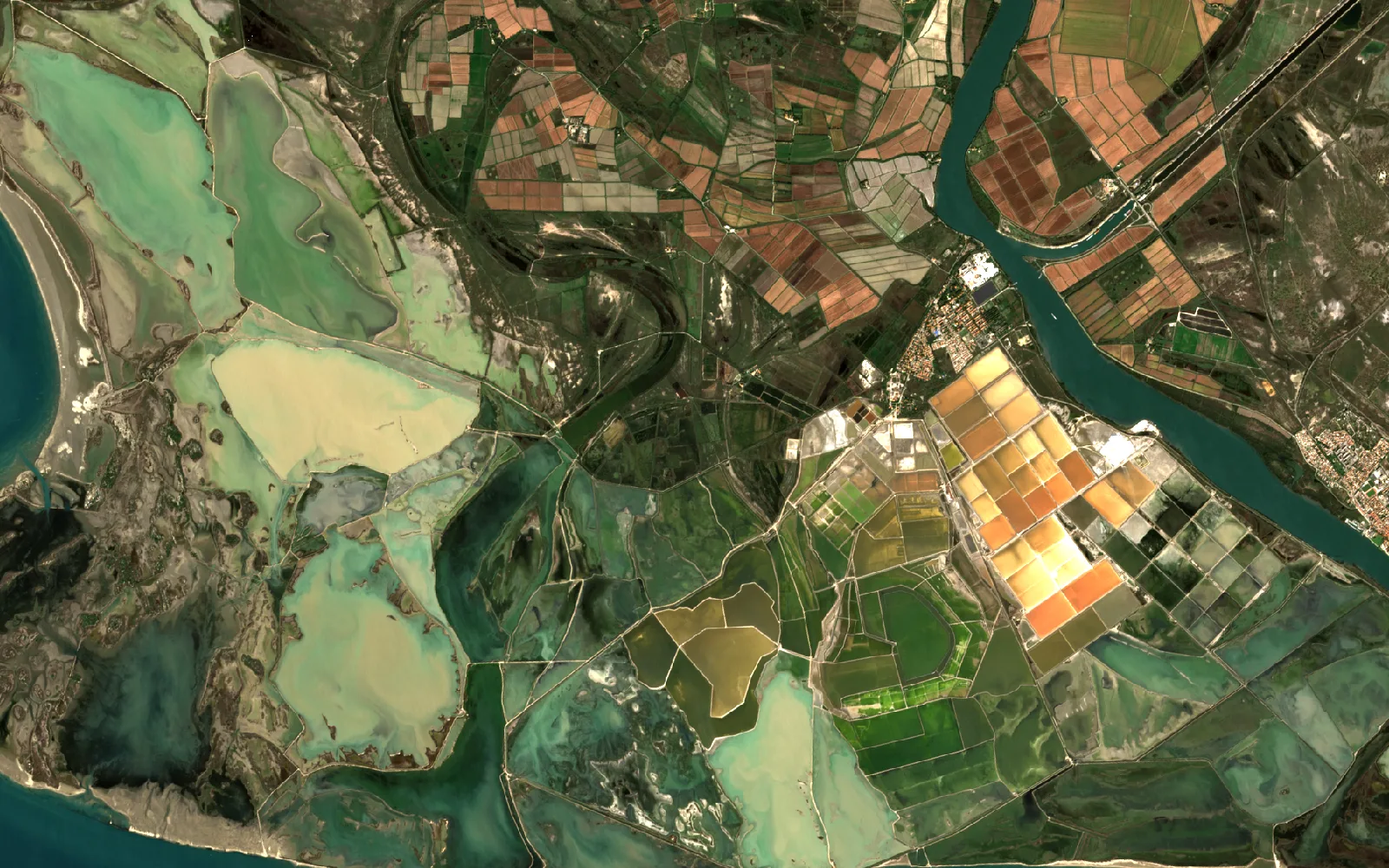
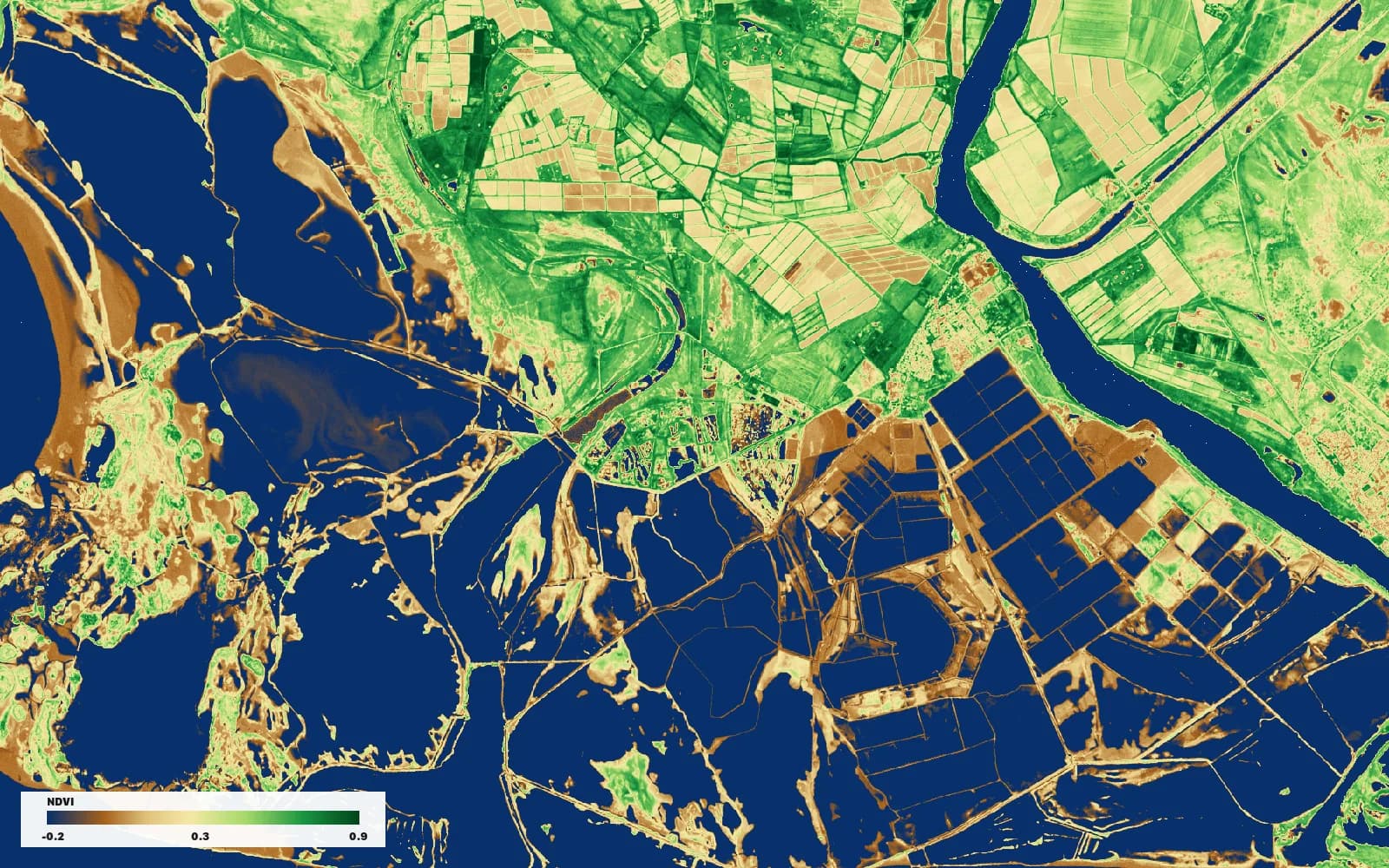
I ran the steps below in QGIS on one Sentinel-2 scene of the Camargue, the Rhône delta in southern France, taken on 12 October 2026 with under 1% cloud. The delta mixes open water, salt pans, marsh, rice and dry land in one frame, which is why it makes a good test.
Add the scene
Open Layer > Data Source Manager, pick the STAC tab and connect to Earth Search at https://earth-search.aws.element84.com/v1. Filter by extent, date and the Sentinel-2 Level-2A collection, then add the scene. Download Sentinel-2 images in QGIS tests four ways to do it and gives the timings.
Pick the bands for the question
In Layer Properties > Symbology, choose Multiband color. Red, green, blue as B4, B3, B2 gives what the eye would see. B8, B4, B3 puts near-infrared in red, so every healthy plant turns red and the water goes black.
Turn the bands into a number
Raster > Raster Calculator, with NDVI as (B8 − B4) / (B8 + B4). First click a water pixel with the Identify tool. A value near 0 means the offset is already removed, as in the Earth Search files I used. A value near 1,000 means you must subtract 1,000 from every band, which is the case for Sentinel-2 products downloaded from Copernicus since 25 January 2022. What is NDVI shows the 0.82 that becomes 0.56 when you forget.
Cut the number into classes
Set a threshold, for example NDVI above 0.6 for dense vegetation, with Raster > Raster Calculator or the Reclassify by table algorithm. For several land cover classes, train a classifier from polygons you draw, with the free SCP or dzetsaka plugins.
Turn classes into measurements
Raster > Conversion > Polygonize, then the field calculator or Zonal statistics for areas per class. The numbers hold at the scale of the pixel and no finer.
Where AI helps, and where it does not
Remote sensing splits in two by scale, and the tools split with it.
At 10 or 30 m, you classify pixels: this one is water, that one is crops. The free classifiers above do it well, and a model adds little, because there is not enough detail in a pixel to recognise an object.
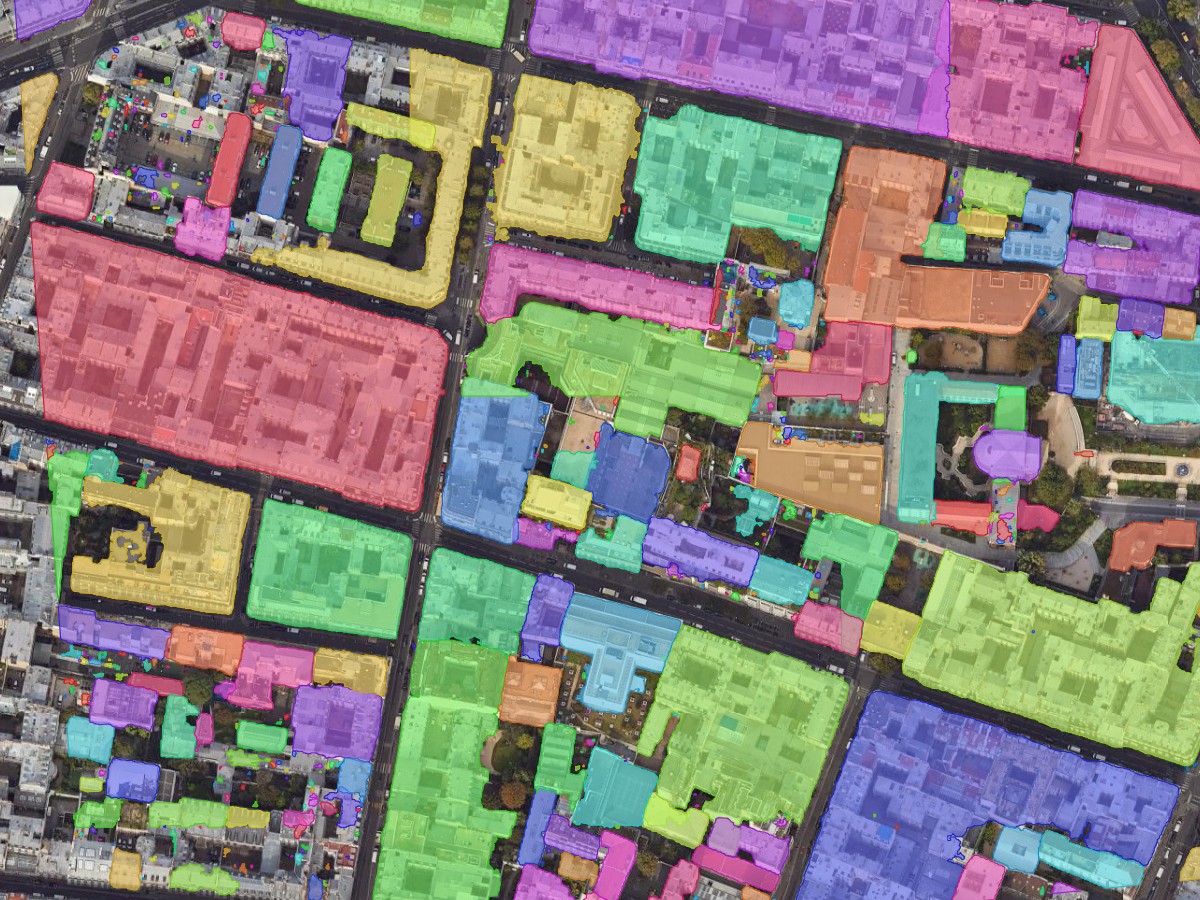
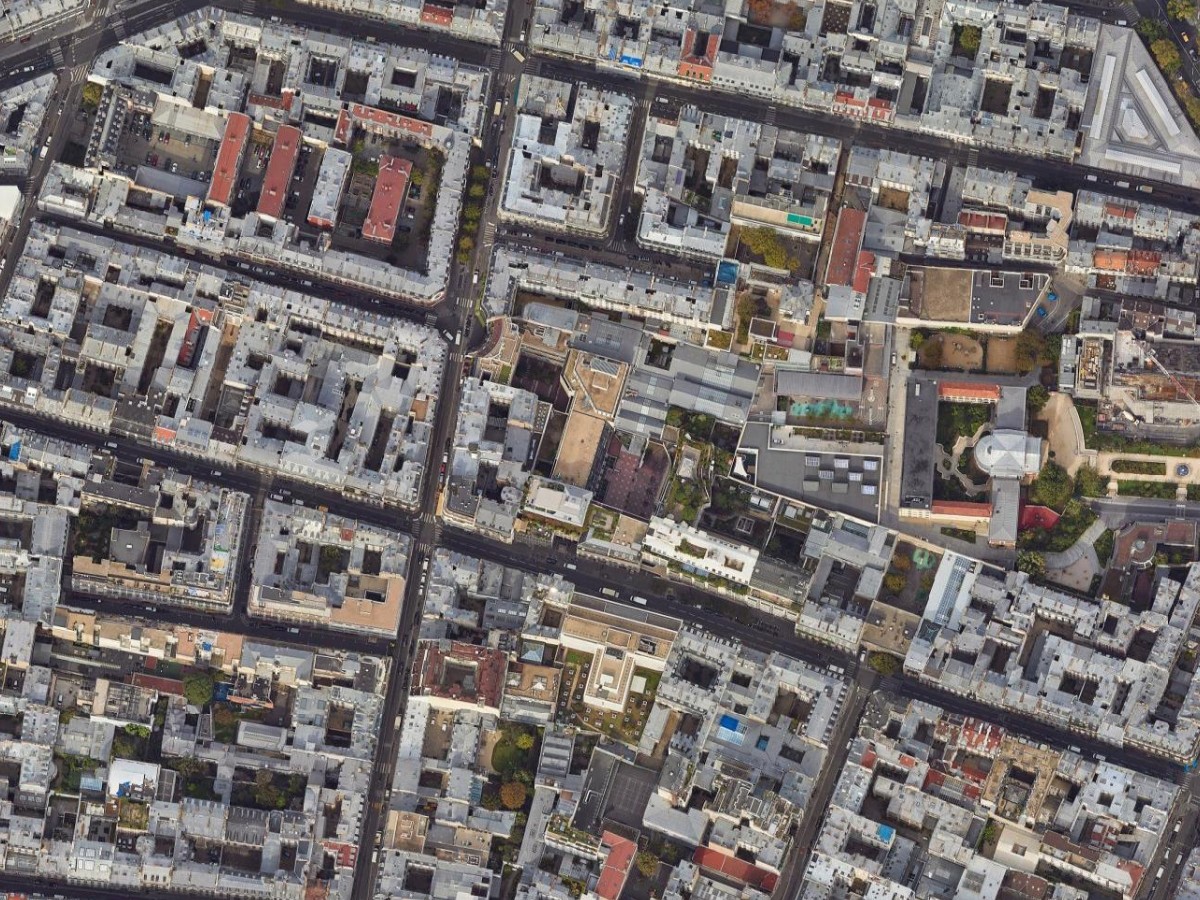
At 50 cm or finer, you extract objects: this is a building, that is a tree. That is where a segmentation model earns its place. We build one of the plugins in this space, AI Segmentation, so this paragraph is about our own tool. You draw a zone on an aerial photo or drone orthophoto, type the object, building, tree or swimming pool, and its own models return the outlines as polygons with a confidence score and an area. Imagery coarser than the object is not worth sending: our own tuning aims for roughly 0.18 m per pixel on a building and 0.09 m on a car. The GeoAI guide explains the five things it extracts and what each costs.
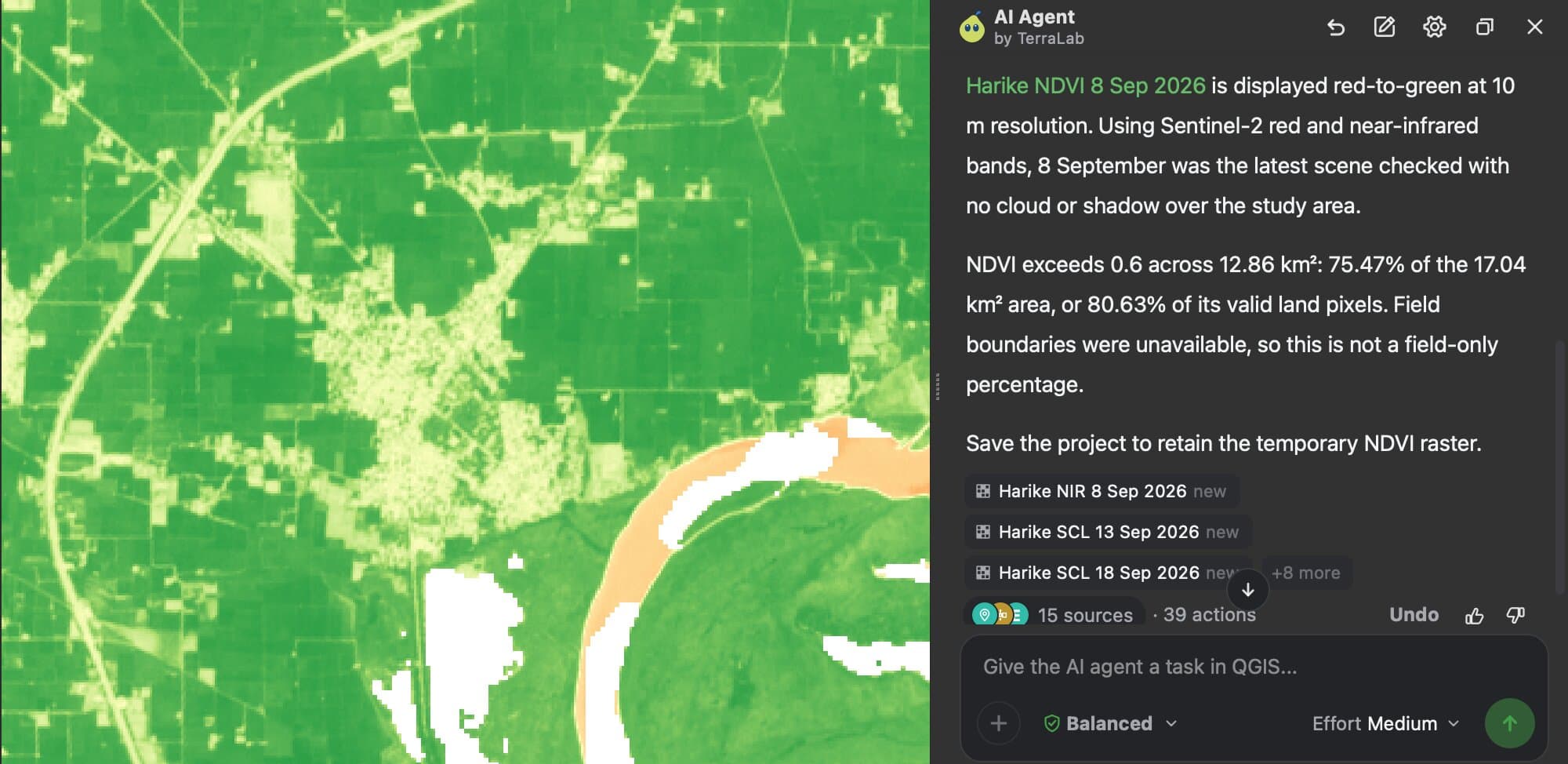
The slow part of a remote sensing job is not any single step. It is the dozen of them in a row: find the scene, check the clouds, remove the offset, compute, style, measure. Our other plugin, AI Agent, runs that chain from one sentence. I asked it for NDVI over the fields around Harike, Punjab, from the latest cloud-free Sentinel-2 image. It skipped two cloudy dates, removed the offset, styled the result, and reported that 75% of the 17 km² area was above 0.6, in about 3 minutes 30 seconds. It left working layers behind and mis-stated the size of the area, so check the numbers you quote.
Try AI Agent free in QGIS, no card needed
What to remember
Remote sensing is measuring the ground from a distance, and a satellite image is a stack of bands, not a photograph.
Sentinel-2 is the default free source for fields, forests and town edges: 13 bands, 10 m pixels for four of them, a new image every 5 days at the equator.
Pick the band combination for the question: B4, B3, B2 to see, B8, B4, B3 for vegetation, and NDVI to put a number on it.
Check the Sentinel-2 offset before any index: a water pixel near 1,000 means subtract 1,000 from every band.
Pixels classify, objects need finer imagery: below about 50 cm, a segmentation model extracts buildings and trees, and above 10 m it has nothing to recognise.
Questions people ask
What is remote sensing in simple terms?
It is learning about the ground without touching it. A satellite, plane or drone records the light or radio waves coming back from the surface, and software turns the recording into a map or a number.
What is the difference between remote sensing and GIS?
Remote sensing collects and interprets measurements from a distance. GIS stores, edits and analyses spatial data of any origin. In practice they overlap: you do remote sensing inside a GIS like QGIS, and the results become layers in it.
Is remote sensing data free?
A lot of it is. Sentinel-1 and Sentinel-2 from ESA, Landsat from USGS, and in France the IGN aerial photos and LiDAR HD are free to download and reuse. Commercial satellites sell sharper images, from about 30 cm, by the scene or the square kilometre.
Can QGIS do remote sensing?
Yes. Raster tools, the Raster Calculator, band compositing and the free SCP and dzetsaka plugins cover image display, indices and classification. The workflow above uses only what ships with QGIS.
What is the best satellite for free imagery?
Sentinel-2 for most land work after 2015, because of its 10 m pixels and 5-day revisit. Landsat when you need records back to 1972 or a thermal band. Sentinel-1 radar when clouds keep hiding the ground.
Is GeoAI the same as remote sensing?
No. Remote sensing is how the data is captured. GeoAI is machine learning applied to that data, to extract objects, classes or changes from it.
For the neighbouring terms, NDVI and the other vegetation indices, multispectral versus hyperspectral and tree canopy mapping go further on the topics above, and the QGIS AI hub lists what each AI plugin needs before it will run.